Freedom251 › AI Screen Recorders

Rec
What Rec is
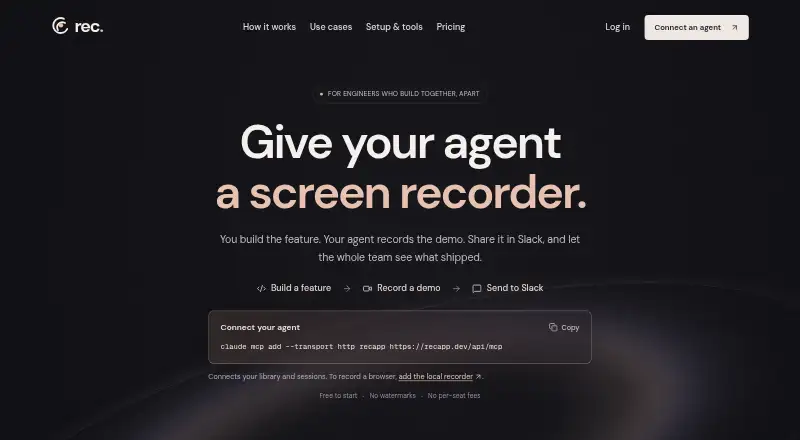
Rec gives software agents a way to record feature demos and share them with a team. Its local recorder opens Chromium on the user's computer, captures video and uploads it to a Rec workspace. People can also use the Chrome extension to record a tab, screen, camera and microphone into that workspace.
Rec provides transcripts, summaries, chapters, semantic search and chat with videos. Its hosted MCP server includes tools for library search, accessing transcripts and summaries, and managing recording sessions. Public share links let viewers watch in a browser without a Rec account; recordings can also be embedded or sent to Slack. Each workspace receives 30 free credits monthly. Playback and transcription use 1 credit per minute; AI voiceovers and language dubs use 2 credits per video minute, with dubs listed in five languages. Recording has no time limit, but AI transcription covers recordings up to an hour. Rec says recordings are encrypted and private recordings are visible only to the user and their workspace. Paid plans are 10.00 USD, 20.00 USD and $50 a month.
Who it suits
Rec may suit teams that want software agents to create feature-demo recordings and people to add screen, camera or microphone captures. Its search, summaries and sharing tools may also help teams review and distribute recordings.
What it does well
- Free plan includes 30 monthly credits.
- Recording is unlimited and has no time limit.
- Public links work without a Rec account.
- Provides transcripts, summaries, chapters and semantic search.
- Private recordings are limited to the user and workspace.
What to know first
- AI transcription covers recordings only up to an hour.
- Playback and transcription each consume credits.
- Voiceovers and dubs cost 2 credits per video minute.
Limits
The free plan provides 30 credits per month; playback and transcription cost 1 credit per minute, while voiceovers and dubs cost 2 credits per video minute. AI transcription covers recordings up to an hour, although recording itself is unlimited.
Plans
| Plan | Billed and limits | Price |
|---|---|---|
| Free plan | $0/mo; 30 credits per month; no card needed · Unlimited recording · 30 monthly credits · no watermarks · unlimited teammates | Free |
| Light usage | $10/mo; 500 credits · Credits for views and AI processing · paid credits roll over | $10 a month |
| Regular usage | $20/mo; 1,000 credits · Credits for views and AI processing · paid credits roll over | $20 a month |
| Higher usage | $50/mo; 2,500 credits · Credits for views and AI processing · paid credits roll over | $50 a month |
| Custom amount | $[Input: 0]/mo · Set a monthly budget; paid credits roll over | On request |
As recapp.dev lists them, read 5 Oct 2026. The maker's own page has the final word.
Getting started
- Open the Rec website.
- Choose the free plan or a paid plan.
- Use the local recorder to open Chromium and record, or use the Chrome extension.
- Upload recordings to the Rec workspace and share them by public link, embed, or Slack.
Verdict
Rec combines agent-created and human-made recordings with tools for finding, summarizing and sharing videos. The free plan has 30 monthly credits, so review the credit costs and one-hour transcription limit against your needs.
Questions
Is there a free plan?
Yes. The free plan costs nothing and includes 30 credits monthly, unlimited recording, no watermarks, and unlimited teammates. No card is needed.
What do the paid plans cost?
Light usage is $10 a month, Regular usage is $20 a month, and Higher usage is $50 a month. They include 500, 1,000, and 2,500 credits respectively; paid credits roll over.
Which platforms does Rec support?
Rec lists API, extension, macOS, web, and Windows platforms. The Chrome extension records a tab, screen, camera, and microphone.
Can people view a recording without an account?
Yes. Anyone with a public share link can watch in a browser without a Rec account. Recordings can also be embedded or shared to Slack.
What integrations are listed?
The pricing page lists Slack, Linear, GitHub, Notion, and Zapier. The home page says recordings can be sent to a connected Slack channel.
What does AI processing cost in credits?
Transcription costs 1 credit per video minute. AI voiceovers and language dubs cost 2 credits per video minute; dubs are listed in five languages.
Facts from Rec's own pages
- Agent recording
- Its local recorder opens Chromium on the user's computer, captures video, and uploads it to the Rec workspace. · recapp.dev, 5 Oct 2026
- AI processing
- Transcription costs 1 credit per video minute, while AI voiceovers and language dubs cost 2 credits per video minute; the pricing page lists dubs in 5 languages. · recapp.dev, 5 Oct 2026
- Credits
- Each workspace gets 30 free credits monthly; playback and transcription cost 1 credit per minute and voiceovers or dubs cost 2 credits per video minute. · recapp.dev, 5 Oct 2026
- Human recording
- The Chrome extension can record a tab, screen, camera, and microphone into the same workspace used for agent recordings. · recapp.dev, 5 Oct 2026
- Integrations
- The pricing page lists Slack, Linear, GitHub, Notion, and Zapier; the home page says recordings can be sent to a connected Slack channel. · recapp.dev, 5 Oct 2026
- Login handling
- For authenticated apps, the agent can open a visible browser window for the user to sign in rather than placing a password in the prompt. · recapp.dev, 5 Oct 2026
- MCP access
- Rec's hosted MCP server provides tools for library search, transcripts, summaries, and recording-session management. · recapp.dev, 5 Oct 2026
- Purpose
- Rec gives software agents a screen recorder so they can record feature demos and share them with a team. · recapp.dev, 5 Oct 2026
- Recording limit
- Recording is unlimited with no time limit, but AI transcription covers recordings up to an hour. · recapp.dev, 5 Oct 2026
- Security
- Rec says recordings are stored encrypted with row-level security on every table, and private recordings are visible only to the user and their workspace. · recapp.dev, 5 Oct 2026
- Sharing
- Anyone with a public share link can watch in a browser without a Rec account, and recordings can be embedded or shared to Slack. · recapp.dev, 5 Oct 2026
- Support
- Rec lists [email protected] for support. · recapp.dev, 5 Oct 2026
- Video tools
- Rec provides transcripts, summaries, chapters, semantic search, and chat with videos. · recapp.dev, 5 Oct 2026
Where Rec stands on Freedom251
- AI Screen Recorders#15 of 39