Freedom251 › Voice Cloning Software
Real-Time Voice Cloning
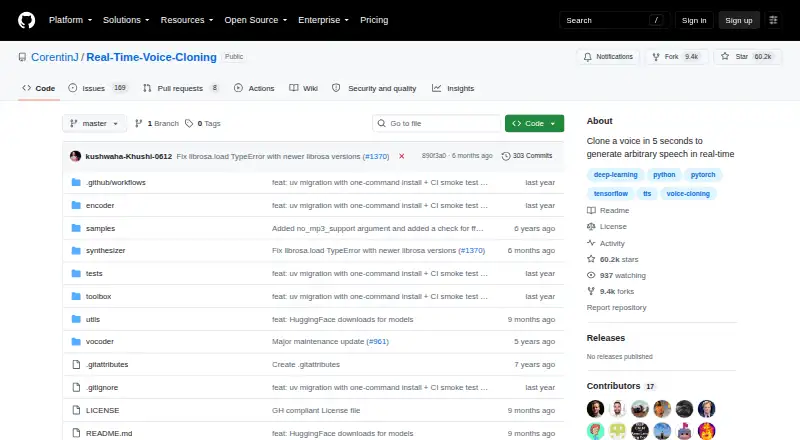
What Real-Time Voice Cloning is
Real-Time Voice Cloning is a free software project that builds a digital voice representation from a few seconds of audio and uses it to generate speech from arbitrary text. Its SV2TTS framework has three stages: GE2E handles voice encoding, Tacotron synthesizes speech, and WaveRNN serves as the vocoder. The project describes the vocoder as operating in real time and says it can clone a voice in five seconds. It runs on Windows and Linux and includes a graphical toolbox and a command-line demo. The repository provides separate run commands for NVIDIA GPU and CPU use. Pretrained models download automatically, and the toolbox can work with audio files or recordings supplied by the user without a dataset download. ffmpeg is required to read audio files. The project is MIT-licensed, and the listed license permits commercial use subject to its conditions. The maintainer cautions that the repository has aged and that many SaaS apps provide better audio quality. If setup fails, the README points users to open an issue. It is available through GitHub.
Who it suits
Real-Time Voice Cloning suits people who want to use a voice cloning project on Windows or Linux using a graphical toolbox or command line. Its CPU and NVIDIA GPU run options and support for user-provided recordings make it relevant to users comfortable installing software and working with audio files.
What it does well
- Free to use under the MIT License.
- Runs on Windows and Linux.
- Includes a graphical toolbox and command-line demo.
- Offers separate run commands for NVIDIA GPU and CPU use.
- Pretrained models download automatically.
- Commercial use is permitted under the listed license.
What to know first
- ffmpeg is required to read audio files.
- The maintainer says many SaaS apps provide better audio quality.
- The repository has no security policy file or published security advisories.
Limits
The software is free. Its maintainer cautions that the repository has aged and that many SaaS apps provide better audio quality.
Plans
| Plan | Billed and limits | Price |
|---|---|---|
| MIT-licensed software | Run locally with Python · Windows and Linux supported · README says audio quality may be lower than newer SaaS apps | Free |
As github.com lists them, read 8 Oct 2026. The maker's own page has the final word.
Getting started
- Open the project repository on GitHub.
- Use a Windows or Linux system.
- Install ffmpeg to read audio files.
- Choose the graphical toolbox or command-line demo.
- Follow the repository’s run commands for NVIDIA GPU or CPU use.
- Use the automatically downloaded pretrained models or provide your own audio files or recordings.
Verdict
Choose Real-Time Voice Cloning if you want a free voice cloning project with Windows and Linux support and an MIT license. It offers both a graphical toolbox and command-line demo. Look elsewhere if audio quality is the deciding factor, since the maintainer says many SaaS apps provide better results.
Questions
Is Real-Time Voice Cloning free?
Yes. It is listed as free, with a plan price of $0.
Which systems does it support?
The project supports Windows and Linux.
Does it support commercial use?
Yes. The MIT License permits commercial use subject to its stated conditions.
What models does it use?
The repository lists GE2E for the encoder, Tacotron for the synthesizer, and WaveRNN for the vocoder.
What is needed to read audio files?
The README says ffmpeg is necessary for reading audio files.
Where can users get setup help?
The README directs users to open an issue if setup fails.
Facts from Real-Time Voice Cloning's own pages
- Audio dependency
- The README says ffmpeg is necessary for reading audio files. · github.com, 8 Oct 2026
- Desktop use
- The README says Windows and Linux are supported and provides both a graphical toolbox and command-line demo. · github.com, 8 Oct 2026
- Founded
- 2019 · github.com, 28 Sept 2026
- Hardware options
- The README provides separate run commands for NVIDIA GPU and CPU use. · github.com, 8 Oct 2026
- Implemented models
- The repository lists GE2E for the encoder, Tacotron for the synthesizer, and WaveRNN for the vocoder. · github.com, 8 Oct 2026
- License
- The repository uses the MIT License, which permits use, copying, modification, distribution, sublicensing, and sale subject to its stated conditions. · github.com, 8 Oct 2026
- Models and data
- Pretrained models download automatically, and the toolbox can use the user's own audio files or recordings without downloading a dataset. · github.com, 8 Oct 2026
- Model stages
- The README describes SV2TTS as a three-stage framework for voice representation and speech generation. · github.com, 8 Oct 2026
- Quality limitation
- The maintainer warns that the repository has quickly become old and that many SaaS apps provide better audio quality. · github.com, 8 Oct 2026
- Real-time generation
- The project describes its vocoder as working in real time and says it can clone a voice in five seconds. · github.com, 8 Oct 2026
- Security
- GitHub reports that the project has no security policy file and no published security advisories. · github.com, 8 Oct 2026
- Support route
- The README directs users to open an issue if setup fails. · github.com, 8 Oct 2026
- What it does
- The repository implements a system that creates a digital voice representation from a few seconds of audio and uses it to generate speech from arbitrary text. · github.com, 8 Oct 2026
Where Real-Time Voice Cloning stands on Freedom251
- Voice Cloning Software#14 of 25
- AI Voice Cloning Software#17 of 29