Freedom251 › Text-to-Speech Software
OpenVoiceChanger
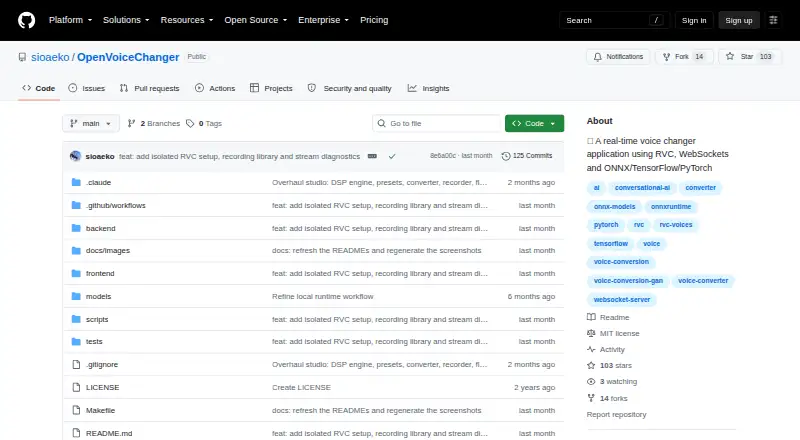
What OpenVoiceChanger is
OpenVoiceChanger is a free, open-source, self-hosted web application for real-time AI voice conversion with ONNX or RVC models. It streams microphone audio over WebSockets and can also apply DSP voice effects without a conversion model. The studio offers pitch and formant shifting, 16 F0 methods, 12 DSP effects and 16 built-in voice presets; users can save custom presets with all Voice Lab settings. For offline conversion, it accepts WAV, MP3, FLAC, OGG and M4A files and renders WAV output, with a configured maximum of 600 seconds. It supports ONNX and RVC PyTorch .pth or .pt models; RVC requires a HuBERT content encoder. The backend provides HTTP endpoints for health, models, presets and conversion, plus a WebSocket endpoint for live audio. The app supports Linux and Windows and lists Python 3.10 or later, Node.js 20.19 or later, and npm as requirements. Recorded takes are stored in browser IndexedDB on the same origin and may be cleared or evicted by the browser.
Who it suits
OpenVoiceChanger suits people seeking a self-hosted browser tool for live or file-based voice conversion. Users working with RVC models need a HuBERT content encoder, and the listed software requirements include Python, Node.js and npm.
What it does well
- Free and open source under the MIT license
- Offers 16 built-in voice presets
- Supports five input audio formats
- Provides HTTP and WebSocket endpoints
What to know first
- Offline conversion is limited to 600 seconds
- RVC requires a HuBERT content encoder
- Browser-stored takes may be cleared or evicted
- No third-party conferencing integrations are listed
Limits
Offline conversion has a configured maximum duration of 600 seconds. RVC model use requires a HuBERT content encoder.
Getting started
- Visit the OpenVoiceChanger GitHub repository.
- Prepare Python 3.10 or later, Node.js 20.19 or later, and npm.
- Install and launch the application using its managed launcher.
- Open the application in a browser.
- Use an ONNX model or an RVC PyTorch .pth or .pt model; RVC also requires a HuBERT content encoder.
Verdict
OpenVoiceChanger combines live conversion, DSP effects and offline file processing in a self-hosted browser app. Check the model requirements and duration limit, and note that saved takes rely on browser storage.
Questions
Is OpenVoiceChanger free?
Yes. It is listed as free and open source.
What license does it use?
The repository identifies the license as MIT.
Which platforms does it support?
It supports browser use and lists Linux, Windows, API, and self-hosted platforms.
Can it convert recorded audio?
Yes. It accepts WAV, MP3, FLAC, OGG, and M4A files and renders WAV output, up to a configured maximum of 600 seconds.
Which model formats does it support?
It supports ONNX models and RVC PyTorch .pth or .pt models. RVC requires a HuBERT content encoder.
Does it integrate with conferencing apps?
The README documents ONNX Runtime, PyTorch, RVC, and GitHub Releases for updates; it does not list third-party conferencing integrations.
Facts from OpenVoiceChanger's own pages
- API
- The backend exposes HTTP endpoints for health, models, presets, conversion, and updates, plus a WebSocket endpoint for real-time audio. · github.com, 9 Oct 2026
- Checkpoint security
- Uploaded RVC checkpoints use PyTorch safe weights-only loading by default; unsafe loading requires an explicit deployment setting. · github.com, 9 Oct 2026
- Custom presets
- Users can save custom presets containing the complete Voice Lab settings. · github.com, 4 Oct 2026
- Deployment
- The app runs a local backend and browser UI, with the backend bound to 127.0.0.1 by default. · github.com, 9 Oct 2026
- Effects
- Its server-side DSP rack includes 12 effects, including noise gate, distortion, chorus, echo, reverb, EQ, and compression. · github.com, 9 Oct 2026
- File conversion
- Users can upload WAV, MP3, FLAC, OGG, or M4A files for conversion to downloadable WAV, with a configurable maximum length of 600 seconds. · github.com, 9 Oct 2026
- Integrations
- The README documents ONNX Runtime, PyTorch, RVC, and GitHub Releases for updates; it does not list third-party conferencing integrations. · github.com, 4 Oct 2026
- License
- The repository is distributed under the MIT License. · github.com, 9 Oct 2026
- Live conversion
- It streams microphone audio over WebSockets and also supports model-free DSP voice effects. · github.com, 4 Oct 2026
- Local storage
- Recorded takes are stored in browser IndexedDB on the same origin and may be cleared or evicted by the browser. · github.com, 4 Oct 2026
- Model formats
- The app supports ONNX models and RVC PyTorch .pth or .pt models, with RVC requiring a HuBERT content encoder. · github.com, 4 Oct 2026
- Models
- It accepts ONNX and RVC .pth or .pt models, and RVC models require a HuBERT content encoder file. · github.com, 9 Oct 2026
- Network security
- Cross-origin HTTP and WebSocket requests are checked against an origin allowlist, and the README recommends HTTPS for LAN microphone access. · github.com, 9 Oct 2026
- Platforms
- The README documents Windows setup and says other platforms use manual setup; its Makefile supports POSIX shells or WSL. · github.com, 9 Oct 2026
- Product
- OpenVoiceChanger is a self-hosted web application for real-time AI voice conversion using ONNX or RVC models. · github.com, 4 Oct 2026
- Purpose
- OpenVoiceChanger is a real-time AI voice changer web application that routes a microphone through ONNX or RVC models. · github.com, 9 Oct 2026
- Realtime conversion
- It streams audio over WebSockets and supports ONNX, RVC, and model-free DSP modes. · github.com, 9 Oct 2026
- Requirements
- The documented requirements include Python 3.10 or later, Node.js 20.19 or later, and npm. · github.com, 9 Oct 2026
- Security
- The backend binds to localhost by default, checks browser origins for HTTP and WebSocket requests, and loads RVC checkpoints in safe weights-only mode by default. · github.com, 4 Oct 2026
- Updates
- The app checks public GitHub releases but installs an update only after a user action through the managed launcher. · github.com, 9 Oct 2026
- Voice controls
- The studio offers live pitch and formant shifting, 16 F0 methods, RVC controls, and 16 built-in voice presets. · github.com, 9 Oct 2026
Where OpenVoiceChanger stands on Freedom251
- Text-to-Speech Software#105 of 223
- AI Voice Changer Software#24 of 48
- Voice Changer Software#23 of 45
- Game Voice Changers#16 of 29
- Voice Cloning Software#15 of 25
- Text-to-speech tools#155 of 232
- AI Voice Cloning Software#22 of 29