Freedom251 › Text-to-Speech Software
Panopreter
What Panopreter is
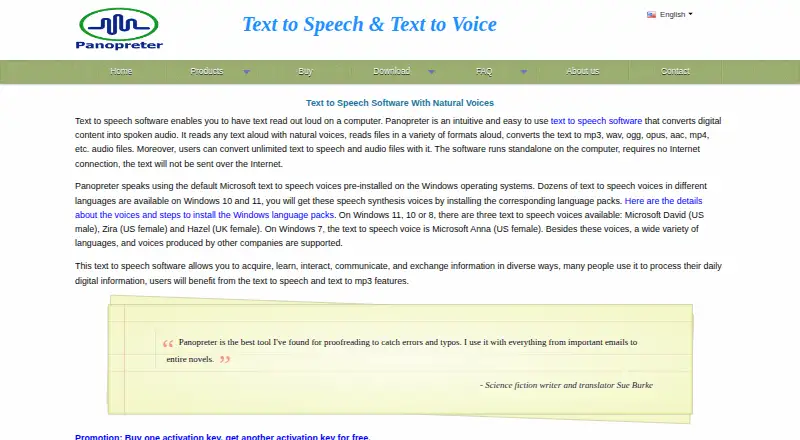
Panopreter reads digital text aloud and converts text into audio files. It is available for Windows and as a browser extension, with a free Basic plan and a Standard edition priced at 32.95 USD as a one-time purchase. A 14-day trial is also listed. Basic provides text-to-speech reading, batch conversion, WAV and MP3 export, and voice speed and volume controls. Standard adds unlimited text-to-speech and audio conversion, OGG, AAC, MP4, M4A, OPUS, and FLAC output, Chrome and Firefox extensions, and a Microsoft Word add-in. The Standard edition reads files including DOCX and PDF, although image-only PDFs provide no extracted text. Panopreter can highlight the current word or sentence and supports Microsoft SAPI 5 or later compatible voices, not SAPI 4. The maker says it runs without an internet connection and does not send text online. Downloadable editions list Windows 7, 8, 10, and 11. Very large conversions can fail when an intermediate WAV exceeds 4 GB.
Who it suits
Panopreter suits individuals, businesses, nonprofit and community organizations, and educational institutions needing spoken text or audio files. Windows users and Chrome or Firefox users can choose the formats and integrations in Standard.
What it does well
- Free Basic plan
- Batch conversion in Basic and Standard
- Multiple audio export formats in Standard
- Chrome, Firefox, and Word integrations
- Runs without an internet connection
What to know first
- Standard costs 32.95 USD one time
- Image-only PDFs yield no extracted text
- Very large WAV intermediates can exceed 4 GB
- Does not support SAPI 4 voices
Plans
| Plan | Billed and limits | Price |
|---|---|---|
| Panopreter Basic | Freeware · Windows 7, 8, 10, 11 · Reads text aloud · WAV and MP3 output · Batch conversion | Free |
| Panopreter Standard | One-time purchase · Windows 7, 8, 10, 11 · License activation tied to a computer · Promotional offer: two activation keys for two computers | $32.95, paid once |
As panopreter.com lists them, read 12 Oct 2026. The maker's own page has the final word.
Verdict
Panopreter offers a free entry plan and a paid one-time edition with broader formats and integrations. Offline processing, batch conversion, and adjustable playback make it suitable for turning documents or web text into audio.
Facts from Panopreter's own pages
- Audio formats
- The Standard edition converts text to WAV, MP3, OGG, AAC, MP4, M4A, OPUS, and FLAC. · panopreter.com, 12 Oct 2026
- Batch conversion
- Both Basic and Standard support batch file conversion. · panopreter.com, 12 Oct 2026
- Browser integrations
- The Standard edition includes extensions for Chrome and Firefox to read webpage text aloud. · panopreter.com, 12 Oct 2026
- Compatibility
- The maker lists Windows 7, 8, 10, and 11 as system requirements for the downloadable editions. · panopreter.com, 12 Oct 2026
- Export formats
- WAV,MP3,OGG,AAC,MP4,M4A,OPUS,FLAC · panopreter.com, 20 Sept 2026
- File size limit
- The FAQ says conversion can fail when the intermediate WAV file exceeds 4 GB and recommends splitting very large text files. · panopreter.com, 12 Oct 2026
- File support
- The Standard edition reads files in a variety of formats, including DOCX and PDF; image-only PDFs yield no extracted text. · panopreter.com, 12 Oct 2026
- Free plan
- Yes · panopreter.com, 20 Sept 2026
- Intended users
- The maker says its speech synthesis products are used by individuals, businesses, nonprofit and community organizations, and educational institutions. · panopreter.com, 12 Oct 2026
- Local processing
- The maker says the software runs standalone without an internet connection and text is not sent over the internet. · panopreter.com, 12 Oct 2026
- Office integration
- The Standard edition includes a Microsoft Word add-in that reads document text and converts it to audio. · panopreter.com, 12 Oct 2026
- Platforms
- Windows,Chrome extension · panopreter.com, 20 Sept 2026
- Playback features
- The software can highlight the word or sentence being read and lets users adjust voice speed and volume. · panopreter.com, 12 Oct 2026
- Purpose
- Panopreter reads digital text aloud and converts text to audio files. · panopreter.com, 12 Oct 2026
- Support and upgrades
- Registered users receive free technical support, free upgrades to future releases, and free transfer of the activation key to a new computer. · panopreter.com, 12 Oct 2026
- Voice support
- Panopreter supports Microsoft SAPI 5 or later compatible voices and does not support outdated SAPI 4 voices. · panopreter.com, 12 Oct 2026
Where Panopreter stands on Freedom251
- Text-to-Speech Software#106 of 223
- Text-to-speech tools#122 of 232