Freedom251 › File Reader Software
ReadEra
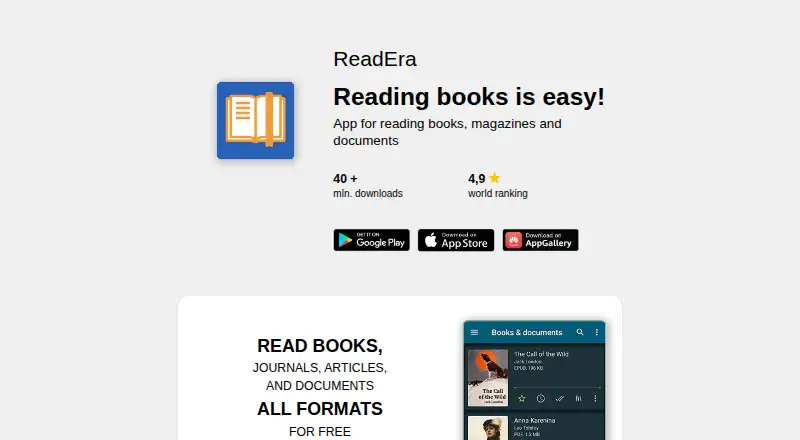
What ReadEra is
ReadEra is an app for reading books, magazines, articles, and documents without ads or registration. It opens formats including EPUB, MOBI, AZW3, FB2, PDF, DjVu, DOC, DOCX, RTF, ODT, TXT, CBR, and CBZ, along with files inside ZIP or RAR archives. The app detects books and documents and organizes them through reading lists, author and series groups, collections, sorting, and folders. Readers can add bookmarks, quotes, notes, translations, dictionary lookups, and text selections. Controls include search, contents, page history, several display modes, and adjustments for fonts, margins, zoom, brightness, and rotation. ReadEra can keep multiple books or documents open, including in split-screen, and has a kids mode with parental controls and child-specific filtering and collections. The free plan provides reading without ads or registration. Premium adds Google Drive sync for books, documents, progress, bookmarks, and quotes, as well as background text-to-speech. Premium costs 14.99 USD once. ReadEra is available on Android, iOS, and macOS.
Who it suits
ReadEra suits readers who want to organize and annotate a broad range of document formats without ads or registration. Premium may suit readers who want Google Drive synchronization or background text-to-speech.
What it does well
- Opens many ebook and document formats.
- Includes bookmarks, notes, and dictionary lookups.
- Supports multiple documents and split-screen reading.
- Kids mode includes parental controls.
- Free plan has no ads or registration.
What to know first
- Google Drive sync requires Premium.
- Background text-to-speech requires Premium.
- Premium costs 14.99 USD once.
- Available platforms are Android, iOS, and macOS.
Limits
The free plan is for reading; Google Drive synchronization and background text-to-speech are Premium features. Premium costs 14.99 USD once.
Plans
| Plan | Billed and limits | Price |
|---|---|---|
| ReadEra Free | free reading · no ads · no registration | Free |
| ReadEra Premium | once · Google Drive sync · background TTS · quotes and notes hub · custom fonts · library views · quote colors · page thumbnails | $14.99, paid once |
As readera.org lists them, read 1 Oct 2026. The maker's own page has the final word.
Getting started
- Visit https://readera.org/.
- Choose the Android, iOS, or macOS version.
- Start reading with the free plan, which requires no registration.
- Choose the one-time Premium plan if you want Google Drive sync or background text-to-speech.
Verdict
ReadEra covers a wide range of formats with library organization, annotations, and flexible reading controls. The free plan handles reading without ads or registration; Google Drive sync and background text-to-speech require the one-time Premium purchase.
Questions
Is ReadEra free?
Yes. ReadEra Free costs nothing and provides reading without ads or registration.
How much does Premium cost?
ReadEra Premium costs 14.99 USD once.
What platforms does ReadEra support?
ReadEra is listed for Android, iOS, and macOS.
What does Premium add?
Premium includes Google Drive synchronization, background text-to-speech, custom fonts, library views, quote colors, page thumbnails, and a quotes and notes hub.
Does ReadEra have open-source components?
The OpenReadEra Project contains five independent rendering programs distributed under GNU GPL licenses.
Who makes ReadEra?
ReadEra is based in Varna, Bulgaria.
Facts from ReadEra's own pages
- Annotations
- Users can create bookmarks, quotes, notes, translations, dictionary lookups, and copied text selections. · readera.org, 1 Oct 2026
- Headquarters
- Varna, Bulgaria · readera.org, 28 Sept 2026
- iOS privacy
- The iOS policy says the app collects no personal information, user files, or anonymous technical statistics and transfers no data to third parties. · readera.org, 1 Oct 2026
- Kids mode
- Kids mode provides a simplified interface, large covers, parental control, and child-specific book filtering and collections. · readera.org, 1 Oct 2026
- Large libraries
- ReadEra says it has been tested with a library of more than 500,000 books and documents. · readera.org, 1 Oct 2026
- Library organization
- The app auto-detects books and documents and provides reading lists, author and series grouping, collections, sorting, and folder work. · readera.org, 1 Oct 2026
- Multi-document reading
- The app supports reading multiple books or documents at once, including split-screen reading. · readera.org, 1 Oct 2026
- Open-source components
- The OpenReadEra Project contains five independent rendering programs distributed under GNU GPL licenses. · readera.org, 1 Oct 2026
- Premium audio
- Premium includes background text-to-speech so books and documents can be listened to with the screen locked. · play.google.com, 1 Oct 2026
- Premium synchronization
- Premium synchronizes books, documents, reading progress, bookmarks, and quotes with Google Drive across devices. · relay.readera.org, 1 Oct 2026
- Privacy
- The Android policy says the app does not collect personal information or user files, while anonymous technical and usage statistics can be disabled in settings. · readera.org, 1 Oct 2026
- Purpose
- ReadEra is an app for reading books, magazines, articles, and documents without ads or registration. · readera.org, 1 Oct 2026
- Reading controls
- Reading settings include text search, contents, page history, day/night/sepia/twilight/console modes, font controls, margins, hyphenation, zoom, brightness, and rotation. · readera.org, 1 Oct 2026
- Support
- ReadEra provides support at [email protected]. · readera.org, 1 Oct 2026
- Supported formats
- It supports EPUB, MOBI, AZW3, FB2, PDF, DjVu, DOC, DOCX, RTF, ODT, TXT, CBR, CBZ, and files inside ZIP or RAR archives. · readera.org, 1 Oct 2026
Where ReadEra stands on Freedom251
- File Reader Software#15 of 24
- Ebook Reader Software#17 of 27