Freedom251 › User Onboarding Software
React Joyride
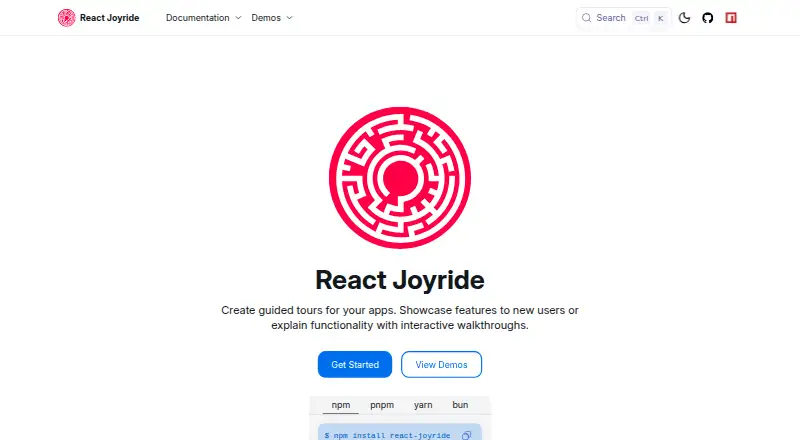
What React Joyride is
React Joyride adds guided tours to web apps built with React. It presents interactive tooltips one step at a time to introduce features or explain how an app works. Version 3 supports React 16.8 through React 19, and the project is free and open source.
Developers can customize components, styles, behavior, beacons, tooltips, and overlays. The `useJoyride()` hook exposes tour controls and state, including the current step, failures, and event subscriptions. A step can run asynchronous logic before it begins and cleanup logic after it ends. Tooltip placement uses `@floating-ui/react-dom`, with configurable middleware, flip and shift behavior, and a positioning strategy. Tour UI renders in a React portal; `portalElement` can direct it to a chosen container instead of `document.body`.
The tooltip uses an alertdialog role and modal ARIA attribute, keeps keyboard focus inside while open, and restores focus when closed. Documentation includes a Next.js App Router recipe with the hook behind a client boundary, plus a `nonce` prop for inline styles with Content Security Policy. V3 documentation describes the bundle as approximately 30% smaller than V2. The migration codemod from V2 to V3 still requires manual review for certain patterns, including spread props and dynamic or conditional values.
Who it suits
React Joyride suits developers adding guided, step-by-step tours to a React web app, including apps that need custom presentation or tour behavior. It also fits teams using Next.js App Router or needing keyboard focus handling and Content Security Policy support.
What it does well
- Free and open source.
- Supports React 16.8 through React 19.
- Customizable components, styles, behaviors, beacons, tooltips, and overlays.
- Tour controls expose state, current step, failures, and event subscriptions.
- Steps can run asynchronous setup and cleanup logic.
- Tooltip manages keyboard focus while open and restores it afterward.
What to know first
- The V2-to-V3 migration codemod needs manual review for some patterns.
- Platform support is web.
Getting started
- Open the React Joyride website.
- Follow the Getting Started guide.
- Install the package with `npm install react-joyride`.
- Add tour steps and configure the tour for the React app.
Verdict
Choose React Joyride when a React web app needs configurable, step-by-step tours with tour controls and keyboard focus handling. Teams migrating from V2 should account for manual review of some codemod results.
Questions
How much does React Joyride cost?
It is free and open source.
Which platforms does React Joyride support?
It supports web apps.
Which React versions does version 3 support?
React 16.8 through React 19.
Can React Joyride be used with Next.js App Router?
The documentation provides a recipe for Next.js App Router, with the hook behind a client boundary.
Does React Joyride support accessible keyboard focus handling?
Its tooltip traps keyboard focus while open and restores focus when closed.
Does the V2-to-V3 migration codemod handle every pattern automatically?
Some patterns, including spread props and dynamic or conditional values, require manual review.
Facts from React Joyride's own pages
- Accessibility
- The accessibility guide describes WAI-ARIA support, keyboard navigation, and a focus trap that restores focus when the tooltip closes. · react-joyride.com, 11 Oct 2026
- Bundle size
- The V3 documentation describes the bundle as approximately 30% smaller than V2. · react-joyride.com, 4 Oct 2026
- Configuration
- Tour options can control appearance, overlay, beacon, navigation buttons, asynchronous hooks, and scroll animation. · react-joyride.com, 11 Oct 2026
- Customization
- The library allows developers to replace its UI components, including the arrow, beacon, and tooltip. · react-joyride.com, 11 Oct 2026
- Distribution
- The project page provides installation instructions for npm, pnpm, yarn, and bun. · react-joyride.com, 11 Oct 2026
- Integrations
- The docs provide a recipe for using React Joyride with the Next.js App Router, with the hook behind a client boundary. · react-joyride.com, 4 Oct 2026
- License
- The project package metadata lists the MIT license. · github.com, 11 Oct 2026
- Migration limit
- The V2-to-V3 migration codemod requires manual review for patterns including spread props, dynamic or conditional values, and some hook migrations. · react-joyride.com, 4 Oct 2026
- Positioning
- Tooltip positioning uses `@floating-ui/react-dom` and supports configurable middleware, flip and shift behavior, and positioning strategy. · react-joyride.com, 4 Oct 2026
- Product
- React Joyride creates guided tours that showcase app features or explain functionality with interactive walkthroughs. · react-joyride.com, 11 Oct 2026
- Purpose
- React Joyride creates guided tours for apps using interactive, step-by-step tooltips to showcase features or explain functionality. · react-joyride.com, 4 Oct 2026
- React compatibility
- The package metadata lists React and React DOM peer dependency versions 16.8 through 19. · github.com, 11 Oct 2026
- Rendering
- Tour UI renders through a React portal, and `portalElement` can specify a custom container instead of `document.body`. · react-joyride.com, 4 Oct 2026
- Security configuration
- The props reference documents a `nonce` prop for inline styles to support Content Security Policy. · react-joyride.com, 4 Oct 2026
- Setup
- The getting-started guide says the only required prop is `steps`, and `run={true}` starts the tour. · react-joyride.com, 11 Oct 2026
- Step hooks
- Steps can run asynchronous logic before a step with `before` or cleanup logic with `after`. · react-joyride.com, 4 Oct 2026
- Tour control
- The getting-started guide describes a `useJoyride` hook that provides controls, state, and events. · react-joyride.com, 11 Oct 2026
- Tour controls
- The `useJoyride()` hook provides tour controls, state, the current step, failures, and event subscriptions. · react-joyride.com, 4 Oct 2026
Where React Joyride stands on Freedom251
- User Onboarding Software#14 of 30