Freedom251 › Database Software
RavenDB
by RavenDB
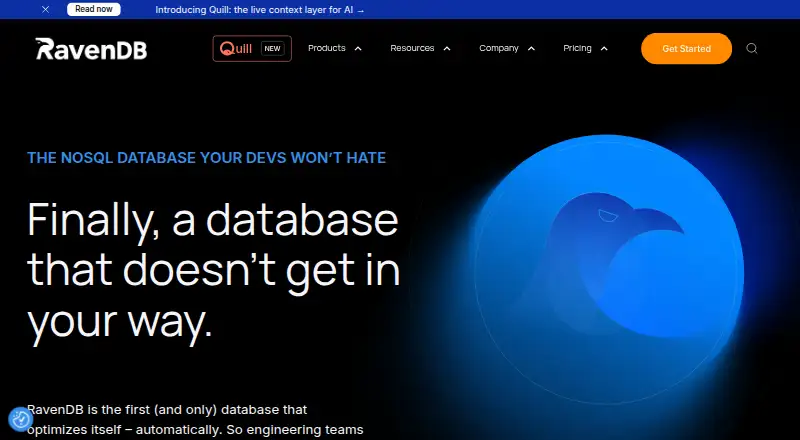
What RavenDB is
RavenDB is a schema-less NoSQL document database for storing JSON documents and binary attachments. It automatically creates and optimizes indexes, and supports full-text, spatial, and vector search. Other listed data features include time series, counters, attachments, and document revisions. RavenDB can be deployed in the cloud, on premises, or at the edge, with Windows, macOS, Linux, Ubuntu, Raspberry Pi, and Docker packages available. Its developer clients cover C++, PHP, C#, Java, Node.js, Python, Ruby, and Go. Integrations include SQL Server, PostgreSQL, MySQL, Elasticsearch, Kafka, RabbitMQ, Snowflake, Power BI, AWS, Azure, GCP, Docker, and Kubernetes. The database also supports AI integrations for summarization, classification, enrichment, and tagging in database workflows. For availability, RavenDB lists clustering, sharding, failover, and cluster-wide transactions. Its security features include X.509 certificates, TLS 1.3, storage encryption, and encrypted backups; listed certifications and standards include ISO/IEC 27001:2022, SOC Type II and Type III, and HIPAA. RavenDB was founded in 2010 and is headquartered in Hadera, Israel. Plans include a free Community license, commercial tiers, AI, and Cloud options. The Community license has core, cluster, memory, version, and renewal conditions.
Who it suits
RavenDB suits teams building document database applications that need search, transactions, or deployment choices across cloud, on-premises, and Edge environments. Its range of developer clients and listed integrations may also suit teams working with varied languages, data tools, and cloud providers.
What it does well
- Automatically creates and optimizes indexes.
- Supports full-text, spatial, and vector search.
- Offers cloud, on-premises, and Edge deployments.
- Lists clustering, sharding, failover, and cluster-wide transactions.
- Developer clients cover eight listed programming languages.
What to know first
- Community license is limited to 60 cores per customer entity.
- Community clusters have a three-node maximum and three-core limit.
- Community license requires the latest major version and periodic renewal.
Limits
The Community license is limited to 60 cores per customer entity, with a maximum three-node cluster, three cores per cluster, and 6 GB RAM per cluster. It requires the latest major version and is valid for one year with periodic renewal.
Plans
| Plan | Billed and limits | Price |
|---|---|---|
| Community | Free · commercial use · unlimited databases and database sizes · 60 cores per customer entity · latest major version required · renew yearly | Free |
| Developer | Free · development, CI and QA only (not production, staging or UAT) · 9 cores · 36 GB RAM · 3 nodes · renew every 6 months | Free |
| Enterprise | Contact sales for a quote · on-prem license · license limits apply; page lists maximum cluster size of 6 | On request |
| Cloud | Free, developer, or production tiers are offered; cloud pricing page requires JavaScript | On request |
| Professional | Contact sales for a quote · on-prem license · license limits apply; page lists maximum cluster size of 5 | On request |
| AI | Contact sales for a quote · on-prem license · includes AI capabilities | On request |
As ravendb.net lists them, read 30 Sept 2026. The maker's own page has the final word.
Getting started
- Visit the RavenDB website.
- Choose a deployment model: cloud, on-premises, or Edge.
- For a local package, use the download option for Windows, macOS, Linux, Ubuntu, Raspberry Pi, or Docker.
- Review the Developer or Community plan limits if considering a free license.
Overview
RavenDB is a schema-less NoSQL database for JSON documents and binary attachments, with automatic index creation and optimization. It is best suited to teams that want several search modes and deployment options in one database. Its broad feature set is a strength, but Community licensing has meaningful capacity and renewal constraints to weigh before adoption.
Cloud, on-premises, and Edge deployments give teams flexibility over where the database runs. Transactions support consistency within application workflows, while the combination of document storage, time series, counters, and revisions reaches beyond a basic document store. RavenDB 1.0 shipped in 2010; its maker is based in Hadera, Israel.
It belongs in comparisons of Document Databases, Spatial Databases, Multimodel Databases, and broader Database Software.
Key features
Search and data handling
Full-text, spatial, and vector search let teams address different retrieval needs without limiting the product to conventional document lookups. Automatic index creation and optimization may reduce the indexing work developers need to manage. Time series, counters, document revisions, and binary attachments add useful data-handling options, though teams should assess whether this breadth fits their application rather than choosing on feature count alone.
Distributed operation and security
Clustering, sharding, failover, and cluster-wide transactions target deployments that need availability and coordinated operations across a cluster. Security capabilities include X.509 certificates, TLS 1.3, storage encryption, and encrypted backups. RavenDB also identifies ISO/IEC 27001:2022, SOC Type II and Type III, and HIPAA on its security and trust pages; these credentials are relevant for organizations with compliance requirements.
AI and ecosystem
AI integrations support LLM-driven summarization, classification, enrichment, and tagging within database workflows. Listed integrations include SQL Server, PostgreSQL, MySQL, Elasticsearch, Kafka, RabbitMQ, Snowflake, Power BI, AWS, Azure, GCP, Docker, and Kubernetes. Client support spans C++, PHP, C#, Java, Node.js, Python, Ruby, and Go, making the product relevant to teams working across several common development stacks.
Pricing
RavenDB uses a freemium model, but no plan has a published price here; commercial plans have custom pricing. Plan choice is therefore shaped more clearly by licensing and capacity limits than by a public price comparison.
- Developer: 9 cores, 36 GB RAM, and 3 nodes. This fits development deployments with more room than the Community cluster caps, but a published price is not available.
- Community: A free license limited to 60 cores per customer entity, including subsidiaries. Each cluster is capped at 3 nodes, 3 cores, and 6 GB RAM. It requires the latest major version and lasts one year with periodic renewal. This can suit small deployments, but the per-cluster caps and version requirement make it a poor fit for larger or version-pinned environments.
- Professional and Enterprise: Commercial license tiers with per-core licensing. These are the options to consider for production use beyond Community limits, with the trade-off that costs scale with licensed cores.
- AI: A commercial AI license tier for teams using RavenDB's AI capabilities.
- Cloud: Includes 1 GB of monthly backup storage. Teams considering managed cloud should account for that stated storage allowance.
Support requests are handled through paid support plans. Professional and production options list email and phone support with SLA details, making paid support more relevant for deployments that require defined response commitments.
Platforms
RavenDB supports API access, Linux, macOS, Windows, web, and self-hosted use. Packages are offered for Windows, macOS, Linux, Ubuntu, Raspberry Pi, and Docker. The cloud, on-premises, and Edge deployment choices give teams control over hosting, while managed cloud suits those who prefer a hosted option.
Who it's for
RavenDB is a strong fit for teams building around document data that also need spatial or vector search, transactions, and options for clustering or failover. Its integrations and client libraries make it worth considering in mixed infrastructure and language environments. It is less compelling for small users who need predictable free-tier limits without renewal, or organizations that cannot adopt the latest major version under Community licensing.
Pros and cons
- Multiple search types: Full-text, spatial, and vector search cover a wider set of retrieval needs than document storage alone.
- Flexible deployment: Cloud, on-premises, and Edge options support different hosting preferences.
- Availability features: Clustering, sharding, failover, and cluster-wide transactions address distributed operation.
- Community limits are restrictive: The 3-core, 6 GB RAM, 3-node cluster cap can rule out even modest production deployments, despite the broader 60-core customer-entity allowance.
- Free license upkeep: Community requires the latest major version and periodic renewal after one year, which may not suit teams seeking a stable, long-term version choice.
- Commercial cost is harder to forecast: Professional and Enterprise use per-core licensing, but have custom pricing.
Alternatives
Choose Amazon DynamoDB if you want a freemium database with a free tier, a free trial, and a broad platform range that includes mobile as well as desktop and web. Choose ArcadeDB if a free Community plan billed forever and community forum and GitHub Issues support better match your needs. CrateDB is another freemium option, with a Shared Free plan capped at 2 vCPUs, 2 GiB RAM, and 8 GiB storage.
InterSystems IRIS offers a free Community Edition and free trial; AWS infrastructure costs may apply. MarkLogic has a Developer plan for noncommercial use with up to 1TB of data, alongside an Enterprise plan. OrientDB is a free database with a separate Basic support plan priced at €1,000 a month. Redis Insight is a free option with no free trial. DolphinDB offers a perpetual Community Edition capped at 2 nodes, 2 CPU cores, and 8 GB RAM per node.
Verdict
Choose RavenDB when your application needs a schema-less document database that combines several search types with flexible deployment and high-availability features. Its range of data capabilities, integrations, and developer clients makes it adaptable across varied systems. Look elsewhere if the Community cluster caps, annual renewal, latest-major-version requirement, or custom-priced per-core commercial licensing do not fit your operating constraints.
Verdict
Choose RavenDB if you need a schema-less document database with multiple search types, deployment models, and high-availability features. Review the Community license conditions against your required cores, cluster size, memory, and version needs before choosing the free tier.
Questions
Is RavenDB free?
Yes. RavenDB lists a free Community plan. The Developer plan is also listed, but no price is provided.
What limits apply to the Community license?
It allows up to 60 cores per customer entity, including subsidiaries, with a three-node maximum cluster, three cores per cluster, and 6 GB RAM per cluster. It requires the latest major version and periodic renewal after one year.
Where can RavenDB be deployed?
RavenDB lists cloud, on-premises, and Edge deployments. Download packages are offered for Windows, macOS, Linux, Ubuntu, Raspberry Pi, and Docker.
What kinds of search does RavenDB support?
Its listed search features include full-text, spatial, and vector search.
Which programming languages have client support?
The listed clients support C++, PHP, C#, Java, Node.js, Python, Ruby, and Go.
What are RavenDB’s commercial plans?
Professional and Enterprise are commercial license tiers with per-core licensing. An AI commercial license tier and a Cloud plan are also listed; prices are not provided.
Facts from RavenDB's own pages
- AI
- RavenDB supports AI integrations for LLM-driven summarization, classification, enrichment, and tagging within database workflows. · ravendb.net, 30 Sept 2026
- Company history
- RavenDB says RavenDB 1.0 shipped in 2010 and identifies RavenDB Ltd in its site footer. · ravendb.net, 30 Sept 2026
- Data features
- The feature page lists full-text, spatial, and vector search, time series, counters, attachments, and document revisions. · ravendb.net, 30 Sept 2026
- Deployment
- RavenDB is available as cloud, on-premises, and Edge deployments. · ravendb.net, 30 Sept 2026
- Developer clients
- The feature page lists client support for C++, PHP, C#, Java, Node.js, Python, Ruby, and Go. · ravendb.net, 30 Sept 2026
- Download platforms
- The download page offers packages for Windows, macOS, Linux, Ubuntu, Raspberry Pi, and Docker. · ravendb.net, 30 Sept 2026
- Founded
- 2010 · ravendb.net, 28 Sept 2026
- Free license limits
- The Community license is limited to 60 cores per customer entity, including subsidiaries, requires the latest major version, and is valid for one year with periodic renewal. · ravendb.net, 30 Sept 2026
- Free plan
- Yes · ravendb.net, 22 Sept 2026
- Headquarters
- Hadera, Israel · ravendb.net, 28 Sept 2026
- High availability
- RavenDB lists clustering, sharding, failover, and cluster-wide transactions among its features. · ravendb.net, 30 Sept 2026
- Integrations
- Listed integrations include SQL Server, PostgreSQL, MySQL, Elasticsearch, Kafka, RabbitMQ, Snowflake, Power BI, AWS, Azure, GCP, Docker, and Kubernetes. · ravendb.net, 30 Sept 2026
- Product
- RavenDB describes itself as a schema-less NoSQL document database that automatically creates and optimizes indexes. · ravendb.net, 30 Sept 2026
- Security
- RavenDB lists X.509 certificates, TLS 1.3, storage encryption, encrypted backups, ISO/IEC 27001:2022, SOC Type II and Type III, and HIPAA on its security and trust pages. · ravendb.net, 30 Sept 2026
- Support
- RavenDB says support requests are handled through paid support plans, with professional and production options listing email and phone support and SLA details. · ravendb.net, 30 Sept 2026
- Vector search
- Yes · ravendb.net, 22 Sept 2026
Where RavenDB stands on Freedom251
- Database Software#33 of 74
- Spatial Databases#21 of 40
- Document Databases#15 of 28
- Multimodel Databases#14 of 26
- NoSQL Databases#17 of 30