Raster to Vector
What Raster to Vector is
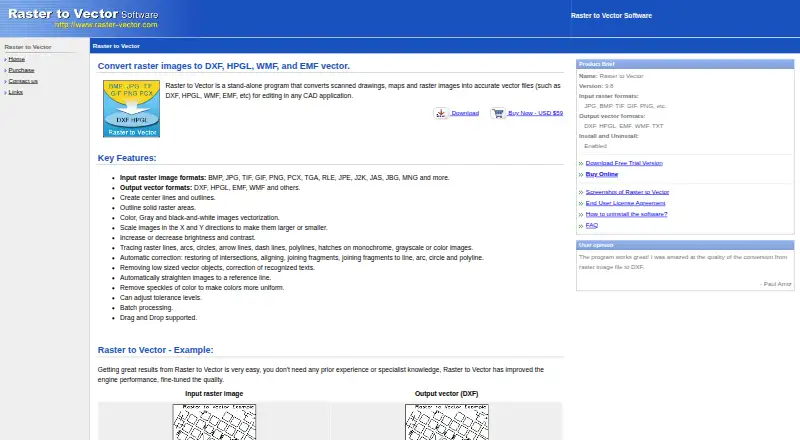
Raster to Vector is a Windows desktop program that turns scanned drawings, maps, and other raster images into vector files for editing in CAD applications. It accepts BMP, JPG, TIF, GIF, and PNG inputs, with DXF, HPGL, EMF, WMF, and TXT output options. Tracing can create center lines and outlines, and can follow raster lines, arcs, circles, arrow lines, dashed lines, polylines, and hatches. Image controls include X and Y scaling, brightness and contrast adjustment, and adjustable tolerance. Automatic correction options restore intersections, align and join fragments, and straighten images against a reference line. The program supports drag and drop and batch processing. A free trial is available for evaluation, but documents made during the trial may only be used for testing unless the full version is purchased. One-time license prices range from 59.00 USD for a single license to $37 per license for 11–15 licenses. The company is based in Cologne, Germany, and lists email support, normally answered within two business days excluding holidays.
Who it suits
Raster to Vector suits Windows users who need to convert scanned drawings, maps, or other raster images into CAD-editable vector files. Its tracing and correction options may be useful for users processing batches or adjusting image geometry.
What it does well
- Accepts BMP, JPG, TIF, GIF, and PNG files.
- Outputs DXF, HPGL, EMF, WMF, and TXT.
- Supports batch processing and drag and drop.
- Offers scaling, brightness, contrast, and tolerance controls.
- Email support normally replies within two business days.
What to know first
- Trial-created documents are restricted to evaluation use.
- The single-user license covers one computer.
- The EULA disclaims express and implied warranties.
Limits
Trial use is for evaluation, and documents created with the trial may be used only for testing unless you purchase the full version. A single-user license covers internal use on one computer; multi-user licenses cover the number of computers authorized at purchase.
Plans
| Plan | Billed and limits | Price |
|---|---|---|
| 11 - 15 licenses | 11 - 15 licenses · price per license | $37, paid once |
| 6 - 10 licenses | 6 - 10 licenses · price per license | $40, paid once |
| 3 - 5 licenses | 3 - 5 licenses · price per license | $45, paid once |
| 2 licenses | 2 licenses · price per license | $49, paid once |
| Single license | 1 license | $59, paid once |
As raster-vector.com lists them, read 8 Oct 2026. The maker's own page has the final word.
Getting started
- Visit raster-vector.com and download the trial program.
- Evaluate the program using trial-created documents only for testing.
- Choose a one-time license based on the number of computers authorized for use.
- After purchase, enter the registration code emailed to you through the trial program.
Verdict
Raster to Vector offers a broad set of tracing, correction, and batch conversion functions for Windows users preparing CAD-editable files. Check the trial document restriction and choose a license count that covers the computers you authorize.
Questions
How much does Raster to Vector cost?
A single license is $59.00 USD once. Multi-license prices range from $49 per license for two licenses to $37 per license for 11–15 licenses.
Is there a free plan or trial?
The product has a free plan and a free trial. Trial use is for evaluation, and trial-created documents may be used only for testing unless you purchase the full version.
Which platforms does it support?
Raster to Vector is a Windows desktop program.
What file formats can it handle?
It accepts BMP, JPG, TIF, GIF, and PNG raster inputs. Vector outputs include DXF, HPGL, EMF, WMF, and TXT.
How does registration work after purchase?
The site says a registration code is emailed after purchase. Enter it through the trial program to register the software.
How can I contact support?
The company offers support by email and says inquiries are normally answered within two business days, excluding holidays.
Facts from Raster to Vector's own pages
- Automatic correction
- Its listed automatic corrections include restoring intersections, aligning and joining fragments, and straightening images to a reference line. · raster-vector.com, 8 Oct 2026
- Company focus
- The company says it is committed to meeting the needs of graph professionals around the world. · raster-vector.com, 8 Oct 2026
- Formats
- The product lists raster inputs including BMP, JPG, TIF, GIF, and PNG, and vector outputs including DXF, HPGL, EMF, WMF, and TXT. · raster-vector.com, 8 Oct 2026
- Headquarters
- Cologne, Germany · raster-vector.com, 28 Sept 2026
- Image adjustments
- It supports X and Y scaling, brightness and contrast adjustment, and adjustable tolerance levels. · raster-vector.com, 8 Oct 2026
- License terms
- A single-user license permits internal use on one computer, while multiple-user licenses cover the number of computers authorized at purchase. · raster-vector.com, 8 Oct 2026
- Location
- The contact page lists an address in Cologne, Germany. · raster-vector.com, 8 Oct 2026
- Purpose
- Raster to Vector is a stand-alone program that converts scanned drawings, maps, and raster images into vector files for editing in CAD applications. · raster-vector.com, 8 Oct 2026
- Registration
- After purchase, the site says a registration code is emailed and entered through the trial program to register it. · raster-vector.com, 8 Oct 2026
- Security and warranty
- The EULA describes the software as supplied “AS IS” and disclaims express and implied warranties. · raster-vector.com, 8 Oct 2026
- Support
- The company lists support by email and says inquiries are normally answered within two business days, excluding holidays. · raster-vector.com, 8 Oct 2026
- Tracing
- It can create center lines and outlines, and trace raster lines, arcs, circles, arrow lines, dashed lines, polylines, and hatches. · raster-vector.com, 8 Oct 2026
- Trial restriction
- The EULA permits evaluation use of the free trial but prohibits using documents created with it except for testing or after purchasing the full version. · raster-vector.com, 8 Oct 2026
- Workflow
- The product supports batch processing and drag and drop. · raster-vector.com, 8 Oct 2026
Where Raster to Vector stands on Freedom251
- 2D CAD Software#18 of 41
- Image Vectorization Software#15 of 26