Freedom251 › AI Photo Colorization Software
QuietPix
What QuietPix is
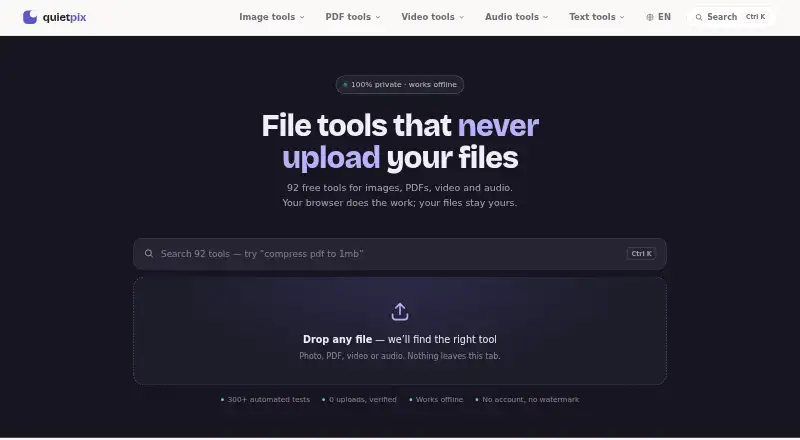
QuietPix is a free browser-based collection of tools for images, PDFs, video, audio, and text. Its image tools handle conversion, compression, resizing, background removal, upscaling, colorization, and photo restoration. PDF tools cover merging, splitting, signing, compression, OCR, and page reorganization; video and audio options include conversion, trimming, compression, GIF creation, and audio editing. Text utilities include word counting, case conversion, password generation, JSON formatting, and hash generation. QuietPix says files are processed in the browser, not transmitted to or stored on a server, and tools can keep working offline after a page loads. AI models download to the browser on first use and run on the device; the service says photos are not sent to an AI service. The Free plan lists 92 tools, with no file-count or size limits, credits, or subscriptions, and results have no watermarks. The service is supported by ads, and advertising cookies may be used by Google and other vendors. QuietPix also says its aggregate analytics and technical error reports exclude file contents.
Who it suits
QuietPix suits people looking for browser-based utilities across common media and document tasks. Its local processing and offline-after-load use may appeal to people who want to work without sending files to a server.
What it does well
- Free plan lists 92 tools.
- No stated file-count or size limits.
- Results have no watermarks.
- Tools can work offline after the page loads.
What to know first
- Free service is supported by ads.
- Advertising cookies may be used by Google and other vendors.
- No API access is listed.
Plans
| Plan | Billed and limits | Price |
|---|---|---|
| Free | 92 tools · no file count or size limits · no credits or subscriptions · ads | Free |
As quietpix.com lists them, read 2 Oct 2026. The maker's own page has the final word.
Getting started
- Open quietpix.com in a web browser.
- Choose a tool for images, PDFs, video, audio, or text.
- Use the Free plan, which includes 92 tools and requires no credits or subscription.
Verdict
QuietPix brings many file and text utilities together in a free browser service. Its ad support and advertising-cookie policy are worth considering alongside its local-processing approach.
Questions
How much does QuietPix cost?
The Free plan costs nothing. It includes 92 tools, with no credits or subscriptions.
Is there a free plan or trial?
Yes. QuietPix has a Free plan, and there is no free trial.
Which platforms does QuietPix support?
QuietPix is available on the web.
Are files uploaded to a server?
QuietPix says files are processed locally in the browser and are not transmitted to or stored on a server. AI models download to the browser on first use and run on the device.
Does QuietPix offer API access or a commercial license?
QuietPix does not offer API access. A commercial license is listed.
Who makes QuietPix?
QuietPix says it is built by an engineer, but its About page does not identify the maker by name.
Facts from QuietPix's own pages
- Advertising
- The free service is supported by ads, and the privacy policy says Google and other vendors may use advertising cookies. · quietpix.com, 2 Oct 2026
- AI processing
- AI models are downloaded to the browser on first use and run on the device; photos are not sent to an AI service. · quietpix.com, 2 Oct 2026
- Document features
- PDF tools include merging, splitting, signing, compression, OCR, and page reorganization. · quietpix.com, 2 Oct 2026
- Image features
- Image tools include conversion, compression, resizing, AI background removal, upscaling, colorization, and photo restoration. · quietpix.com, 2 Oct 2026
- Limits
- QuietPix states there are no limits on file count or size, and results have no watermarks. · quietpix.com, 2 Oct 2026
- Maker
- QuietPix says it is built by an engineer but does not identify the maker by name on its About page. · quietpix.com, 2 Oct 2026
- Network and analytics
- QuietPix says it uses aggregate analytics and sends technical error reports that exclude file contents. · quietpix.com, 2 Oct 2026
- Offline use
- After a page loads, its tools can continue working with Wi-Fi turned off. · quietpix.com, 2 Oct 2026
- Open source
- QuietPix lists open source libraries and AI models used by its browser tools, including FFmpeg, PDF.js, and ONNX Runtime. · quietpix.com, 2 Oct 2026
- Privacy
- Files are processed locally in the browser and are not transmitted to or stored on a server. · quietpix.com, 2 Oct 2026
- Purpose
- QuietPix provides free browser based tools for images, PDFs, video, audio, and text. · quietpix.com, 2 Oct 2026
- Support
- The About page provides [email protected] for feedback and questions. · quietpix.com, 2 Oct 2026
- Text tools
- Text utilities include word counting, case conversion, password generation, JSON formatting, and hash generation. · quietpix.com, 2 Oct 2026
- Video and audio features
- Video and audio tools include conversion, trimming, compression, GIF creation, and audio editing. · quietpix.com, 2 Oct 2026
Where QuietPix stands on Freedom251
- AI Photo Colorization Software#18 of 26