Freedom251 › Startup Manager Software

Quick Startup
What Quick Startup is
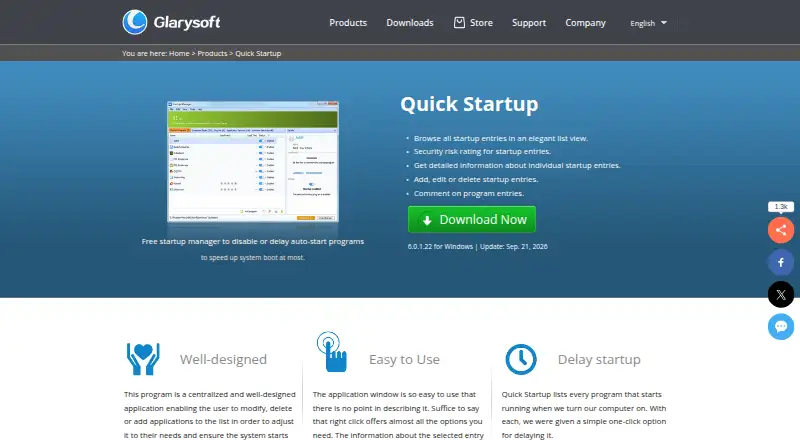
Quick Startup is Glarysoft’s free startup manager for Windows 10 and 11. It helps you control which programs launch when Windows starts, including by delaying auto-start programs to help speed up system boot. Its startup entries appear in a list, with detailed information and a security risk rating for each entry. You can add, edit, or delete entries, and attach comments to program records. Each listed program also has a one-click option to delay its startup. These controls give you a place to review and manage the programs configured to launch automatically. Quick Startup is offered at no cost, and its listed Windows version is 6.0.1.22, updated Sep. 21, 2026. Glarysoft specializes in utility software for Windows systems. For help with license codes or other questions, its FAQ directs customers to [email protected]. Glarysoft says it takes reasonable measures to protect personal information, while not guaranteeing complete security at all times.
Who it suits
Quick Startup suits Windows 10 and 11 users who want to review and manage programs that launch at startup. It is a fit for people who want entry details, security risk ratings, and controls to change or delay those launches.
What it does well
- Free plan costs nothing.
- Lists startup entries with detailed information and risk ratings.
- Lets users add, edit, or delete entries.
- Provides a one-click delay option for each listed program.
- Supports Windows 10 and 11.
What to know first
- Available only for Windows.
- Its listed purpose centers on managing startup programs.
Plans
| Plan | Billed and limits | Price |
|---|---|---|
| Free | Manage startup entries · Delay auto-start programs · Add, edit, or delete startup entries · View startup-entry details and security risk ratings | Free |
| Quick Startup | Free startup manager · Windows | Free |
As glarysoft.com lists them, read 20 Sept 2026. The maker's own page has the final word.
Getting started
- Open the Quick Startup website.
- Use the Windows version for Windows 10 or 11.
- Start with the free plan at no cost.
- Review the startup list and use its entry controls or delay option.
Verdict
Choose Quick Startup if you use Windows 10 or 11 and want free controls for reviewing, editing, or delaying startup entries. Look elsewhere if you need software outside Windows or tools beyond startup management.
Questions
How much does Quick Startup cost?
The Free plan costs nothing.
Which Windows versions does it support?
Quick Startup supports Windows 10 and 11.
What can I do with startup entries?
You can add, edit, or delete entries, view their details and security risk ratings, add comments, and delay listed programs.
Who makes Quick Startup?
Glarysoft makes Quick Startup and says it specializes in utility software for Windows systems.
How can I contact support?
Glarysoft's FAQ directs customers to [email protected] for help with license codes and other questions.
Facts from Quick Startup's own pages
- Comments
- Users can add comments to program entries. · glarysoft.com, 7 Oct 2026
- Current version
- The page lists version 6.0.1.22 for Windows, updated Sep. 21, 2026. · glarysoft.com, 7 Oct 2026
- Delay startup
- The product page says each listed startup program has a one-click option for delaying it. · glarysoft.com, 7 Oct 2026
- Entry details
- It provides detailed information about individual startup entries. · glarysoft.com, 7 Oct 2026
- Entry management
- Users can add, edit, or delete startup entries. · glarysoft.com, 7 Oct 2026
- Free plan
- Yes · glarysoft.com, 20 Sept 2026
- Maker
- Glarysoft says it specializes in developing utility software for Windows systems. · glarysoft.com, 7 Oct 2026
- Privacy
- Glarysoft's privacy policy says it takes reasonable measures to protect personal information and does not guarantee that it is completely secure at all times. · glarysoft.com, 7 Oct 2026
- Purpose
- Quick Startup is a free startup manager for disabling or delaying auto-start programs to help speed up system boot. · glarysoft.com, 7 Oct 2026
- Security ratings
- It provides a security risk rating for startup entries. · glarysoft.com, 7 Oct 2026
- Startup list
- It displays startup entries in a list view. · glarysoft.com, 7 Oct 2026
- Startup manager
- Yes · glarysoft.com, 20 Sept 2026
- Support
- Glarysoft's FAQ directs customers to [email protected] for help with license codes and other questions. · glarysoft.com, 7 Oct 2026
- Windows support
- windows 10 and 11 · glarysoft.com, 20 Sept 2026
Where Quick Startup stands on Freedom251
- Startup Manager Software#9 of 30
- PC optimisers#60 of 104
- PC Optimization Software#59 of 97