Freedom251 › Mobile Browser Software

Quetta Browser
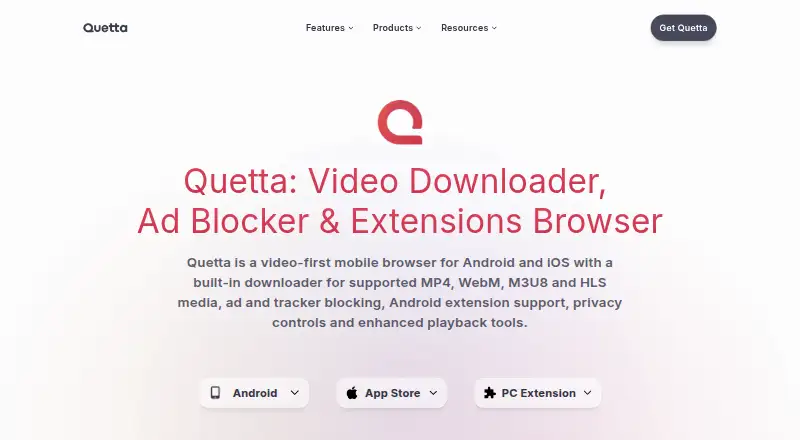
What Quetta Browser is
Quetta Browser is a video-oriented browser for people who want to watch, save, and organize web video alongside everyday browsing. Built on Chromium, it is available for Android, iOS, macOS, and Windows, as well as through a desktop browser extension. For supported sources, it can recognize MP4, WebM, and HLS/M3U8 media and offer available download qualities. Its playback options include picture-in-picture, background audio, speed controls, captions, and casting, with availability depending on the video, site, device, and operating system.
The browser includes ad and tracker blocking for supported patterns, and Quetta says it can block matching cross-site tracking requests and known fingerprinting scripts on supported pages. Browsing-data and site-permission controls are also provided. Other tools include reader mode, webpage screenshots, PDF saving, and side-by-side webpage translation. Android users can add many extensions from the Chrome Web Store and Microsoft Edge Add-ons, although individual compatibility differs. The browser and its desktop video downloader extension are free. Windows is in beta, and downloads do not bypass DRM or other access controls.
Who it suits
Quetta suits people who want video playback and saving tools within a browser, including those saving permitted media for offline viewing, study, teaching, creative reference, or personal backup. It may also suit Android users who want to use compatible Chrome Web Store or Edge Add-ons extensions.
What it does well
- Detects supported MP4, WebM, and HLS/M3U8 video for downloads.
- Offers picture-in-picture, background audio, speed controls, captions, and casting.
- Includes ad and tracker blocking for supported patterns.
- Provides reader mode, screenshots, PDF saving, and webpage translation.
- Available across Android, iOS, macOS, Windows, and as an extension.
What to know first
- Windows is beta, with possible incomplete features and compatibility issues.
- Some videos cannot be downloaded, including DRM-controlled and unsupported live media.
- Android extension compatibility varies by individual extension.
- YouTube downloads in the desktop extension are limited to Edge and Firefox.
Limits
The browser and desktop downloader extension are free. The browser's Windows release is beta; video downloads depend on source and compatibility, and Quetta does not bypass DRM or other access controls. The desktop extension's YouTube downloads work only in Edge and Firefox.
Plans
| Plan | Billed and limits | Price |
|---|---|---|
| Quetta Browser | Free browser and built-in video downloader; supported media and features vary by source, website, device, and platform | Free |
| Quetta Video Downloader Extension | Free desktop browser extension; browser and website compatibility varies; YouTube downloads are limited to Edge and Firefox | Free |
As quetta.net lists them, read 7 Oct 2026. The maker's own page has the final word.
Getting started
- Visit https://www.quetta.net/ to access Quetta Browser.
- Choose a listed platform: Android, iOS, macOS, or Windows.
- Install the browser extension through a compatible desktop browser if you want the downloader extension.
- On Android, add compatible extensions from the Chrome Web Store or Microsoft Edge Add-ons.
- Use supported media sources to view available download qualities.
Verdict
Choose Quetta if you want a free Chromium-based browser with video playback and download tools, plus features such as reader mode and PDF saving. Look elsewhere if you need downloads from protected or unsupported sources, or a finished Windows release rather than beta software.
Questions
How much does Quetta Browser cost?
The Quetta Browser plan is free. The desktop video downloader extension is also free.
Which platforms does Quetta support?
It is listed for Android, iOS, macOS, and Windows, and as an extension. Windows is marked beta.
What kinds of video can it download?
For supported sources, it can detect MP4, WebM, and HLS/M3U8 media and offer available qualities. DRM-controlled, private, paid or account-restricted, encrypted, and unsupported live video may not be downloadable.
Can I use extensions with Quetta?
On Android, Quetta supports many extensions from the Chrome Web Store and Microsoft Edge Add-ons, with individual compatibility varying. Its desktop downloader extension is listed for Chrome, Edge, and Firefox.
Does the desktop extension download YouTube videos?
YouTube downloads through the extension are limited to Microsoft Edge and Firefox.
Who makes Quetta, and how can I contact support?
The listed support contact is [email protected]. Its headquarters are at Office Suite 29A, 23 Wharf Street, London, England, SE8 3GG, United Kingdom.
Facts from Quetta Browser's own pages
- Ad blocking
- Quetta includes ad and tracker blocking for supported patterns, though results vary by website, filter coverage, and page changes. · quetta.net, 7 Oct 2026
- Android extensions
- On Android, Quetta supports many extensions from the Chrome Web Store and Microsoft Edge Add-ons, but individual compatibility varies. · quetta.net, 7 Oct 2026
- Browser engine
- chromium · quetta.net, 24 Sept 2026
- Built-in ad blocking
- Yes · quetta.net, 24 Sept 2026
- Desktop status
- Quetta for Windows is marked beta, and the maker says users may encounter incomplete features, website compatibility issues, or behavior changes between releases. · quetta.net, 7 Oct 2026
- Download limits
- DRM-controlled, private, paid or account-restricted, encrypted, and unsupported live video may not be downloadable; Quetta says it does not bypass DRM or other access controls. · quetta.net, 7 Oct 2026
- Extension integrations
- The desktop video downloader extension is listed as compatible with Chrome, Microsoft Edge, and Firefox, with YouTube downloading limited to Edge and Firefox. · quetta.net, 7 Oct 2026
- Free plan
- Yes · quetta.net, 24 Sept 2026
- Headquarters
- Office Suite 29A, 23 Wharf Street, London, England, SE8 3GG, United Kingdom · quetta.net, 28 Sept 2026
- Intended users
- The maker presents the downloader for people saving permitted videos for offline viewing, study, teaching, creative reference, or personal backup. · quetta.net, 7 Oct 2026
- Other tools
- Quetta lists reader mode, webpage screenshots, PDF saving, and side-by-side webpage translation among its browsing tools. · quetta.net, 7 Oct 2026
- Supported platforms
- mobile · quetta.net, 24 Sept 2026
- Player
- Available playback controls include picture-in-picture, background audio, playback speed, captions, and casting, with availability varying by video, website, device, and operating system. · quetta.net, 7 Oct 2026
- Privacy
- Quetta says it can block matching cross-site tracking requests and known fingerprinting scripts on supported pages and provides controls for browsing data and site permissions. · quetta.net, 7 Oct 2026
- Product
- Quetta describes itself as a video-first browser for watching, saving, and managing web video. · quetta.net, 7 Oct 2026
- Support
- The maker lists [email protected] for contact and Windows beta feedback. · quetta.net, 7 Oct 2026
- Video downloads
- The browser detects supported MP4, WebM, and HLS/M3U8 media and can offer available download qualities. · quetta.net, 7 Oct 2026
Where Quetta Browser stands on Freedom251
- Mobile Browser Software#17 of 31
- Web browsers#106 of 154
- Privacy browsers#30 of 32