
Safari
by Safari
What Safari is
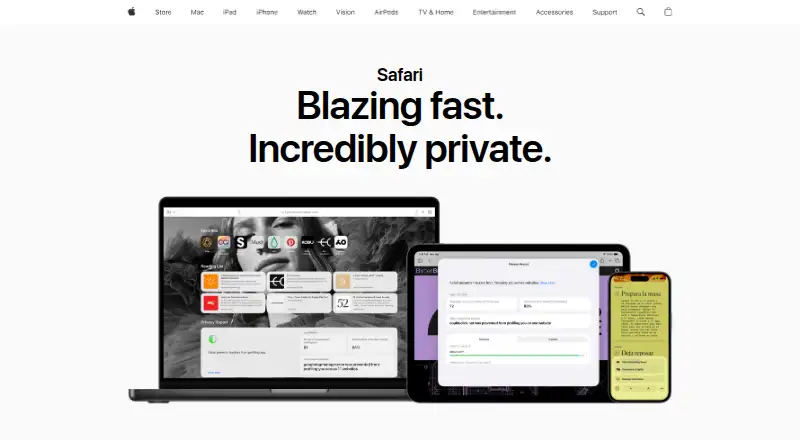
Safari is a web browser and web technology platform built on WebKit. It is free and included with Apple device operating systems, with support for iOS, macOS, and extensions. Intelligent Tracking Prevention uses on-device machine learning to help prevent cross-site tracking, while Privacy Report shows trackers prevented from profiling you. Private Browsing does not retain visited pages or AutoFill information, and open tabs are not stored in iCloud or synced across devices. Safari can sync passwords, bookmarks, history, and tabs across Mac, iPad, iPhone, and Apple Watch. Built-in tools include page translation, text interaction in images and paused video, and Visual Look Up. Extensions are available through the App Store; Apple says they are reviewed, signed, hosted by Apple, and updated automatically. Safari web apps can be saved to the Dock on Mac or the Home Screen on iPhone and iPad. When Fraudulent Website Warning is enabled, Safari warns about suspected phishing or malware sites; checking a site may send calculated address information to Apple and Google Safe Browsing.
Who it suits
Safari suits people using Apple devices who want a browser with syncing, privacy tools, and App Store extensions. It is not a current option for Windows or other non-Apple operating systems.
What it does well
- Included with Apple device operating systems.
- Syncs passwords, bookmarks, history, and tabs across Apple devices.
- Private Browsing does not sync open tabs across devices.
- App Store extensions are reviewed and updated automatically.
- Includes page translation and Visual Look Up.
What to know first
- Apple no longer offers updates for Windows or other non-Apple systems.
- Fraudulent Website Warning checks may send address information to Apple and Google Safe Browsing.
Limits
Safari is free and included with Apple device operating systems. Apple’s last Windows release was Safari 5.1.7, and no further Windows or other non-Apple operating-system updates are offered.
Plans
| Plan | Billed and limits | Price |
|---|---|---|
| Safari | Included with Apple device operating systems | Free |
As apple.com lists them, read 2 Oct 2026. The maker's own page has the final word.
Getting started
- Open the Safari website or Safari on an Apple device
- Use Safari on iOS or macOS
- Add extensions from the App Store
- Sign in to enable synchronization across supported Apple devices
- Save websites as web apps to the Mac Dock or iPhone and iPad Home Screen
Verdict
Safari combines browsing with Apple-device syncing, privacy features, extensions, and built-in page tools. Its platform availability is limited to Apple operating systems and extensions.
Questions
Is Safari free?
Yes. The Safari plan is listed as free and is included with Apple device operating systems.
Which platforms support Safari?
Safari supports iOS, macOS, and extensions. Apple no longer offers updates for Windows or other non-Apple operating systems.
Does Safari sync across devices?
Yes. It can sync passwords, bookmarks, history, tabs, and more across Mac, iPad, iPhone, and Apple Watch.
How does Safari handle privacy?
Intelligent Tracking Prevention uses on-device machine learning to help prevent cross-site tracking, and Privacy Report shows prevented trackers. Private Browsing does not retain visited pages or AutoFill information.
Are Safari extensions available?
Yes. Extensions are available through the App Store, where Apple says they are reviewed, signed, hosted, and automatically updated.
Facts from Safari's own pages
- Browser engine
- other · apple.com, 21 Sept 2026
- Built-in tools
- Safari includes page translation, text interaction in images and paused video, and Visual Look Up. · apple.com, 2 Oct 2026
- Cross-device sync
- Yes · apple.com, 21 Sept 2026
- Extensions
- Safari extensions are available through the App Store, and Apple says App Store extensions are reviewed, signed, hosted by Apple, and kept up to date automatically. · support.apple.com, 2 Oct 2026
- Extension support
- own_store · apple.com, 21 Sept 2026
- Founded
- 1976 · apple.com, 28 Sept 2026
- Free plan
- Yes · apple.com, 21 Sept 2026
- Headquarters
- Cupertino, California, United States · apple.com, 28 Sept 2026
- Maker
- Apple says it was founded in Cupertino and has called the Bay Area home for nearly 50 years. · apple.com, 2 Oct 2026
- Passkeys
- Safari supports passkeys, which Apple says work across Apple devices through iCloud Keychain and on non-Apple devices. · apple.com, 2 Oct 2026
- Platform limitation
- Apple says it no longer offers Safari updates for Windows or other non-Apple operating systems; Safari 5.1.7 for Windows was its last Windows version. · support.apple.com, 2 Oct 2026
- Supported platforms
- both · apple.com, 21 Sept 2026
- Privacy protection
- Intelligent Tracking Prevention uses on-device machine learning to help prevent cross-site tracking. · apple.com, 2 Oct 2026
- Privacy Report
- Safari’s Privacy Report shows cross-site trackers it has prevented from profiling you. · apple.com, 2 Oct 2026
- Private Browsing
- Private Browsing does not remember visited pages or AutoFill information, and open tabs are not stored in iCloud or synced across devices. · apple.com, 2 Oct 2026
- Security
- When Fraudulent Website Warning is enabled, Safari warns about suspected phishing or malware websites; checking a site may send calculated address information to Apple and Google Safe Browsing. · apple.com, 2 Oct 2026
- Support
- Apple Support provides Safari help for updating, clearing browsing history and cookies, blocking pop-ups, and troubleshooting websites that do not load. · support.apple.com, 2 Oct 2026
- Synchronization
- Safari can sync passwords, bookmarks, history, tabs, and more across Mac, iPad, iPhone, and Apple Watch. · apple.com, 2 Oct 2026
- Web apps
- Safari web apps let users save websites to the Dock on Mac and the Home Screen on iPhone and iPad. · apple.com, 2 Oct 2026
- What it does
- Safari is a web browser app and web technology platform built on WebKit. · developer.apple.com, 2 Oct 2026
Where Safari stands on Freedom251
- Web browsers#83 of 154
- Debugging Software#17 of 30
- Mobile Browser Software#18 of 31