Freedom251 › OS Imaging & Deployment Software
PxeLab
What PxeLab is
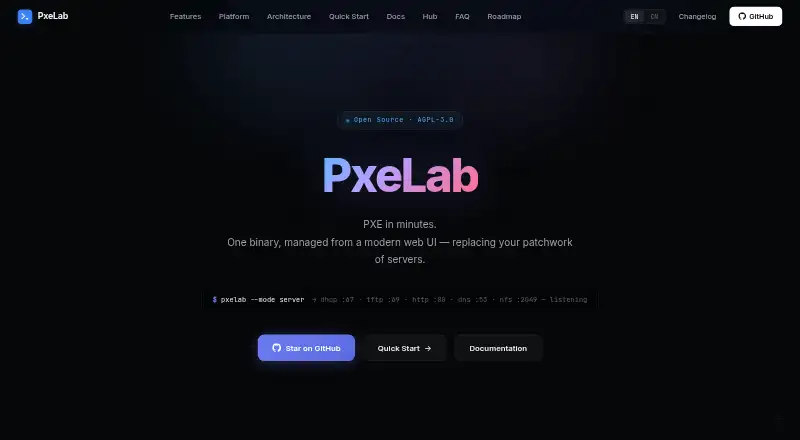
PxeLab is an open-source PXE network boot platform that brings DHCP, TFTP, HTTP, DNS, and NFS together in a single binary. Teams can manage its services through a web UI, REST API, or command line. It runs on Windows, Linux, and macOS in server or desktop mode, and supports network and bare-metal deployment.
For operating-system provisioning, PxeLab provides a catalog of 64+ Linux distributions, ISO uploads, an OS image library, answer-file templates, and install task tracking. Templates cover autoinstall, preseed, kickstart, and autounattend. Boot profiles can use direct kernel, chain, WDS, sanboot, or local disk options, with diffs, rollback, and host or group bindings. Host operations include inventory, scheduled Wake-on-LAN, BMC/IPMI power control, and CSV bulk import. Its listed boot support includes 10 client CPU architectures, while the site also describes 11 architectures with automatic boot-file selection; Secure Boot works for x86-64 and ARM64. Operational features include real-time log streams, configuration audit logs, Prometheus metrics, and MAC allow and deny lists. The NFSv3 server supports IP/CIDR whitelists and read-only exports. PxeLab is free under AGPL-3.0, and PxeLab Hub offers community boot templates and configurations.
Who it suits
PxeLab is suited to IT operations and data center engineers, system administrators, development and test teams, and education and training users. It fits teams that need to provision or manage machines over a network using PXE workflows.
What it does well
- Combines DHCP, TFTP, HTTP, DNS, and NFS in one binary.
- Runs on Windows, Linux, and macOS.
- Offers a catalog of 64+ Linux distributions.
- Supports answer-file templates and install task tracking.
- Provides host inventory and scheduled Wake-on-LAN.
- Includes audit logs and Prometheus metrics.
What to know first
- Deb and rpm packages are not yet available.
- Homebrew and Docker images are not yet available.
- Local API requests require no authentication by default.
- Remote API access requires a configured Bearer token.
Limits
Deb and rpm packages, Homebrew, and Docker images are on the roadmap and are not yet available. Local API requests need no authentication by default; remote access uses a configured Bearer token.
Getting started
- Visit https://www.pxelab.com/.
- Run PxeLab on Windows, Linux, or macOS in server or desktop mode.
- Manage services through the web UI, REST API, or command line.
- For remote API access, configure a Bearer token.
- Choose boot services, profiles, and operating-system templates for deployment.
Verdict
Choose PxeLab if you need an open-source PXE platform with bundled network services, deployment templates, host controls, and web, API, and command-line management. Its AGPL-3.0 license and support for Windows, Linux, and macOS make it a fit for varied provisioning environments. Look elsewhere if your installation depends on the deb or rpm packages, Homebrew, or Docker images that are still on the roadmap.
Questions
Is PxeLab free?
Yes. PxeLab is open source under the AGPL-3.0 license.
Which operating systems can run PxeLab?
It runs on Windows, Linux, and macOS, with server and desktop app modes.
How can I manage PxeLab?
Management is available through a web UI, REST API, or command line.
Which operating systems can it provision?
The catalog includes 64+ Linux distributions, and the product provides ISO uploads, an OS image library, and answer-file templates.
Does it support Secure Boot?
Yes. Secure Boot is supported for x86-64 and ARM64.
Are package and container install routes available?
Deb and rpm packages, Homebrew, and Docker images are on the roadmap and are not yet available.
Facts from PxeLab's own pages
- Access controls
- The product supports MAC whitelist and blacklist access control, and its built-in NFSv3 server supports IP/CIDR whitelists and read-only exports. · pxelab.com, 8 Oct 2026
- API and control
- The site says every management operation is covered by a REST API, and the product can also be managed through its web UI or CLI. · pxelab.com, 8 Oct 2026
- API security
- Local API requests need no authentication by default; remote access uses a configured Bearer token. · pxelab.com, 8 Oct 2026
- Architecture support
- The site says PxeLab can boot 11 client architectures and automatically select the boot file. · pxelab.com, 8 Oct 2026
- Automated installs
- The built-in catalog covers 64+ distributions and includes autoinstall, preseed, kickstart, and autounattend answer-file templates. · pxelab.com, 8 Oct 2026
- Availability limit
- The Getting Started guide says deb and rpm packages, Homebrew, and Docker images are on the roadmap and are not yet available. · pxelab.com, 8 Oct 2026
- Boot profiles
- Boot profiles can use direct kernel, chain, WDS, sanboot, or local disk options, with diffs, rollback, and host or group bindings. · pxelab.com, 8 Oct 2026
- Boot services
- Built-in services include DHCP server, proxy, and off modes, TFTP, DNS forwarding, and an NFSv3 server. · pxelab.com, 8 Oct 2026
- Boot support
- PxeLab supports 10 client CPU architectures and Secure Boot for x86-64 and ARM64. · pxelab.com, 8 Oct 2026
- Deployment
- PxeLab runs on Windows, Linux, and macOS, with server and desktop app modes. · pxelab.com, 8 Oct 2026
- Host management
- Host inventory supports MAC/IP grouping, scheduled Wake-on-LAN, BMC/IPMI power control, and CSV bulk import. · pxelab.com, 8 Oct 2026
- Host operations
- Host tools include inventory, scheduled Wake-on-LAN, BMC/IPMI power control, and CSV bulk import. · pxelab.com, 8 Oct 2026
- Integrations
- PxeLab offers a REST API for automation and CI workflows, and PxeLab Hub provides community-contributed boot templates and configurations. · pxelab.com, 8 Oct 2026
- Intended users
- The site identifies IT operations engineers, data center engineers, system administrators, Dev and QA teams, and education and training as intended users. · pxelab.com, 8 Oct 2026
- License
- PxeLab is open source under the AGPL-3.0 license. · pxelab.com, 8 Oct 2026
- Management
- The services can be managed through a web UI, REST API, or command line. · pxelab.com, 8 Oct 2026
- Monitoring
- PxeLab provides real-time log streams, configuration audit logs, and a Prometheus metrics endpoint. · pxelab.com, 8 Oct 2026
- OS deployment
- It supports ISO uploads, an OS image library, answer-file templates, and install task tracking. · pxelab.com, 8 Oct 2026
- Product
- PxeLab is an all-in-one PXE network boot platform that bundles DHCP, TFTP, HTTP, DNS, and NFS in a single binary. · pxelab.com, 8 Oct 2026
- Provisioning
- The product includes a catalog of 64+ Linux distributions, answer-file templates, and install task tracking. · pxelab.com, 8 Oct 2026
- Purpose
- PxeLab is an all-in-one PXE network boot server with DHCP, TFTP, HTTP, DNS, and NFS managed through a web UI. · pxelab.com, 8 Oct 2026
- Secure Boot
- Secure Boot is supported for UEFI x64 and UEFI ARM64 architectures. · pxelab.com, 8 Oct 2026
- Security and operations
- Listed controls and observability features include NFS IP/CIDR whitelists, MAC whitelist/blacklist access control, audit logs, SSE log streams, and Prometheus metrics. · pxelab.com, 8 Oct 2026
Where PxeLab stands on Freedom251
- OS Imaging & Deployment Software#19 of 24
- Bare Metal Provisioning Software#23 of 28
- OS Deployment Software#25 of 29