Freedom251 › OS Imaging & Deployment Software
SmartDeploy
What SmartDeploy is
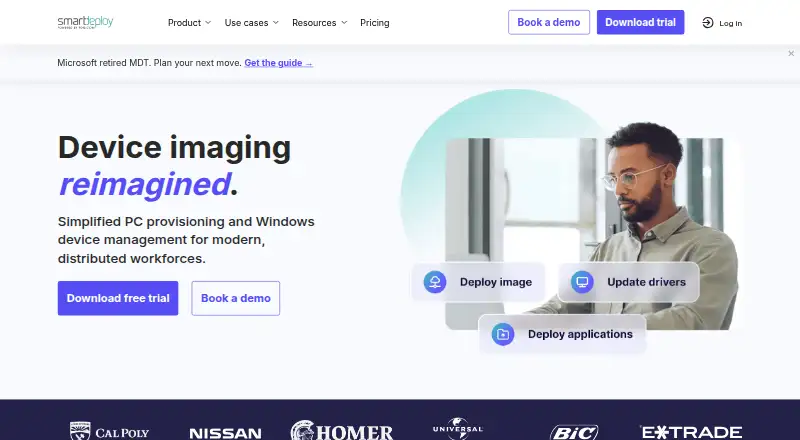
SmartDeploy is paid software for deploying Windows operating systems, drivers, applications and updates to on-premises and remote devices, including deployments without a VPN. Hardware-independent images work across device makes and models, and its Platform Pack library contains more than 1,500 driver packages. Teams can deploy through USB media, network servers or cloud storage such as Box, Dropbox, Google Drive, OneDrive and S3. SmartDeploy supports Windows 11 in-place upgrades on compatible devices and capturing and deploying ARM Windows systems. A browser-based console works from any network-connected device. The software supports Windows 10 or newer devices and Windows Server 2016 or newer, subject to system and network requirements. SmartDeploy states that cloud data is encrypted at rest, communications use HTTPS with TLS 1.2, and it is SOC 2 compliant. Multi-factor authentication is not currently supported. Each managed device requires a license.
Who it suits
SmartDeploy fits IT teams managing Windows devices across on-premises and remote locations. It is also suited to administrators needing hardware-independent imaging, cloud deployment choices and unattended or bare-metal deployment.
What it does well
- Hardware-independent Windows images
- Over 1,500 driver packages
- Cloud deployment without VPN
- Windows 11 and ARM support
- 15-day fully functional trial
What to know first
- No free plan
- Each managed device needs a license
- Multi-factor authentication unavailable
- Starter starts at 1100.00 USD yearly
Plans
| Plan | Billed and limits | Price |
|---|---|---|
| Starter | Starting at $1,100/year; annual subscription; tiered by license quantity and features · Centralized single-image management · model-specific Platform Packs · offline and on-network deployments · email and phone support · major and minor upgrades | $1,100 a year |
| Plus | Annual subscription; pricing is tiered by license quantity and features · Everything in Starter · network app and image deployments · driver and BIOS updates · application deployments · remote wipes and script execution | On request |
| Pro | Annual subscription; pricing is tiered by license quantity and features · Everything in Plus · cloud Windows imaging · software and asset management · remote Windows patching · multiple admins | On request |
As smartdeploy.com lists them, read 30 Sept 2026. The maker's own page has the final word.
Verdict
SmartDeploy combines cross-hardware imaging, driver packages and several deployment routes for Windows environments. Teams should weigh per-device licensing and the current absence of multi-factor authentication.
Facts from SmartDeploy's own pages
- Cloud storage integrations
- The product page names Box, Dropbox, Google Drive, OneDrive, and S3 for cloud deployments without a VPN. · smartdeploy.com, 30 Sept 2026
- Console access
- The product page describes a web console accessible through a browser on any network-connected device. · smartdeploy.com, 30 Sept 2026
- Deployment methods
- Images and applications can be deployed using USB media, network servers, or cloud storage. · smartdeploy.com, 30 Sept 2026
- Driver library
- The Platform Pack library contains over 1,500 device driver packages for major manufacturers. · smartdeploy.com, 30 Sept 2026
- Founded
- 2009 · smartdeploy.com, 28 Sept 2026
- Hardware independent imaging
- It creates hardware-independent Windows images that can be applied across device makes and models. · smartdeploy.com, 30 Sept 2026
- Headquarters
- South Salt Lake, Utah, United States · smartdeploy.com, 28 Sept 2026
- License limits
- A license is required for each managed device; the page says users may create up to one million images in their library. · smartdeploy.com, 30 Sept 2026
- Maker and history
- PDQ says its founders established the company in 2001 to build IT tools for sysadmins and that it later acquired SmartDeploy. · pdq.com, 30 Sept 2026
- MFA limitation
- Multi-factor authentication is currently not supported, though the company lists it on the roadmap. · smartdeploy.com, 30 Sept 2026
- Purpose
- SmartDeploy helps IT teams deploy Windows operating systems, drivers, apps, and updates to on-premises and remote devices, including without a VPN. · smartdeploy.com, 30 Sept 2026
- Security
- SmartDeploy says cloud data is encrypted at rest and communications use HTTPS with TLS 1.2; it also says it is SOC 2 compliant. · smartdeploy.com, 30 Sept 2026
- Support
- The pricing page includes technical support in all three tiers, and Starter specifically lists expert email and phone support. · smartdeploy.com, 30 Sept 2026
- System requirements
- SmartDeploy works on Windows 10 or newer devices and Windows Server 2016 or newer, subject to its system and network requirements. · smartdeploy.com, 30 Sept 2026
- Trial
- SmartDeploy offers a free, fully functional 15-day trial with no credit card required. · smartdeploy.com, 30 Sept 2026
- Windows 11 and ARM
- SmartDeploy supports Windows 11 in-place upgrades on compatible devices and capturing and deploying ARM Windows operating systems. · smartdeploy.com, 30 Sept 2026
Where SmartDeploy stands on Freedom251
- OS Imaging & Deployment Software#16 of 24
- OS Deployment Software#22 of 29