Freedom251 › Gym Website Builder Software
Puter for Personal Trainers
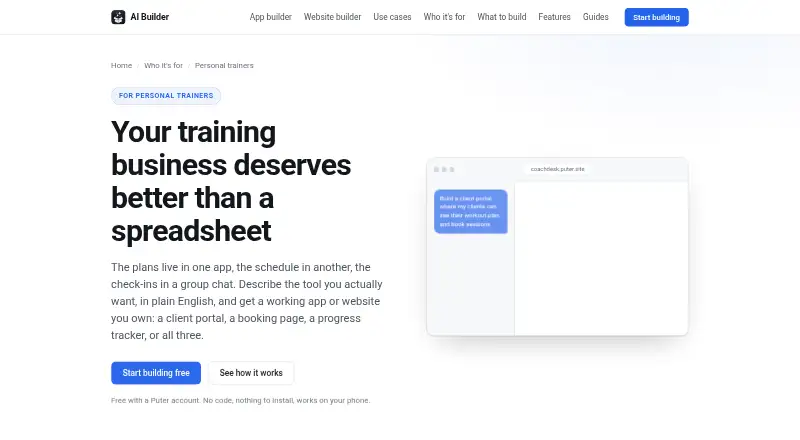
What Puter for Personal Trainers is
Puter for Personal Trainers is a builder for creating apps or websites from plain-English descriptions, with a free plan. Trainers can make booking pages, client portals, progress trackers, and training sites. Booking pages can show session slots in a weekly grid and reopen a slot after a cancellation. Portals can give clients accounts to view plans, session history, and assigned work. Trainers can assemble workouts from an exercise library, assign them, and duplicate a previous week. Progress tools can record lifts, weight, measurements, and photos and chart them over time. Built apps can call AI to draft programming, summarize check-ins, or answer common client questions. Clients open apps through a link in a browser; apps work on phones and can be added to a home screen. Client data stored in an app requires each client to have a free Puter account. Published apps have their own address, and projects can be downloaded as standard web files. The builder does not process session payments, so a trainer would need to link to an existing payment page. Generated code for apps handling sensitive data should be reviewed.
Who it suits
This builder suits personal trainers who want to create client portals, booking pages, progress trackers, or training sites without starting from code. It may fit trainers comfortable linking to a separate payment page and asking clients to use Puter accounts for stored data.
What it does well
- Building is free with a Puter account.
- Booking pages can reopen cancelled session slots.
- Progress tools chart measurements and training records.
- Apps work on phones and can be added to home screens.
- Projects can be downloaded as standard web files.
What to know first
- Session payments are not processed.
- Clients need free Puter accounts for per-user data.
- Heavy use can reach free-tier limits.
- Generated code for sensitive-data apps needs review.
Limits
Building is free with a Puter account, but heavy use can reach Puter account free-tier limits. Clients need free Puter accounts for per-user data, and the builder does not process session payments.
Plans
| Plan | Billed and limits | Price |
|---|---|---|
| Free (Puter AI Builder) | Building is free with a Puter account · heavy use can reach Puter account free-tier limits · clients need free Puter accounts for per-user data | Free |
| Free | $0/month · 25 MB storage · Limited AI & Cloud · 100s of apps and games · Community support | Free |
| Basic | $10/month, billed monthly · 100 GB storage · Expanded AI & Cloud · 100s of apps and games · Community support | $10 a month |
| Pro | $100/month, billed monthly · 2 TB storage · Maximum AI & Cloud · 100s of apps and games · Expanded support | $100 a month |
| Plus | $25/month, billed monthly · 500 GB storage · Advanced AI & Cloud · 100s of apps and games · Expanded support | $25 a month |
As builder.puter.com lists them, read 4 Oct 2026. The maker's own page has the final word.
Getting started
- Open the Puter personal-trainer builder website.
- Sign in with a Puter account; building is free.
- Describe the app or website you want to create.
- Publish the app to give it its own address.
- Share the app link with clients; clients using stored data need free Puter accounts.
- Download the project as standard web files if needed.
Overview
Puter for Personal Trainers turns plain-English prompts into apps and websites for training businesses, rather than supplying a finished coaching platform. It suits trainers who want to build tailored client tools themselves. The free builder and downloadable web files are appealing, but client accounts and external payment handling add friction.
Key features
Trainers can create booking pages with session slots in a weekly grid; cancellations can free a slot again. This covers straightforward scheduling, but not the full transaction: Puter does not process session payments or support membership billing. Trainers who already use a payment page can link to it; those seeking booking and payments together should look elsewhere.
Client portals can give each client an account to view plans, session history and assigned work. Trainers can assemble workouts from an exercise library, assign them and duplicate a previous week. Progress tools can log lifts, weight, measurements and photos, then chart changes over time. These pieces can support a coaching workflow, though trainers must assemble the experience they need rather than adopt a ready-made service.
Apps can use AI to draft programming, summarize check-ins or answer common client questions. That may assist with routine tasks, but it is not a reason to skip oversight: Puter advises reviewing generated code when an app handles health information or other sensitive data.
Clients can open published apps from a link in a browser, and apps work on phones and can be added to a home screen. Published projects have their own address and can be downloaded as standard web files. Clients whose information is stored in an app need their own free Puter account. Per-user storage is tied to each signed-in user's account, so a trainer's hosting bill does not rise with the client list; the account requirement may nevertheless complicate onboarding.
Pricing
The personal-trainer builder is free to use with a Puter account. Heavy use can reach the account's free-tier limits, and clients need free Puter accounts for per-user data. The paid account plans are billed monthly: Basic costs $10 a month for 100 GB storage, expanded AI and cloud, 100s of apps and games, and community support. Plus costs $25 a month for 500 GB, advanced AI and cloud, 100s of apps and games, and expanded support. Pro costs $100 a month for 2 TB, maximum AI and cloud, 100s of apps and games, and expanded support. These tiers describe account storage and AI/cloud capacity; they do not change the stated limitation on session payments.
A separate Free plan includes 25 MB storage, limited AI and cloud, 100s of apps and games, and community support, with monthly billing terms. For trainers comparing it with the free AI Builder, the key distinction is that the builder plan is free but heavy use can hit free-tier limits; the separate Free plan has a 25 MB storage cap. Paid plans raise storage and AI/cloud capacity, but no client-seat or booking quota is given for these tiers.
Platforms
Puter is available on Android, iOS and the web. Its apps work on phones through a browser and can be added to a phone's home screen, while clients can access them from a link.
Who it's for
This is best for independent trainers who want to shape their own booking, workout and progress tools, and are comfortable managing client access and using a separate payment page. It is a weaker fit for businesses that need membership billing or a single system that collects session payments.
Pros and cons
- Pros: A free builder supports custom client-facing apps, and projects can be published at their own address or downloaded as standard web files.
- Pros: Booking, client plans, assigned workouts and progress charts cover several common coaching tasks in one customizable app.
- Cons: Clients need free Puter accounts when their data is stored in an app, adding an account step to onboarding.
- Cons: Session payments and membership billing are not handled, so trainers need other arrangements for collecting money.
- Cons: Sensitive-data apps need code review, placing responsibility on the trainer to check generated code.
Alternatives
Fitune is worth considering if client capacity and staff access are central: its Pro plan includes 50 active clients and 2 admin access, while Plus includes 120 active clients and 6 admin access. Appy Pie Fitness Website Builder has a free plan capped at 100 members, with a *.appypie.com subdomain, basic class schedule and standard templates; it also offers a free trial.
Finegym may suit a business that wants unlimited members and staff accounts on a free-forever plan, with a 1% fee on Stripe payments; cash and offline payments are unaffected. Momoyoga is another option with a free plan covering two memberships or class passes and one paid ticket type per event, but online payments incur a 5% platform fee plus the processor fee.
Zarla offers a free website-builder plan with 75 AI credits, 10 pages per site, preview-only publishing and unlimited lead-capture forms. Plot is a web-only alternative with a $19.99 a month Starter plan that includes one published site, five AI generations, 30 AI regenerations and 10 AI-generated images per month. Clay offers a free editable site on a name.clay.site address with no sign-up, email or payment. Gym Builder is a self-hosted and web option with a free core that includes classes, trainers and schedules, member records and dashboards.
For a broader comparison, see Gym Website Builder Software.
Verdict
Choose Puter if you are a trainer who wants a free, flexible starting point for custom client tools and can manage accounts, code review and payments separately. Look elsewhere if you need a ready-made system that handles membership billing or collects session fees as part of booking.
Verdict
Puter for Personal Trainers covers common client-facing tools, from bookings and workout assignments to progress tracking. Account requirements, payment handling, and review of generated code for sensitive data are important considerations.
Questions
Is Puter for Personal Trainers free?
Building is free with a Puter account. The listed Free (Puter AI Builder) plan costs nothing.
What can trainers build?
The builder can create booking pages, client portals, progress trackers, and training sites from plain-English descriptions.
Do clients need a Puter account?
Clients can open an app from a link in a browser. Clients whose data is stored in an app need their own free Puter account.
Can it take session payments?
No. The builder does not process session payments; its page suggests linking to an existing payment page.
Can apps be used on phones?
Apps work on phones and can be added to a phone’s home screen like a native app.
Who makes Puter?
The maker is Puter Technologies Inc.
Facts from Puter for Personal Trainers's own pages
- AI features
- Apps built with the builder can call AI to draft programming, summarize check-ins, or answer common client questions. · builder.puter.com, 4 Oct 2026
- AI inside apps
- Generated apps can call AI to draft programming, summarize check-ins or answer client questions. · builder.puter.com, 15 Oct 2026
- Automatic repair
- Runtime errors from the preview are sent back to the AI for fixing and re-verification. · builder.puter.com, 15 Oct 2026
- Booking
- A booking page can show offered session slots in a weekly grid and free a slot when a client cancels. · builder.puter.com, 4 Oct 2026
- Booking feature
- A generated booking page can expose session types and available slots, show bookings in a weekly grid and free cancelled slots. · builder.puter.com, 15 Oct 2026
- Client access
- Clients need a link and browser, and clients whose data is stored in an app need their own free Puter account. · builder.puter.com, 4 Oct 2026
- Client portal
- A client portal can give each client a login, show plans and session history, display assigned work and accept session comments. · builder.puter.com, 15 Oct 2026
- Company founded
- LinkedIn lists the company as founded in 2022. · ca.linkedin.com, 15 Oct 2026
- Company headquarters
- LinkedIn lists Vancouver, British Columbia as headquarters. · ca.linkedin.com, 15 Oct 2026
- Company legal name
- Crunchbase identifies the legal entity as Puter Technologies Inc. · crunchbase.com, 15 Oct 2026
- Company size
- LinkedIn lists Puter at 2–10 employees. · ca.linkedin.com, 15 Oct 2026
- Data and costs
- The page says each signed-in user's storage comes with their own account, so a trainer's hosting bill does not grow with the client list. · builder.puter.com, 4 Oct 2026
- Documentation depth
- The documentation includes API references, tutorials, recipes, framework guides, security guidance and an AI model reference. · docs.puter.com, 15 Oct 2026
- Export
- Projects can be downloaded as standard HTML, CSS and JavaScript in a zip archive. · builder.puter.com, 15 Oct 2026
- Framework integrations
- Documentation includes examples for React, Next.js, Angular, Vue, Svelte and Astro. · docs.puter.com, 15 Oct 2026
- Funding record
- Crunchbase lists one pre-seed funding round with eight investors but does not expose the amount publicly. · crunchbase.com, 15 Oct 2026
- Independent status check
- SaaSHub's unofficial monitor reported Puter as up, with no reported issues in the previous 24 hours when crawled. · saashub.com, 15 Oct 2026
- Integrations
- The builder does not process session payments, and the page suggests linking to an existing payment page instead. · builder.puter.com, 4 Oct 2026
- Licence
- The Puter repository is licensed under AGPL-3.0 unless a component states otherwise. · github.com, 15 Oct 2026
- Limit: authentication bug report
- An open GitHub issue reports that a puter.js token_auth_failed error can leave every call unauthorized after re-login. · github.com, 15 Oct 2026
- Limit: mobile UI bug report
- The issue tracker lists a report that apps do not resize correctly when the mobile keyboard opens. · github.com, 15 Oct 2026
- Limit: payments
- The personal-trainer builder does not process session payments; users must take payment elsewhere or link to another payment page. · builder.puter.com, 15 Oct 2026
- Limits
- The personal-trainer page says the builder does not process payments for sessions. · builder.puter.com, 4 Oct 2026
- Limit: shared data architecture
- Because normal app storage belongs to each user's account, shared cross-user data requires a serverless worker. · docs.puter.com, 15 Oct 2026
Where Puter for Personal Trainers stands on Freedom251
- Gym Website Builder Software#2 of 25