Freedom251 › Browser Automation Tools

Puppeteer
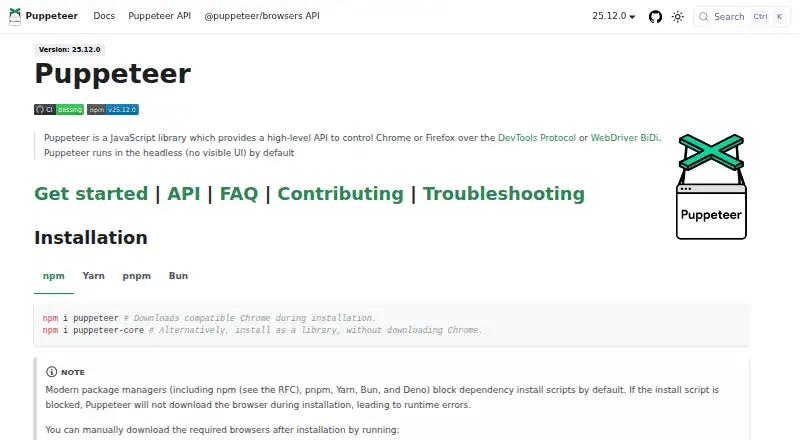
What Puppeteer is
Puppeteer is a free, open-source JavaScript library for controlling Chrome or Firefox through the DevTools Protocol or WebDriver BiDi. It can automate form submission, keyboard input, and UI testing, as well as create automated testing environments. Other documented uses include capturing performance timeline traces, producing screenshots and PDFs, and crawling single-page apps to pre-render content. Browsers run headlessly by default, though Puppeteer can be configured to show a browser window. The puppeteer package downloads Chrome during installation; puppeteer-core does not download Chrome and is intended for remote browsers or browser management by the user. Installation instructions cover npm, Yarn, pnpm, and Bun. The documented minimum runtime is Node 22.12 or later, and TypeScript 5.0.1 or later when TypeScript is used. Puppeteer can load, inspect, trigger, and uninstall Chrome extensions for testing. Its documented Chrome for Testing requirements cover Windows x64, macOS x64 and arm64, and several Linux distributions on x64 and arm64. The FAQ describes Puppeteer as a Node.js reference implementation; broader language bindings and large-scale orchestration such as Selenium Grid are outside its scope.
Who it suits
Puppeteer suits JavaScript developers who need browser automation for testing, capture, or pre-rendering single-page apps. It also suits teams testing Chrome extensions or managing remote browsers with puppeteer-core.
What it does well
- Controls Chrome and Firefox.
- Supports screenshots, PDFs, and performance traces.
- Runs headless or with a visible browser.
- Can load and test Chrome extensions.
- Free and open source.
What to know first
- Requires Node 22.12 or later.
- puppeteer downloads Chrome during installation.
- Broader language bindings are outside its scope.
- Large-scale orchestration such as Selenium Grid is out of scope.
Plans
| Plan | Billed and limits | Price |
|---|---|---|
| Puppeteer | JavaScript library · controls Chrome or Firefox | Free |
As pptr.dev lists them, read 4 Oct 2026. The maker's own page has the final word.
Getting started
- Open https://pptr.dev/ and follow the installation guide.
- Choose npm, Yarn, pnpm, or Bun for installation.
- Use the `puppeteer` package to download Chrome during installation, or `puppeteer-core` for remote browsers or browser management.
- Meet the documented minimum of Node 22.12+, and use TypeScript 5.0.1+ when using TypeScript.
- Configure headless or visible browser mode as needed.
Verdict
Puppeteer provides browser automation and capture tools for JavaScript projects, with Chrome and Firefox support. Its scope is a Node.js reference implementation rather than broad language bindings or large-scale orchestration.
Questions
How much does Puppeteer cost?
The listed plan is free. Puppeteer is open source.
Which browsers does Puppeteer support?
It supports Chrome and Firefox. Chrome uses CDP by default, while Firefox uses WebDriver BiDi by default.
Which platforms are listed?
The listed platforms are API, extension, Linux, macOS, self-hosted, web, and Windows.
Does Puppeteer support TypeScript?
TypeScript can be used; the documented minimum is TypeScript 5.0.1+.
Does installation download a browser?
The `puppeteer` package downloads Chrome during installation. `puppeteer-core` does not download Chrome and is intended for remote browsers or browser management.
Where can users get support?
The FAQ directs questions to Stack Overflow and bug reports to GitHub Issues.
Facts from Puppeteer's own pages
- Automation
- It can automate form submission, UI testing, and keyboard input, and can create automated testing environments. · pptr.dev, 4 Oct 2026
- Browser modes
- Puppeteer runs headless by default and can be configured to use a visible browser. · pptr.dev, 4 Oct 2026
- Browser support
- Puppeteer supports Chrome and Firefox; Chrome uses CDP by default and Firefox uses WebDriver BiDi by default. · pptr.dev, 4 Oct 2026
- Capture and crawling
- Documented uses include capturing performance timeline traces, generating screenshots and PDFs, and crawling single-page apps to pre-render content. · pptr.dev, 4 Oct 2026
- Docker constraint
- The official Docker image runs the browser in sandbox mode and requires the SYS_ADMIN capability. · pptr.dev, 4 Oct 2026
- Extension testing
- Puppeteer can load, inspect, trigger, and uninstall Chrome extensions for testing. · pptr.dev, 4 Oct 2026
- Install tools
- The installation guide provides commands for npm, Yarn, pnpm, and Bun. · pptr.dev, 4 Oct 2026
- Integrations
- The official integrations section documents Angular end-to-end testing and a Docker image with Chrome for Testing, dependencies, and Puppeteer pre-installed. · pptr.dev, 4 Oct 2026
- OS requirements
- Chrome for Testing requirements list Windows x64, macOS x64 and arm64, and Debian/Ubuntu and openSUSE/Fedora Linux on x64 and arm64. · pptr.dev, 4 Oct 2026
- Package options
- The puppeteer package downloads Chrome during installation, while puppeteer-core does not download Chrome and is intended for remote browsers or browser management by the user. · pptr.dev, 4 Oct 2026
- Project scope
- The FAQ describes Puppeteer as a Node.js reference implementation and says broader language bindings and large-scale orchestration such as Selenium Grid are outside its scope. · pptr.dev, 4 Oct 2026
- Runtime requirement
- The documented minimum is Node 22.12+, and TypeScript 5.0.1+ when TypeScript is used. · pptr.dev, 4 Oct 2026
- Security principle
- The project FAQ says Puppeteer operates off-process from the browser, which it describes as making it safe to automate potentially malicious pages. · pptr.dev, 4 Oct 2026
- Support
- The FAQ directs questions to Stack Overflow and bug reports to GitHub Issues. · pptr.dev, 4 Oct 2026
- What it does
- Puppeteer is a JavaScript library that provides a high-level API to control Chrome or Firefox over the DevTools Protocol or WebDriver BiDi. · pptr.dev, 4 Oct 2026
Where Puppeteer stands on Freedom251
- Browser Automation Tools#22 of 63
- GUI Testing Software#12 of 34
- Automated Testing#17 of 34