Freedom251 › Online Proctoring Software
Proctortrack
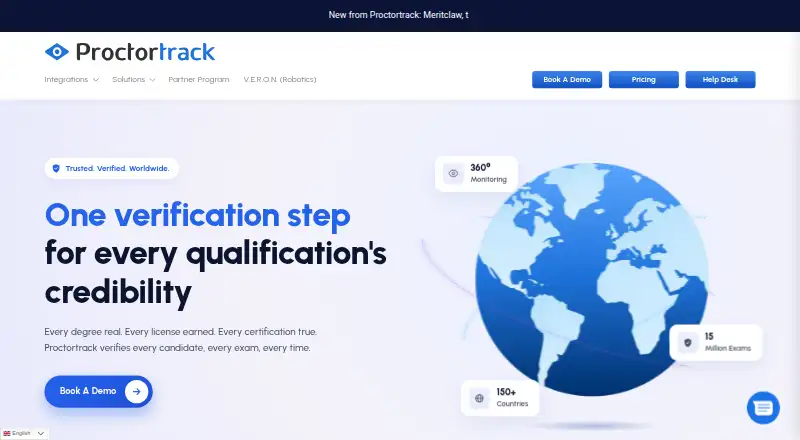
What Proctortrack is
Proctortrack provides identity verification and online exam proctoring for higher education, corporate certification, and HR pre-employment testing. Institutions can choose browser-lock, automated, live, or hybrid proctoring. Its monitoring tools include OS-level protection, room or desktop scans, live identity checks, screen recording, a lockdown browser, and webcam or two-camera monitoring. A standalone secure browser is designed to restrict AI assistants, browser extensions, and unauthorized applications during exams.
The service connects with Moodle, Blackboard, Canvas, D2L, Open edX, Sakai, and CLEP Admin. Reports present pre-flagged evidence for instructors to review. Companion iOS and Android apps work alongside the desktop app, with mobile lockdown, selfie ID, room scan, and document scan features. Supported computer requirements include macOS 12 or later and Windows 10 or later; Windows ARM/Snapdragon devices are unsupported. Chromebook support applies only to selected LMSs for ProctorLock, ProctorAuto, and Proctortrack QA. The service is available on Android, iOS, macOS, web, and Windows. Support operates 24 x 7 x 365 by ticket, chat, email, and phone. The maker describes encrypted temporary cloud storage and retention-based destruction of data.
Who it suits
Proctortrack suits higher-education institutions that need identity checks, exam monitoring, and LMS integrations, as well as organizations running certification or pre-employment tests. Its range of proctoring modes and companion mobile features may fit institutions with different exam workflows.
What it does well
- Offers browser-lock, automated, live, and hybrid proctoring.
- Supports identity checks, screen recording, and webcam monitoring.
- Integrates with Moodle, Blackboard, Canvas, D2L, Open edX, Sakai, and CLEP Admin.
- Mobile apps include lockdown, selfie ID, room scan, and document scan.
- Support is available 24 x 7 x 365 through four channels.
What to know first
- Windows ARM/Snapdragon computers are unsupported.
- Chromebook support is limited to selected LMSs and offerings.
- Customized pricing requires a quote request.
Limits
Windows ARM/Snapdragon devices are unsupported, and Chromebook support is confined to selected LMSs for ProctorLock, ProctorAuto, and Proctortrack QA. Customized pricing requires a quote request.
Plans
| Plan | Billed and limits | Price |
|---|---|---|
| Customized pricing | Request a quote with organization email and estimated student count | On request |
As proctortrack.com lists them, read 30 Sept 2026. The maker's own page has the final word.
Getting started
- Visit https://proctortrack.com/
- Request a quote with an organization email and estimated student count.
- Choose a proctoring option and confirm the required computer or mobile setup.
- Connect the service with a listed LMS if applicable.
- Use the desktop app with the iOS or Android app when mobile features are needed.
Verdict
Choose Proctortrack if your institution or organization needs several proctoring modes, identity verification, and integrations with the listed learning platforms. Check device requirements and Chromebook eligibility against your setup, and request a quote to establish the cost.
Questions
How much does Proctortrack cost?
The pricing note says From $0.75. The Customized pricing plan requires a quote request using an organization email and estimated student count.
Is there a free plan?
No. Proctortrack is listed as paid, with no free plan.
Which platforms does it support?
It lists Android, iOS, macOS, web, and Windows. The computer requirements specify macOS 12 or later and Windows 10 or later; Windows ARM/Snapdragon devices are unsupported.
Does it work with Chromebooks?
Chromebook support is limited to selected LMSs for ProctorLock, ProctorAuto, and Proctortrack QA.
Which learning platforms integrate with Proctortrack?
The listed integrations are Moodle, Blackboard, Canvas, D2L, Open edX, Sakai, and CLEP Admin.
How does Proctortrack handle recorded data?
Its privacy policy says Verificient temporarily stores data in encrypted cloud storage and destroys it according to the stated retention period.
Facts from Proctortrack's own pages
- AI security
- Its standalone secure browser is designed to restrict AI assistants, browser extensions, and unauthorized applications during exams. · proctortrack.com, 30 Sept 2026
- Audience
- The company describes Proctortrack for higher education and also lists corporate certification and HR pre-employment testing solutions. · proctortrack.com, 30 Sept 2026
- Chromebook limit
- Chromebook support is limited to selected LMSs for ProctorLock, ProctorAuto, and Proctortrack QA. · proctortrack.com, 30 Sept 2026
- Data handling
- The privacy policy says Verificient acts as a data processor and temporarily stores data in encrypted cloud storage before destroying it according to the stated retention period. · proctortrack.com, 30 Sept 2026
- GDPR security
- The GDPR page says security measures include encryption in transit and at rest, continuous vulnerability and penetration testing, and firewalled DevOps procedures. · proctortrack.com, 30 Sept 2026
- Headquarters
- Princeton, New Jersey, United States · proctortrack.com, 28 Sept 2026
- Integrations
- The site lists Moodle, Blackboard, Canvas, D2L, Open edX, Sakai, and CLEP Admin integrations. · proctortrack.com, 30 Sept 2026
- Mobile app dependency
- The iOS and Android apps function alongside the desktop app, and features include mobile lockdown, selfie ID, room scan, and document scan. · proctortrack.com, 30 Sept 2026
- Monitoring
- The product describes OS-level protection, room or desktop scans, live ID checks, screen recording, a lockdown browser, and webcam or two-camera monitoring. · proctortrack.com, 30 Sept 2026
- Proctoring options
- Its listed options include browser-lock, automated, live, and hybrid proctoring. · proctortrack.com, 30 Sept 2026
- Purpose
- Proctortrack provides identity verification and online test proctoring services. · proctortrack.com, 30 Sept 2026
- Review workflow
- The institution page says proctoring results are filtered and reports include pre-flagged evidence for instructor review. · proctortrack.com, 30 Sept 2026
- Support
- Support is available 24 x 7 x 365 by ticket, chat, email, and phone. · proctortrack.com, 30 Sept 2026
- Supported computers
- The requirements page lists macOS 12 or later and Windows 10 or later, and says Windows ARM/Snapdragon devices are unsupported. · proctortrack.com, 30 Sept 2026
Where Proctortrack stands on Freedom251
- Online Proctoring Software#17 of 27
- Exam Proctoring Software#14 of 21