Freedom251 › AI 3D Scanning Software
Postshot
What Postshot is
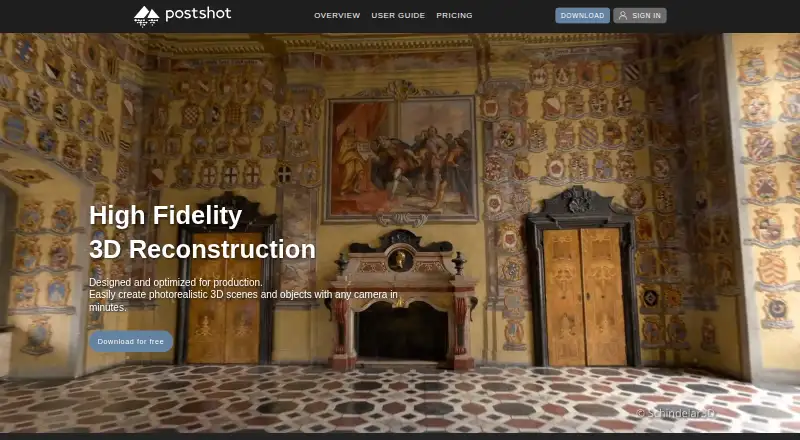
Postshot is a Windows application from Jawset that reconstructs photorealistic 3D scenes and objects from photos or video using radiance field technology. It brings tracking, training, editing, and rendering into one workflow. Listed image inputs include JPG, PNG, TIF, EXR, DNG, and RAW, while video inputs include MOV, MP4, and MKV. Tools include image masking, region-of-interest training, scene merging, and model sequence rendering. The overview names Unreal Engine and After Effects integrations, and listed export formats are PLY, SPZ, and HTML. The Free plan supports importing cameras and points in COLMAP and RealityScan formats; Studio adds BlocksExchange and Pix4D OPF formats. Free allows unlimited image count, video length, and model size, with output up to 4K SDR (8-bit) for non-commercial use. Indie adds watermark-free renders, a floating license, PLY/SPZ export, and commercial use. Studio includes Indie features, additional image formats, output above 4K and HDR, a command-line interface, and AprilTag alignment. Jawset says processing and machine-learning steps run on devices only the user can access, and content remains on the user's devices. The EULA says users retain ownership and rights to their content. All three named plans are listed as free.
Who it suits
Postshot suits Windows users who want to reconstruct 3D scenes or objects from photos and video, then track, train, edit, and render them in one workflow. Free is for non-commercial use; Indie adds commercial use, while Studio adds additional input formats and output options.
What it does well
- Accepts a range of listed photo and video formats.
- Includes tracking, training, editing, and rendering.
- Supports masking, region training, scene merging, and sequence rendering.
- Free allows unlimited image count, video length, and model size.
- Jawset says processing and content remain on the user's devices.
What to know first
- Free use is limited to non-commercial projects.
- Free output is limited to 4K SDR (8-bit).
- The EULA requires an internet connection.
- A valid license permits use on one device at a time.
Limits
Free is for non-commercial use, limits output to 4K SDR (8-bit), and saved files are usable only on Free. Indie permits commercial use and watermark-free renders; Studio adds output above 4K and HDR.
Plans
| Plan | Billed and limits | Price |
|---|---|---|
| Indie | Everything in Free · watermark-free renders · floating license · saved files usable on any plan · PLY/SPZ export · commercial use | Free |
| Free | Unlimited image count, video length and model size · up to 4K SDR (8-bit) · saved files usable only on Free · non-commercial use | Free |
| Studio | Everything in Indie · EXR/TIF/DNG/RAW · above 4K and HDR · command-line interface · AprilTag alignment | Free |
As jawset.com lists them, read 7 Oct 2026. The maker's own page has the final word.
Getting started
- Visit the Jawset website.
- Download a Windows build.
- Choose Free, Indie, or Studio according to use and features.
- Keep an internet connection and use the license on one device at a time.
- Import photos or video and begin tracking, training, editing, and rendering.
Verdict
Choose Postshot if you need a Windows radiance-field workflow for photos or video, with a free non-commercial plan and paid-use options listed as free. Indie is the listed step for commercial use and watermark-free renders; Studio is the fit when its added formats, higher-resolution or HDR output, command-line interface, or AprilTag alignment are needed.
Questions
How much does Postshot cost?
Free, Indie, and Studio are each listed as free.
What does the Free plan include?
It allows unlimited image count, video length, and model size, with output up to 4K SDR (8-bit). It is for non-commercial use, and saved files are usable only on Free.
Which platforms are supported?
Postshot is listed for Windows. The download page lists Windows builds.
Can Postshot be used commercially?
The Free plan is non-commercial. Indie adds commercial use.
What formats can it import and export?
Listed inputs include JPG, PNG, TIF, EXR, DNG, and RAW images, plus MOV, MP4, and MKV video. Listed exports are PLY, SPZ, and HTML.
Who makes Postshot, and how is content handled?
Jawset makes Postshot. Jawset says processing and machine-learning steps run on devices only the user can access and content remains on the user's devices; the EULA says users retain rights and ownership of their content.
Facts from Postshot's own pages
- Builds
- The download page lists Windows builds, and the guide says prerelease builds are updated regularly and typically less stable. · jawset.com, 7 Oct 2026
- Content ownership
- The EULA says users retain rights and ownership of their content, and Jawset does not claim ownership of it. · jawset.com, 7 Oct 2026
- Features
- Features include image masking, region-of-interest training, scene merging, and model sequence rendering. · jawset.com, 7 Oct 2026
- Headquarters
- Munich, Germany · jawset.com, 28 Sept 2026
- Inputs
- The overview lists JPG, PNG, TIF, EXR, DNG, RAW, MOV, MP4, and MKV as supported inputs. · jawset.com, 7 Oct 2026
- Integrations
- The overview lists Unreal Engine and After Effects integrations. · jawset.com, 7 Oct 2026
- Interoperability
- The Free plan supports importing cameras and points in COLMAP and RealityScan formats; Studio adds BlocksExchange and Pix4D OPF formats. · jawset.com, 7 Oct 2026
- License constraint
- The EULA requires an internet connection and permits use on one device per valid license at a time. · jawset.com, 7 Oct 2026
- Local processing
- Jawset says processing and machine-learning steps run on devices only the user can access, and content remains on the user's devices. · jawset.com, 7 Oct 2026
- Privacy
- Jawset's privacy policy says it does not sell personal data and uses transport encryption and access controls to protect it. · jawset.com, 7 Oct 2026
- Purpose
- Postshot reconstructs photorealistic 3D scenes and objects from photos or video using radiance field technology. · jawset.com, 7 Oct 2026
- Support
- The user guide directs questions and feedback to [email protected]; paid license support is by email or chat with no guaranteed maximum response time. · jawset.com, 7 Oct 2026
- Workflow
- It provides an end-to-end workflow for tracking, training, editing, and rendering radiance fields. · jawset.com, 7 Oct 2026
Where Postshot stands on Freedom251
- AI 3D Scanning Software#20 of 24