Freedom251 › 3D Scanning Software
Artec Studio
What Artec Studio is
Artec Studio is Windows software for creating 3D models from scans, photos, and videos. It supports 3D modeling, reverse engineering, and inspection, with tools to refine surfaces, produce watertight and lightweight models, convert results to CAD data, and measure them. Customizable workflows can automate common modeling tasks and send models to third-party software. Supported inputs include Artec structured-light, LiDAR, and target-based laser scanners, as well as photos, videos, and camera-equipped devices. Named compatible scanners include Artec Eva, Leo, Metrology Kit, Micro II, Point, Ray II, Spider II, and selected discontinued models. Artec Studio 20 supports Windows 10 x64 and Windows 11. Its stated minimum computer requirement is a 12th-generation Intel Core i9 and an RTX 4060 with 8 GB of memory. Lite plans process photos or videos only and start at $48 a month; they do not include 3D scanning. Pro is $1,700 a year by subscription or $4300.00 USD one-time for lifetime access. A 30-day Pro trial does not allow project saving or export.
Who it suits
Artec Studio suits professionals working with 3D scanning, photogrammetry, modeling, reverse engineering, or inspection. The Lite plans may suit users working from photos or videos rather than 3D scans.
What it does well
- Creates models from scans, photos, and videos
- Offers customizable workflow automation
- Pro supports many import and export formats
- 24/7 online support is advertised
What to know first
- Windows 10 x64 or Windows 11 required
- Minimum computer requirement includes an RTX 4060
- Lite plans exclude 3D scanning
- Trial blocks project saving and export
Limits
The 30-day Pro trial includes full Pro access and a sample dataset but prevents project saving and export. Lite plans process photos or videos only and exclude 3D scanning; the Pro lifetime plan excludes scripting.
Plans
| Plan | Billed and limits | Price |
|---|---|---|
| Artec Studio Pro: Trial | 30 days at no cost · Full Pro access · Sample dataset · No project saving or export · Limited to 30 days | Free |
| Artec Studio Pro: Subscription | Annually · Workflow scripting functionality · Updated each year with new features and algorithms | $1,700 a year |
| Artec Studio Pro: Lifetime | One-time payment · Lifetime access to Artec Studio 20 · No scripting feature access | $4,300, paid once |
| 1-month Artec Studio Lite Individual | Monthly · Photos or videos only · No 3D scanning · Individual and nonprofit use | $48 a month |
| 1-year Artec Studio Lite Individual | Annually · Photos or videos only · No 3D scanning · Individual and nonprofit use | $480 a year |
| 1-month Artec Studio Lite Business | Monthly · Photos or videos only · No 3D scanning · Business use | $96 a month |
| 1-year Artec Studio Lite Business | Annually · Photos or videos only · No 3D scanning · Business use | $960 a year |
As artec3d.com lists them, read 4 Oct 2026. The maker's own page has the final word.
Getting started
- Open the Artec Studio product website
- Choose a Lite or Pro plan, or start the 30-day Pro trial
- Install Artec Studio on Windows 10 x64 or Windows 11
- Connect a supported Artec scanner or use photos and videos
- Process and export models in a supported format
Verdict
Artec Studio covers model creation, refinement, CAD conversion, and inspection, with distinct Lite and Pro options. Check the computer requirement and trial restrictions before committing to a workflow.
Questions
What does Artec Studio cost?
Lite Individual costs $48 a month or $480 a year. Lite Business costs $96 a month or $960 a year; Pro subscription is $1,700 a year and Pro lifetime is $4300.00 USD one-time.
Is there a free plan or trial?
There is no free plan. A 30-day Pro trial is available at no cost, with no project saving or export.
Which platforms are supported?
Artec Studio 20 supports Windows 10 x64 and Windows 11.
Can it export CAD and 3D files?
Yes. Depending on format, Pro supports imports or exports such as OBJ, STL, PLY, STEP, IGES, E57, USD, DXF, XML, and CSV.
Which scanners work with it?
Supported hardware includes Artec Eva, Leo, Metrology Kit, Micro II, Point, Ray II, Spider II, selected discontinued models, and Artec structured-light, LiDAR, and target-based laser scanners.
Facts from Artec Studio's own pages
- Computer requirements
- The listed minimum computer requirement is a 12th-generation Intel Core i9 processor and an RTX 4060 with 8 GB of memory. · artec3d.com, 4 Oct 2026
- File formats
- The Pro edition supports formats including OBJ, STL, PLY, STEP, IGES, E57, and USD for import or export, depending on format. · artec3d.com, 4 Oct 2026
- Headquarters
- Senningerberg, Luxembourg · artec3d.com, 23 Sept 2026
- Input data
- It creates 3D models from 3D scans, photos, and videos. · artec3d.com, 4 Oct 2026
- Integrations
- Artec Studio 20.3 is compatible with PolyWorks Inspector, and its product page also describes export to software for reverse engineering and 3D modeling. · artec3d.com, 4 Oct 2026
- Maker history
- Artec 3D says it was founded in San Diego in 2007 and moved its global headquarters to Luxembourg in 2010. · careers.artec3d.com, 4 Oct 2026
- Model processing
- The software can create watertight, lightweight models, refine surfaces, convert models into CAD data, and measure and inspect results. · artec3d.com, 4 Oct 2026
- Operating system
- Artec Studio 20 supports Windows 10 x64 and Windows 11. · artec3d.com, 4 Oct 2026
- Purpose
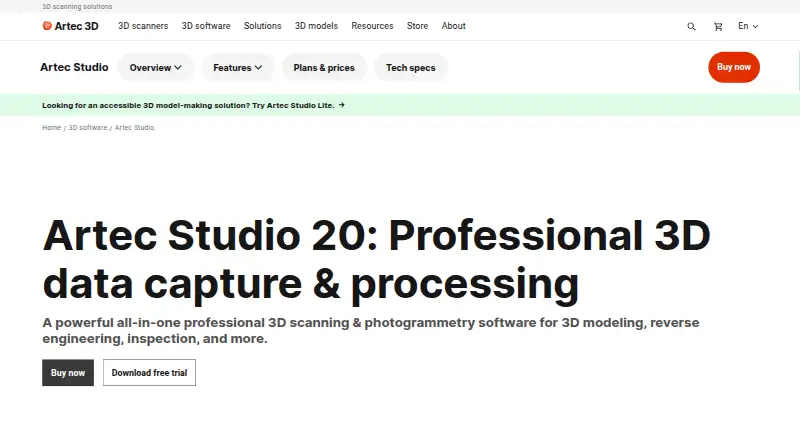
- Artec Studio is professional 3D scanning and photogrammetry software for 3D modeling, reverse engineering, and inspection. · artec3d.com, 4 Oct 2026
- Security
- The opened product and company pages did not state an Artec Studio security certification or compliance standard. · artec3d.com, 4 Oct 2026
- Support
- Artec advertises 24/7 online support for Artec Studio users. · artec3d.com, 4 Oct 2026
- Supported scanners
- Supported hardware includes Artec Eva, Leo, Metrology Kit, Micro II, Point, Ray II, Spider II, and selected discontinued models. · artec3d.com, 4 Oct 2026
- Trial restriction
- The 30-day trial provides full Pro access with a sample dataset but does not allow project saving or export. · artec3d.com, 4 Oct 2026
- Workflows
- Customizable workflows can automate common modeling tasks and can be configured to send models to third-party software. · artec3d.com, 4 Oct 2026
Where Artec Studio stands on Freedom251
- 3D Scanning Software#20 of 29
- AI 3D Scanning Software#21 of 24