Freedom251 › AI Poster Generators
PosterGen
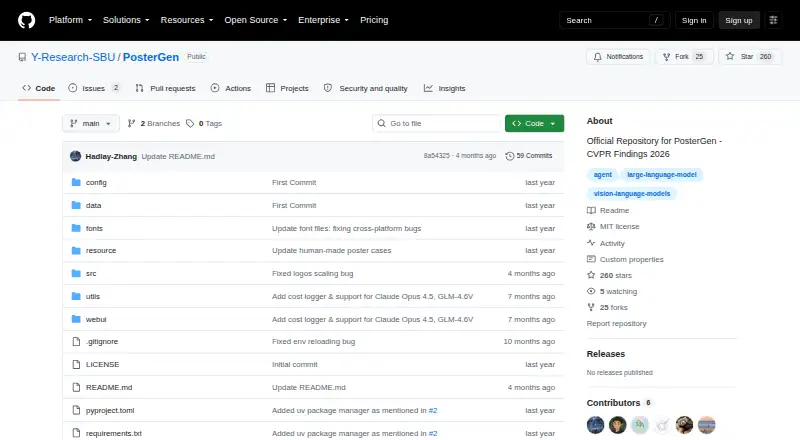
What PosterGen is
PosterGen is software for creating academic posters from research paper PDFs. Its multi-agent language-model workflow separates the work into content extraction, story planning, layout, and styling. The Parser Agent structures material from the paper; the Curator Agent plans how it should be organized; and the Layout Agent calculates placement and spacing, with a Balancer Sub-Agent helping prevent overflow. Styling can draw colors from an affiliation logo and use professional fonts and keyword highlighting. A local web interface accepts a PDF and logos, lets users configure models and dimensions, and generates a PNG poster and an editable PowerPoint file. The project documents Windows, Linux, and macOS support. Setup requires Python 3.11 and LibreOffice; the web interface also requires Node.js and configured API keys. Documented API key options include OpenAI, Anthropic, and Zhipu, with configurable compatible-service URLs including Google. Poster width-to-height ratios range from 1.4 to 2, and configuration-file settings allow changes to layout, typography, colors, visual sizing, and content optimization. PosterGen is free and MIT-licensed; the license provides the software without warranty.
Who it suits
PosterGen suits researchers and conference presenters who want to turn a paper into an academic poster and can provide the required software, logos, and API configuration. It also fits users who want PNG and editable PowerPoint outputs or wish to customize poster settings.
What it does well
- Creates PNG and editable PowerPoint poster files
- Separates paper parsing, storyboarding, layout, and styling
- Logo-based color generation and keyword highlighting
- Customizable layout, typography, colors, and visual sizing
- Free and MIT-licensed
What to know first
- Requires Python 3.11 and LibreOffice
- Web interface also requires Node.js and API keys
- Requires a paper PDF and two logos
- Documented aspect ratios are 1.4 to 2
Limits
The documented poster width-to-height ratio range is 1.4 to 2. Running the web interface requires Node.js and configured API keys, in addition to Python 3.11 and LibreOffice.
Getting started
- Open the project website on GitHub.
- Install Python 3.11 and LibreOffice; install Node.js for the web interface.
- Configure an API key for a supported provider and, if needed, a compatible API base URL.
- Prepare a research paper PDF, an affiliation logo, and a conference logo.
- Use the local web interface to upload the PDF and logos and configure models and dimensions.
- Generate and download the PNG poster and editable PowerPoint file.
Verdict
PosterGen provides a configurable workflow for turning research papers into academic posters, with both image and editable slide outputs. Setup requires several dependencies, API keys, and the specified poster inputs.
Questions
How much does PosterGen cost?
PosterGen is free and has a free plan.
Which operating systems does it support?
The project documents support for Windows, Linux, and macOS.
What files does it produce?
It produces a PNG poster image and an editable PowerPoint file.
What does setup require?
The requirements include Python 3.11 and LibreOffice. The web interface also requires Node.js and configured API keys.
Which model providers can I configure?
Setup instructions show API keys for OpenAI, Anthropic, and Zhipu. Configurable base URLs include OpenAI-, Anthropic-, Google-, and Zhipu-compatible services.
Is PosterGen open source?
The repository identifies its license as MIT.
Facts from PosterGen's own pages
- Cost logging
- The output directory includes a JSON log for runtime and API cost. · github.com, 4 Oct 2026
- Customization
- Users can customize layout, typography, color generation, visual asset sizing, and content optimization through the configuration file. · github.com, 4 Oct 2026
- Dependencies
- The project acknowledges LangGraph, Marker, and python-pptx as underlying open-source projects. · github.com, 4 Oct 2026
- Intended audience
- The README describes conference poster design and identifies the output as professional academic posters. · github.com, 4 Oct 2026
- Intended users
- The README describes the system as generating academic posters and says it follows poster design practices for conferences. · github.com, 4 Oct 2026
- Interface
- A local web interface lets users upload a PDF and logos, configure models and dimensions, then generate and download poster files. · github.com, 4 Oct 2026
- Layout
- Its Layout Agent calculates positioning and spacing, while a Balancer Sub-Agent optimizes column use and prevents overflow. · github.com, 4 Oct 2026
- License
- The repository identifies its license as MIT. · github.com, 4 Oct 2026
- License warranty
- The MIT license states that the software is provided as is without warranty. · github.com, 4 Oct 2026
- Model options
- The documented text and vision model options include GPT-4.1, GPT-4o, GPT-4.1 mini and Claude Sonnet 4. · github.com, 4 Oct 2026
- Model providers
- The README shows API key configuration for OpenAI, Anthropic and Zhipu and configurable base URLs for OpenAI, Anthropic, Google and Zhipu compatible services. · github.com, 4 Oct 2026
- Models and APIs
- The README lists OpenAI, Anthropic, and Zhipu API keys and documents configurable API base URLs, including a Google base URL. · github.com, 4 Oct 2026
- Operating systems
- The README lists Windows, Linux and macOS as supported operating systems and Python 3.11 as a system requirement. · github.com, 4 Oct 2026
- Output
- Generated files include a PNG poster and an editable PowerPoint file. · github.com, 4 Oct 2026
- Outputs
- The system produces PNG poster images and editable PowerPoint files. · github.com, 4 Oct 2026
- Paper parsing
- Its Parser Agent extracts and structures content from a paper PDF. · github.com, 4 Oct 2026
- Poster dimensions
- The documented width-to-height aspect ratio range is 1.4 to 2. · github.com, 4 Oct 2026
- Purpose
- PosterGen generates academic posters from research papers using a multi-agent large language model framework guided by design principles. · github.com, 4 Oct 2026
- Required inputs
- The setup instructions require a research paper PDF, an affiliation logo for color extraction and a conference logo for the poster. · github.com, 4 Oct 2026
- Requirements
- The README specifies Python 3.11 and requires LibreOffice; its web interface also requires Node.js and configured API keys. · github.com, 4 Oct 2026
- Storyboarding
- Its Curator Agent plans content organization and visual placement. · github.com, 4 Oct 2026
- Styling
- Color generation draws on an affiliation logo, and typography features include professional font choices and keyword highlighting. · github.com, 4 Oct 2026
- Workflow
- Its workflow uses parser, curator, layout and styling agents to extract paper content, plan a narrative storyboard, arrange a three-column layout and apply colors and typography. · github.com, 4 Oct 2026
Where PosterGen stands on Freedom251
- AI Poster Generators#14 of 24