Freedom251 › Video Thumbnail Makers

Piktochart
by Piktochart
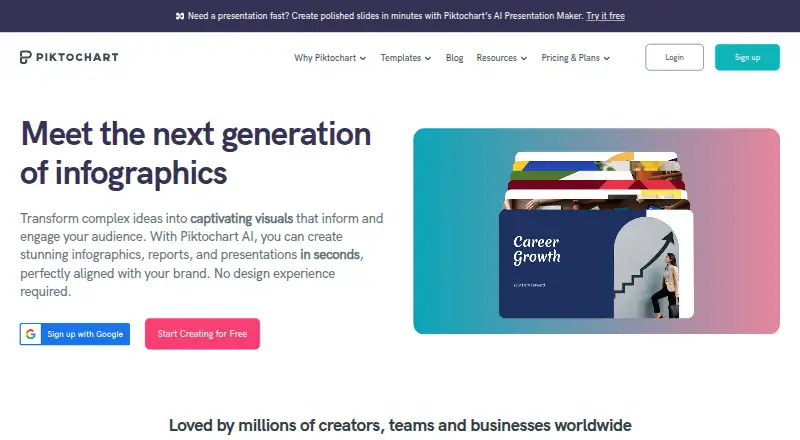
What Piktochart is
Piktochart is a web-based tool for making infographics, presentations, documents, print materials, social media visuals, and videos. It includes templates, illustration tools, presentation design, and a brand kit. Users can bring CSV or Google Sheets data into charts, while Piktochart AI can create visual content from prompts. Teams can share work, comment, review, and revise in a shared workspace. The Free plan includes 2 PNG downloads, 60 AI credits, free templates, 1GB storage, and 1 to 4 team members. Pro costs $10 a month (billed billed annually), and Business costs $17 a month (billed billed annually); plans can be canceled at any time. Business, Education, and Nonprofit plans support PNG, PDF, and PowerPoint downloads. Enterprise includes an advanced security review, MSA support, and SSO/SAML. Piktochart is available on the web, with no desktop or mobile app. Support includes a self-service knowledge base and email, with live chat on paid plans.
Who it suits
Piktochart suits individuals and teams creating visual materials, charts, and presentations in a browser. Its shared workspace and team plans may fit collaborative work.
What it does well
- Covers infographics, presentations, documents, and video
- Charts can use CSV and Google Sheets data
- Shared workspace supports review and revisions
- Plans can be canceled at any time
What to know first
- Free plan allows only 2 PNG downloads
- Free storage is limited to 1GB
- No desktop or mobile app
Limits
The Free plan allows 2 PNG downloads, 1GB of storage, 60 AI credits, and 1 to 4 team members. Its downloads are PNG; PNG, PDF, and PowerPoint downloads are supported on Business, Education, and Nonprofit plans.
Plans
| Plan | Billed and limits | Price |
|---|---|---|
| Free | 1-4 team members · 2 downloads · 1 GB storage · 60 AI credits | Free |
| Pro | billed annually · 1-100 team members · Unlimited downloads · 100 GB storage · 500 AI credits | $10 a month |
| Business | billed annually · 1-100 team members · Unlimited downloads · 250 GB storage · 1,000 AI credits | $17 a month |
| Enterprise | 101+ team members · 250 GB storage | On request |
| Education | billed annually · 1-100 team members · 100 GB storage · 250 AI credits | $39 a year |
| Campus | 3000+ seats | On request |
| Nonprofit | billed annually · 1-100 team members · 100 GB storage · 250 AI credits | $60 a year |
As piktochart.com lists them, read 20 Sept 2026. The maker's own page has the final word.
Getting started
- Open https://piktochart.com/ in a web browser.
- Start with the Free plan or choose a paid plan.
- Choose a format such as an infographic, presentation, document, social media design, or video.
- Use a template or create visual content with the available tools.
- Import CSV or Google Sheets data for charts if needed.
Piktochart is a web-based visual creation platform for infographics, presentations, documents, social posts, print materials, and video. It suits individuals and teams that need templates, data-connected charts, and shared review across several formats. The broad toolkit is its main advantage, while the free tier is too constrained for regular production.
Overview
Piktochart combines reusable templates, illustration tools, a brand kit, and AI generation in one browser workspace. Piktochart AI can turn a prompt into visual content in under 10 seconds, which is useful for getting a first draft of a communication piece rather than building every element manually. Charts can import CSV files or dynamic data from Google Sheets, making the platform a better fit for reports and updates whose figures change over time.
Collaboration is built into the workflow: teams can share, comment, review, and revise in a shared workspace. Two-factor authentication and Google or Facebook sign-in add account options. However, there is no desktop or mobile application, so every project depends on browser access.
Key features
Many output types
Infographic, presentation, document, print, social-media, and video tools cover a wide range of communications work. Video can be produced in multiple aspect ratios for services such as YouTube and TikTok. That breadth is valuable for a small communications team that would otherwise juggle separate tools, but specialists seeking a narrowly focused editor may find the range unnecessary.
Templates, assets, and AI
The template library and brand kit support repeatable visual work. Pro adds more than 5 million premium icons, illustrations, and 3D graphics, giving paid users substantially more raw material than the free catalogue. AI generation accelerates initial concepts, while the limited credit allowances on each plan make heavy prompt-driven production a metered activity.
Collaboration and support
Shared review is a practical strength for teams with an approval process. Paid customers receive email support and live chat in addition to a self-service knowledge base. Enterprise adds an advanced security review, MSA support, and SSO/SAML for organizations with formal procurement and identity requirements.
Pricing
Piktochart uses a freemium model. Plans can be canceled at any time, and paid prices below are annual-billing rates.
| Plan | Price | What it includes | Best for |
|---|---|---|---|
| Free | 0.00 USD | 1–4 team members, 2 PNG downloads, 1 GB storage, 60 AI credits, and free templates | Trying the editor or making occasional drafts; two downloads make it unsuitable for continuing deliverables |
| Pro | $10 a month, billed annually | 1–100 members, unlimited downloads, 100 GB storage, and 500 AI credits | Individuals and small teams that need unrestricted exports at the lowest paid price |
| Business | $17 a month, billed annually | 1–100 members, unlimited downloads, 250 GB storage, and 1,000 AI credits | Teams producing more assets and using AI more frequently |
| Education | $39 a year, billed annually | 1–100 members, 100 GB storage, and 250 AI credits | Education users needing a low annual rate |
| Nonprofit | $60 a year, billed annually | 1–100 members, 100 GB storage, and 250 AI credits | Nonprofits with eligible organizational use |
| Enterprise | Custom pricing | 101+ members, 250 GB storage, advanced security review, MSA support, and SSO/SAML | Large organizations requiring onboarding, security, and support arrangements |
| Campus | Custom pricing | Minimum 3,000 seats | Universities and colleges buying at institutional scale |
Business, Education, and Nonprofit plans support PNG, PDF, and PowerPoint downloads. Pro's unlimited downloads remove the Free plan's biggest operational obstacle, while Business mainly justifies its higher price through extra storage and AI credits.
Platforms
Piktochart runs on the web only. There is no desktop or mobile app, so it is best for users comfortable working in a browser rather than those needing offline or dedicated-device workflows.
Who it's for
Choose Piktochart for communications, marketing, education, nonprofit, or internal teams producing several visual formats and wanting comments and revisions in one workspace. It is also a sensible option when charts must draw from spreadsheets. Solo users making a few exports can start free; anyone publishing regularly should move to Pro or above. Look elsewhere if native mobile or desktop software is essential, or if the work is limited to one specialized format.
Pros and cons
Pros
- Broad format coverage: one account handles infographics, presentations, documents, print, social graphics, and video.
- Data-aware charts: CSV and Google Sheets imports reduce manual updating of changing figures.
- Real-time teamwork: sharing, comments, review, and revisions support an approval workflow.
- Enterprise controls: SSO/SAML, MSA support, and security review address larger organizations' requirements.
Cons
- Severe free export limit: only two PNG downloads make the no-cost plan mainly an evaluation tier.
- Browser dependency: no desktop or mobile app is available.
- Metered AI: credits range from 60 on Free to 1,000 on Business, so intensive generation can consume an allowance.
- Some plans require custom quotes: Enterprise and Campus buyers must engage sales, and Campus requires at least 3,000 seats.
Alternatives
For a mobile-first option with Android and iOS apps, Designkit offers a free tier with 20 first-login credits, up to 20 images, and limited image generation, but no video generation.
LightX AI Poster Generator is a better fit for quick poster and photo work across Android, iOS, API, and web; its free tier supplies six daily AI credits and design and video templates.
Pick Ridvay when manual designs and templates matter alongside daily AI allowances; its free plan includes PNG, JPG, and PDF exports.
Contentdrips suits social graphics with a free 50-credit tier, basic templates, one brand, and no team members.
Folio Poster is for single posters, offering four free templates and A0 PDF export with a light watermark.
Kittl is another browser-based freemium design platform.
Pixazo AI Research Poster Maker focuses on browser-based research-poster generation.
Poster provides browser and extension access with 1080p PNG and JPG downloads on its free tier.
For more focused choices, compare AI Poster Generators, Social Media Post Maker Software, AI Graphic Design Software, AI Infographic Makers, Video Thumbnail Makers, or Infographic Makers.
Verdict
Piktochart is a strong choice for teams that need varied visual deliverables, spreadsheet-backed charts, and collaborative review in one web workspace. Its main reason to choose it is the combination of format breadth and team workflow; its main reason to look elsewhere is the browser-only experience and the Free plan's two-download ceiling.
Verdict
Piktochart combines several visual formats with templates, data-supported charts, and team collaboration. The free plan has download and storage limits, and use is web-only.
Questions
Is there a free plan?
Yes. The Free plan costs nothing and includes 2 PNG downloads, 60 AI credits, free templates, and 1GB of storage.
How much do the paid plans cost?
Pro costs $10 a month billed annually, and Business costs $17 a month billed annually. Education costs $39 a year and Nonprofit costs $60 a year, each billed annually.
What platforms does Piktochart support?
Piktochart is available on the web. It has no desktop or mobile app.
Can teams collaborate?
Yes. Teams can share, comment, review, and make revisions in a shared workspace.
What download formats are supported?
Business, Education, and Nonprofit plans support PNG, PDF, and PowerPoint downloads. The Free plan includes 2 PNG downloads.
Can plans be canceled?
Yes. Plans can be canceled at any time.
Facts from Piktochart's own pages
- AI generation
- Piktochart AI can generate visual content from prompts in under 10 seconds. · piktochart.com, 28 Sept 2026
- Authentication options
- The platform supports two-factor authentication and Google or Facebook authentication. · piktochart.com, 28 Sept 2026
- Billing cancellation
- Plans can be canceled at any time. · piktochart.com, 28 Sept 2026
- Brand kit
- Yes · piktochart.com, 20 Sept 2026
- Team collaboration
- Teams can share, comment, review, and make revisions in a shared workspace. · piktochart.com, 28 Sept 2026
- Worldwide users
- Piktochart reports more than 34 million users worldwide. · piktochart.com, 28 Sept 2026
- Desktop app
- No · piktochart.com, 20 Sept 2026
- Download formats
- Business, Education, and Nonprofit support PNG, PDF, and PowerPoint downloads. · piktochart.com, 28 Sept 2026
- Enterprise security
- Enterprise includes an advanced security review, MSA support, and SSO/SAML. · piktochart.com, 28 Sept 2026
- Founded
- 2011 · piktochart.com, 23 Sept 2026
- Free plan
- Yes · piktochart.com, 20 Sept 2026
- Free plan limits
- The Free plan includes 2 PNG downloads, 60 AI credits, free templates, and 1GB storage. · piktochart.com, 28 Sept 2026
- Free team size
- The Free plan allows 1 to 4 team members. · piktochart.com, 28 Sept 2026
- Illustration tools
- Yes · piktochart.com, 20 Sept 2026
- Data integrations
- Users can import CSV data and dynamic data from Google Sheets into charts. · piktochart.com, 28 Sept 2026
- Mobile app
- No · piktochart.com, 20 Sept 2026
- Creation tools
- Piktochart offers infographic, presentation, document, print, social media, and video tools. · piktochart.com, 28 Sept 2026
- Premium assets
- Pro includes more than 5 million premium icons, illustrations, and 3D graphics. · piktochart.com, 28 Sept 2026
- Presentation design
- Yes · piktochart.com, 20 Sept 2026
- Real-time collaboration
- Yes · piktochart.com, 20 Sept 2026
- Support options
- Support includes a self-service knowledge base, email support, and live chat on paid plans. · piktochart.com, 28 Sept 2026
- Template library
- Piktochart provides templates for brochures, flyers, infographics, newsletters, presentations, resumes, and more. · piktochart.com, 28 Sept 2026
- Free access
- Piktochart offers free creation and a basic free plan. · piktochart.com, 28 Sept 2026
- Video aspect ratios
- Videos can be produced in multiple aspect ratios for platforms such as YouTube and TikTok. · piktochart.com, 28 Sept 2026
Where Piktochart stands on Freedom251
- Video Thumbnail Makers#15 of 46
- AI Poster Generators#12 of 24
- Brochure Makers#10 of 20
- Social Media Template Libraries#24 of 41
- Graphic Design Software#94 of 150
- Design tools#92 of 146
- Poster Maker Software#26 of 41
- AI Graphic Design Software#20 of 31
- Social Media Post Maker Software#15 of 23
- Google Workspace Creative Tools#19 of 27
- Poster Design Software#28 of 39
- Infographic Software#33 of 42
- AI Infographic Makers#21 of 24
- Infographic Makers#23 of 26