Freedom251 › Port Scanner Software
Port Authority
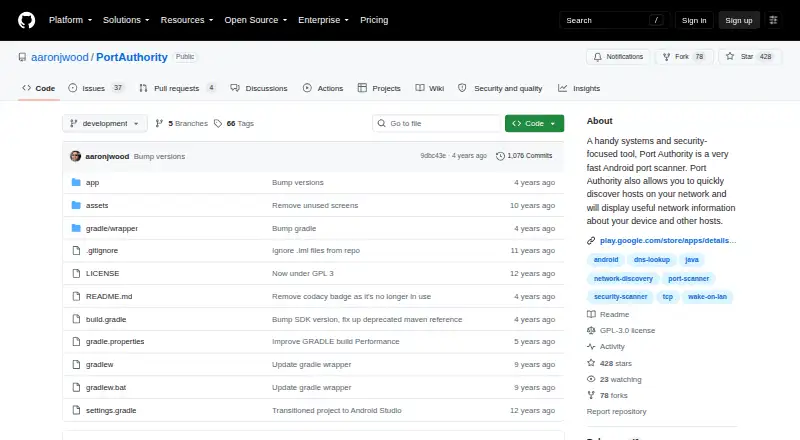
What Port Authority is
Port Authority is an Android port scanner for finding hosts and examining network details on a device’s local network and across the internet. It can discover LAN hosts, identify a public IP address, and scan TCP ports on LAN and WAN hosts. Custom port ranges let users choose which ports to scan. The app also provides MAC address vendor detection, DNS record lookups, and Wake-on-LAN for LAN hosts. For service identification, it offers lightweight SSH and HTTP(S) fingerprinting, including server type and version. Host discovery typically takes less than five seconds, and scans are heavily threaded. The app has no ads or analytics trackers, and its maker says it does not track, collect, or share data. It requires limited permissions for network interaction. Public IP discovery uses the maker’s open source, stateless service. Port Authority is free and open source under GPL-3.0. A 4.99 USD once donation option provides the same features as the free version. Large port ranges combined with too many threads may cause out-of-memory crashes; lowering the thread count is recommended. WAN scans are best effort because mobile carriers may shape traffic or terminate connections during scans.
Who it suits
Port Authority suits Android users who need to discover local or public network hosts, scan TCP ports, and identify services. Its LAN tools and custom port ranges may also suit users who need DNS lookups, vendor detection, or Wake-on-LAN.
What it does well
- Discovers LAN hosts and identifies a public IP address.
- Scans TCP ports on LAN and WAN hosts.
- Supports custom port ranges.
- Includes DNS lookups and Wake-on-LAN for LAN hosts.
- Provides lightweight SSH and HTTP(S) service fingerprinting.
- Free, open source under GPL-3.0, with no ads.
What to know first
- Available on Android.
- Large scans with too many threads may cause out-of-memory crashes.
- WAN scans may be affected by mobile carrier traffic handling.
Limits
The free version includes the app’s features. Large port ranges combined with too many threads may cause out-of-memory crashes; WAN scans are best effort and mobile carriers may shape traffic or terminate connections.
Plans
| Plan | Billed and limits | Price |
|---|---|---|
| Free | Android app · no ads · open source | Free |
| Donate | Android app · same features as free version | $4.99, paid once |
As github.com lists them, read 9 Oct 2026. The maker's own page has the final word.
Getting started
- Open the Port Authority project website.
- Install the app on an Android device.
- Use the free version, or choose the 4.99 USD once donation option for the same features.
- For large port ranges, lower the thread count to reduce the risk of out-of-memory crashes.
Verdict
Choose Port Authority if you need a free Android tool for host discovery, TCP port scans, and network lookups. Its GPL-3.0 license and lack of ads may suit users who value open-source software. Large scans need care with thread counts, and WAN scan results can be affected by mobile carriers.
Questions
How much does Port Authority cost?
The app has a free plan. A 4.99 USD once donation option provides the same features.
Which platforms does it support?
Port Authority is available on Android.
Is Port Authority open source?
Yes. The project is licensed under GPL-3.0.
What can it scan?
It scans TCP ports on LAN and WAN hosts, with support for custom port ranges.
Does it include service detection?
Yes. It provides lightweight SSH and HTTP(S) fingerprinting, including server type and version.
What can affect scan performance?
Large port ranges with too many threads may cause out-of-memory crashes. Mobile carriers may shape traffic or terminate WAN scan connections.
Facts from Port Authority's own pages
- Host discovery
- The app supports LAN host discovery and public IP discovery. · github.com, 9 Oct 2026
- License
- The project repository identifies its license as GPL-3.0. · github.com, 9 Oct 2026
- Network tools
- Features include MAC address vendor detection, DNS record lookups, and Wake-on-LAN for LAN hosts. · github.com, 9 Oct 2026
- Performance
- The maker says host discovery typically takes less than five seconds and describes scans as heavily threaded. · github.com, 9 Oct 2026
- Permissions
- The maker says the app requires very limited permissions because it only needs to interact with the network. · github.com, 9 Oct 2026
- Port scanning
- It scans TCP ports on LAN and WAN hosts and supports custom port ranges. · github.com, 9 Oct 2026
- Privacy
- The maker says the app does not track, collect, or share data and has no ads or analytics trackers. · github.com, 9 Oct 2026
- Public IP service
- The app uses the maker’s open source, stateless service to determine the public IP address. · github.com, 9 Oct 2026
- Purpose
- Port Authority is an Android port scanner that discovers network hosts and displays network information about the device and other hosts. · github.com, 9 Oct 2026
- Scan limits
- The maker notes that scanning large port ranges with too many threads may cause out-of-memory crashes and recommends lowering the thread count. · github.com, 9 Oct 2026
- Service identification
- The app provides lightweight SSH and HTTP(S) service fingerprinting, including server type and version. · github.com, 9 Oct 2026
- Support
- The Google Play listing provides a support email of [email protected]. · play.google.com, 9 Oct 2026
- WAN scanning
- The maker says WAN scans are best effort and mobile carriers may shape traffic or terminate connections during port scans. · github.com, 9 Oct 2026
Where Port Authority stands on Freedom251
- Port Scanner Software#17 of 26