Freedom251 › Fashion Design Software
PolyPattern Design Pro
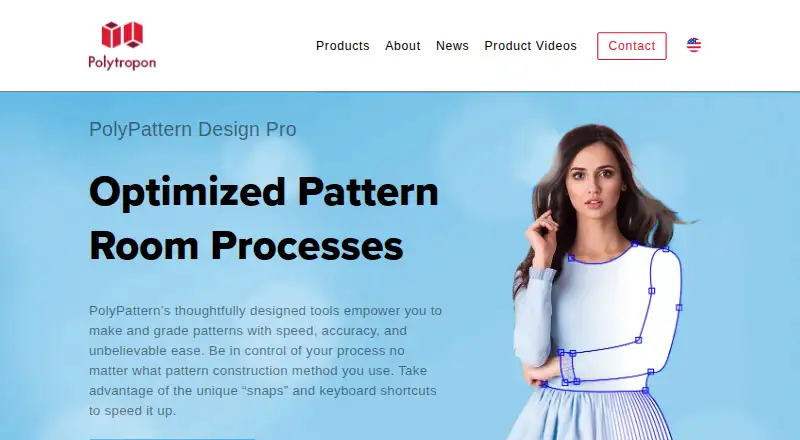
What PolyPattern Design Pro is
PolyPattern Design Pro is CAD software for pattern design and pattern-room processes, available for macOS and Windows. It supports pattern drafting and grading, including grading after a dart has been shifted. Maker tutorials cover grading a base pattern from extra small through extra large, manipulating darts, setting seam allowances, and working with box pleats, facings, and hems. The software is intended to help users create and grade patterns across different construction methods, with a minimal interface focused on pattern work. Polytropon says its digital workflow does not require starting with a digitizer, and fewer than 5% of its customers own digitizing equipment. The maker also says the software can communicate with machines and other software, and that PolyPattern Connectivity reads native data from other systems and supports CAM hardware. PolyPattern and PolyOrganize PLM were integrated with the Browzwear Open Platform in 2019. Pricing is available on request; Polytropon offers a 30-minute product demo.
Who it suits
It suits pattern makers and technical product-development teams working on patterns, grading, and production readiness. Its stated machine and software connectivity may also suit teams with an established digital workflow.
What it does well
- Supports drafting and grading, including shifted darts
- Tutorials cover darts, hems, facings, and seam allowances
- Digital workflow does not require a digitizer
- Communicates with machines and other software
- Available for macOS and Windows
What to know first
- Pricing is available only on request
- No 3D garment simulation
Plans
| Plan | Billed and limits | Price |
|---|---|---|
| PolyPattern Design Pro | Pricing not stated on the product page; request a demo | On request |
As polytropon.com lists them, read 9 Oct 2026. The maker's own page has the final word.
Getting started
- Visit the PolyPattern Design Pro product page.
- Request pricing from Polytropon.
- Arrange the maker’s approximately 30-minute demonstration.
- Confirm the relevant platform for your work; the product is listed for macOS and Windows, and capability information specifies Windows.
PolyPattern Design Pro is CAD software for 2D pattern drafting, grading, and pattern-room work. It suits apparel teams that need production-oriented pattern techniques and connections to other systems rather than 3D garment simulation. Custom pricing and a short, no-obligation demonstration make it a product to qualify with Polytropon before committing.
Overview
PolyPattern is aimed at technical product development from design toward production readiness. Its scope includes pattern making, technical specifications, and pre-costing within the maker’s broader suite. The interface is described as simple and minimal, which should help pattern specialists keep attention on construction work instead of a crowded workspace.
The software’s core is 2D: it supports pattern drafting and size grading, including grading a shifted dart without losing the grading relationship. Tutorials cover adapting a base size from extra small through extra large, directional and parallel grading, dart manipulation, box pleats, facings, hems, and other construction details. There is no 3D garment simulation, so teams seeking visual drape or virtual fitting need a companion product.
Key features
Drafting, grading, and construction control
Grading is more than a basic size expansion. PolyPattern demonstrates directional and parallel steps across a full size range and preserves grading when a dart moves. That matters to pattern rooms handling shaped garments, where changing dart position can otherwise force corrective work across sizes.
Dart manipulation tools support reshaping garments from a base pattern. Seam allowances can be set as pattern parameters, including hems and seam corners, making production conventions part of the pattern rather than a separate finishing pass. Tutorials also show box pleats and facings, giving experienced pattern makers techniques for varied construction methods.
Digital and connected workflows
Polytropon says a PolyPattern workflow does not begin with a digitizer, and fewer than 5% of its customers own digitizing equipment. That positioning favors teams moving into digital pattern work without investing first in digitizing hardware.
The product can communicate with machines and other software. PolyPattern Connectivity is described as reading native data from other systems and supporting any CAM hardware. PolyPattern and PolyOrganize PLM were also directly integrated with the Browzwear Open Platform in 2019. These connections are useful for organizations with established production or PLM systems, although the maker does not describe the specific interchange formats or current integration scope.
Pricing
| Plan | Price | Best fit |
|---|---|---|
| PolyPattern Design Pro | Custom pricing | Businesses needing professional 2D pattern design and grading |
The plan has no published price, seat allowance, quota, renewal term, or trial. Evaluation is instead available through a product demonstration lasting about 30 minutes, offered with no strings attached. Requesting that demonstration is the practical way to establish cost and confirm how the software fits a particular pattern-room and connectivity setup.
Platforms
PolyPattern launched on Mac in 1990 and on Windows in 1997. Confirm compatibility before deployment, especially where a studio has standardized on a specific release.
Who it's for
PolyPattern Design Pro is a strong candidate for apparel manufacturers, technical design teams, and pattern rooms that need controlled drafting, grading, seam-allowance parameters, and production-system communication. It is particularly relevant when dart shifts and multiple construction methods are routine, or when a business wants to digitize without relying on a digitizer.
It is a weaker fit for hobbyists seeking a free entry point, teams that require browser-based access, or designers whose priority is 3D simulation and virtual garment presentation. The custom quote also makes it harder to budget without a sales conversation.
Pros and cons
Pros
- Production-focused grading: preserves grading through dart shifts and demonstrates directional and parallel grading across extra small to extra large.
- Useful construction parameters: seam allowances, hems, corners, pleats, facings, and dart work are addressed within the pattern workflow.
- Hardware and software connectivity: communicates with machines and other software, with stated support for native data and any CAM hardware.
- Low digitizing barrier: the maker says most customers do not own digitizing equipment.
- Supported evaluation: a roughly 30-minute, no-obligation demo and ongoing support described by a customer testimonial help during qualification.
Cons
- No 3D simulation: it cannot replace a garment-visualization tool for drape or virtual fitting.
- Custom pricing: buyers cannot compare a published cost or plan limits before contacting Polytropon.
Alternatives
Seamly2D is the better choice for free, open-source pattern making on Linux, macOS, or Windows, with no paid trial to manage.
Valentina suits buyers who want free source access and historical versions, or a low-cost Basic plan, but its free offering comes without current binaries, a manual, or developer support.
garment.dev fits web-based collaboration and freemium experimentation, with a Hobby plan capped at two patterns and one tech pack.
PatternMaker is preferable when a Windows user wants a free viewer or a one-time Deluxe Editor purchase, rather than custom pricing.
Style3D Studio is the alternative for teams that need 3D work alongside pattern development, with a free non-commercial plan and macOS/Windows support.
Browzwear VStitcher is aimed at 3D apparel workflows and offers a published Freelancer plan at $75 a month for one user and one site.
Futura Next is another paid Windows option with custom pricing and a demo.
Gerber AccuMark is a paid Windows alternative for pattern-production work.
Verdict
Choose PolyPattern Design Pro if your business needs disciplined 2D drafting and grading—especially dart-preserving grading—plus machine, native-data, or PLM connectivity. Look elsewhere if you need 3D simulation, a free or clearly priced plan, or confirmed current operating-system requirements before speaking with a vendor.
Verdict
PolyPattern Design Pro focuses on 2D pattern work, grading, and related pattern-room processes. Buyers can request pricing and a 30-minute demonstration from Polytropon.
Questions
What platforms does PolyPattern Design Pro support?
The product is listed for macOS and Windows. Its capability information specifies Windows.
How much does it cost?
Pricing is available on request.
Does it support 3D garment simulation?
The listed 3D garment simulation capability is no; 2D pattern making and size grading are listed.
Can I see a demonstration?
Polytropon offers a no-obligation product demonstration that takes about 30 minutes.
Does the workflow require a digitizer?
Polytropon says its digital workflow does not start with a digitizer and reports that fewer than 5% of its PolyPattern customers own digitizing equipment.
Does PolyPattern connect to other systems?
The maker says PolyPattern can communicate with machines or other software. Its history page describes connectivity that reads native data from other systems and supports CAM hardware.
Facts from PolyPattern Design Pro's own pages
- Browzwear integration
- Polytropon lists a direct integration of PolyPattern and PolyOrganize PLM with the Browzwear Open Platform in 2019. · polytropon.com, 9 Oct 2026
- Dart manipulation
- The maker provides a tutorial showing how to manipulate darts to shape garments. · polytropon.com, 9 Oct 2026
- Demo
- Polytropon offers a 30-minute product demo described as having no strings attached. · polytropon.com, 9 Oct 2026
- Digitizing
- Polytropon says fewer than 5% of its PolyPattern customers own digitizing equipment. · polytropon.com, 9 Oct 2026
- Digitizing workflow
- The maker says a digital workflow with PolyPattern does not start with a digitizer and reports that fewer than 5% of its customer base own digitizing equipment. · polytropon.com, 9 Oct 2026
- Drafting and grading
- The maker says PolyPattern supports pattern drafting and grading, including grading across a shifted dart. · polytropon.com, 9 Oct 2026
- Grading
- The maker says PolyPattern preserves grading when a dart is shifted. · polytropon.com, 9 Oct 2026
- Integration
- Polytropon says PolyPattern and PolyOrganize PLM were directly integrated with the Browzwear Open Platform in 2019. · polytropon.com, 9 Oct 2026
- Intended users
- Polytropon positions its product suite for technical product development, including pattern making, technical specifications, and pre-costing from design to production readiness. · polytropon.com, 9 Oct 2026
- Interoperability
- The maker says PolyPattern communicates with machines and other software, and its history page says PolyPattern Connectivity reads native data from other systems and supports any CAM hardware. · polytropon.com, 9 Oct 2026
- Machine connectivity
- The maker says PolyPattern can communicate with machines or other software, and its history notes support for any CAM hardware and reading native data from other systems. · polytropon.com, 9 Oct 2026
- Pattern creation
- The maker says its tools support fast, accurate pattern creation and grading across different pattern construction methods. · polytropon.com, 9 Oct 2026
- Pattern grading
- A maker tutorial demonstrates grading a base pattern across sizes from extra small through extra large, with directional and parallel grading steps. · polytropon.com, 9 Oct 2026
- Pattern techniques
- The maker’s tutorials show dart manipulation, adapting the base size for grading, box pleats, seam allowances, facings and hems. · polytropon.com, 9 Oct 2026
- Platform history
- Polytropon says PolyPattern launched on Mac in 1990 and on Windows in 1997; the page does not specify current supported versions. · polytropon.com, 9 Oct 2026
- Platforms
- Polytropon's company history says PolyPattern launched on Mac in 1990 and on Windows in 1997. · polytropon.com, 9 Oct 2026
- Purpose
- PolyPattern Design Pro is CAD software for pattern design and pattern room processes. · polytropon.com, 9 Oct 2026
- Seam allowances
- A maker tutorial describes setting seam allowances as pattern parameters, including hems and seam corners. · polytropon.com, 9 Oct 2026
- Security and compliance
- The product and company pages opened contain no security or compliance certifications or controls. · polytropon.com, 9 Oct 2026
- Support
- A PolyPattern customer testimonial on the maker's site describes ongoing support from the PolyPattern team. · polytropon.com, 9 Oct 2026
- Support and evaluation
- The maker offers a no-obligation product demonstration that takes about 30 minutes. · polytropon.com, 9 Oct 2026
- Workflow
- The product page describes a simple, minimal interface intended to help users focus on pattern work. · polytropon.com, 9 Oct 2026
Where PolyPattern Design Pro stands on Freedom251
- Fashion Design Software#19 of 30