Freedom251 › RGB Lighting Software
Polychromatic
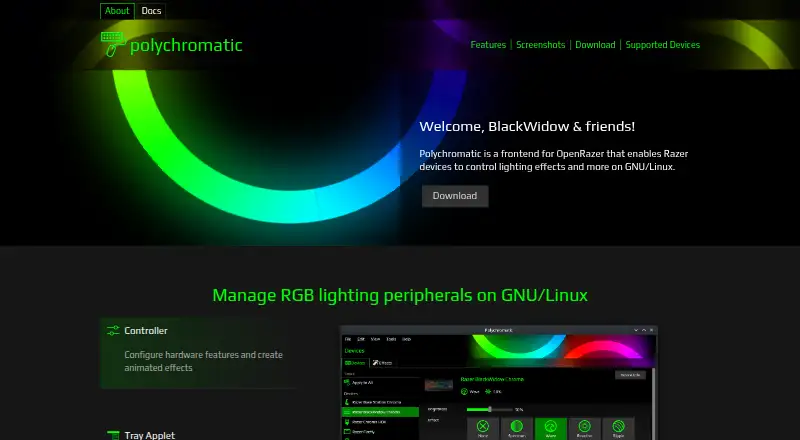
What Polychromatic is
Polychromatic is a GNU/Linux frontend for OpenRazer that controls lighting and other settings on supported Razer peripherals. The home page lists more than 210 supported OpenRazer devices, including keyboards, mice, mouse mats, and headsets. Users can select built-in lighting effects and adjust brightness, DPI, and polling interval. They can also make static or animated lighting mappings from pixels and frames for games, applications, or ambience.
The app can display a device’s firmware version and serial number, and it can test individually addressable LEDs. A tray applet provides access to lighting and device settings when the desktop environment supports a system tray or indicators. A built-in troubleshooter covers problems such as OpenRazer not working or a device not being found. Polychromatic runs on the computer locally, with no cloud service or login required. It is free and open source under the GPLv3 license. Its device support currently runs through OpenRazer, and the maker says other brands are not supported and gives no ETA for that support. The maker also says key remapping is not supported and polychromatic-cli is deprecated, with removal planned for the next major version. Polychromatic and OpenRazer are not affiliated with Razer.
Who it suits
Polychromatic suits GNU/Linux users with supported OpenRazer peripherals who want local control over device lighting and settings. It is especially relevant to users making custom lighting mappings or checking device information and LEDs.
What it does well
- Free and open source under the GPLv3 license.
- Runs locally without cloud services or a login.
- Supports over 210 OpenRazer devices, according to its home page.
- Offers built-in effects and custom static or animated lighting mappings.
- Includes a troubleshooter for OpenRazer and device discovery issues.
What to know first
- Runs only on GNU/Linux; Windows and macOS are unsupported.
- Supports OpenRazer only; other brands are not currently supported.
- Key remapping is not supported.
- The command-line tool is deprecated and planned for removal.
Limits
Polychromatic is limited to GNU/Linux and OpenRazer devices. Key remapping is not supported; the maker says polychromatic-cli is deprecated and will be removed in the next major version.
Plans
| Plan | Billed and limits | Price |
|---|---|---|
| Polychromatic | Free and open source · GNU/Linux only · OpenRazer devices | Free |
As polychromatic.app lists them, read 4 Oct 2026. The maker's own page has the final word.
Getting started
- Visit the Polychromatic website.
- Install and use it on a GNU/Linux computer with a supported OpenRazer device.
- Use built-in controls or create a static or animated lighting mapping.
- Use the tray applet if your desktop environment supports a system tray or indicators.
Verdict
Pick Polychromatic if you use GNU/Linux with an OpenRazer-supported peripheral and want local control of lighting and device settings. Look elsewhere if you need Windows or macOS support, another peripheral brand, or key remapping.
Questions
Is Polychromatic free?
Yes. It is free and open source under the GPLv3 license.
Which operating systems does it support?
It runs on GNU/Linux. Windows and macOS are not currently supported.
Does it require an account or cloud service?
No. Polychromatic runs locally and does not require cloud services or a login.
Which devices does it support?
It currently supports OpenRazer devices. Its home page says the supported range includes over 210 devices, such as keyboards, mice, mouse mats, and headsets.
Can it remap keys?
No. Key remapping is not supported.
Is Polychromatic affiliated with Razer?
No. Polychromatic and OpenRazer are not affiliated with Razer.
Facts from Polychromatic's own pages
- CLI status
- The maker says polychromatic-cli is deprecated and will be removed in the next major version. · docs.polychromatic.app, 4 Oct 2026
- Custom effects
- Users can create static or animated lighting mappings from pixels and frames for games, applications, or ambience. · polychromatic.app, 4 Oct 2026
- Device information
- Users can inspect firmware version and serial number and test individually addressable LEDs. · polychromatic.app, 4 Oct 2026
- Feature limit
- Key remapping is not supported, and the maker says the application's main strength is RGB lighting effects. · docs.polychromatic.app, 4 Oct 2026
- Hardware settings
- The application provides controls for built-in effects, brightness, DPI, and polling interval. · polychromatic.app, 4 Oct 2026
- Integration
- Polychromatic currently supports OpenRazer; the maker says support for other brands is not available now and has no ETA. · docs.polychromatic.app, 4 Oct 2026
- License
- Polychromatic is free and open source under the GPLv3 license. · polychromatic.app, 4 Oct 2026
- Local operation
- The software runs locally on the computer and does not require cloud services or a login. · polychromatic.app, 4 Oct 2026
- Operating system limit
- Polychromatic only runs on GNU/Linux; Windows and macOS are not currently supported. · polychromatic.app, 4 Oct 2026
- Project independence
- The maker states that Polychromatic and OpenRazer are not affiliated with Razer. · polychromatic.app, 4 Oct 2026
- Supported devices
- The home page says it supports over 210 OpenRazer devices, including keyboards, mice, mouse mats, and headsets. · polychromatic.app, 4 Oct 2026
- Tray applet
- The tray applet can change device settings and lighting when the desktop environment supports a system tray or indicators. · polychromatic.app, 4 Oct 2026
- Troubleshooting
- The application includes a troubleshooter for issues such as OpenRazer not working or devices not being found. · polychromatic.app, 4 Oct 2026
- What it does
- Polychromatic is a frontend for OpenRazer that lets users control Razer device lighting effects and other features on GNU/Linux. · polychromatic.app, 4 Oct 2026
Where Polychromatic stands on Freedom251
- RGB Lighting Software#16 of 33