Freedom251 › Network Simulation Software
PNETLab
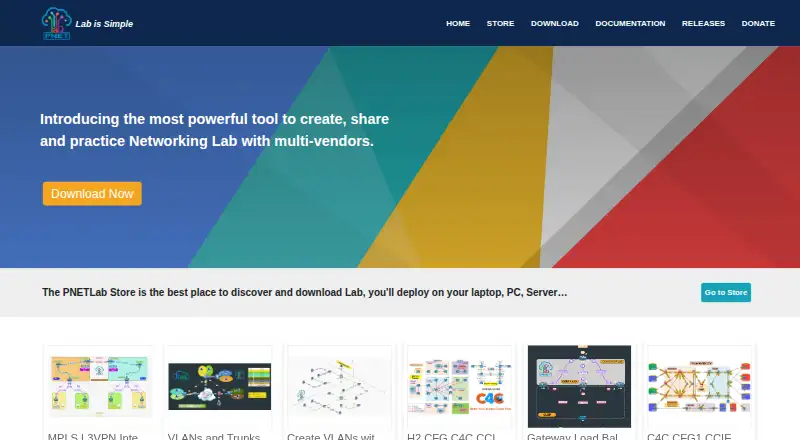
What PNETLab is
PNETLab is a platform for downloading, running, and sharing labs with a community. Its PNETLab Box is a locally installed virtual machine where labs run in online or offline mode. The web-based Lab Store offers free labs in networking, database, and system topics. Lab features include unlimited nodes, timers, workbooks, startup configurations, and lab management, alongside Docker integration, Wireshark capture, Telnet, and an integrated NAT Cloud. Online mode requires internet access and registration; it supports full functions and access to all Store labs, as well as lab sharing or sales. Offline mode requires neither internet nor registration, but is limited to 10 accounts and Store labs marked Open. The download guide describes HTML and native console options; native console use requires client packages. Listed virtualization platforms include VMware Workstation 12.5 or later, VMware Player 12.5 or later, VMware ESXi 6.0 or later, and Google Cloud Platform. The stated minimum PC configuration is an Intel i5/i7 with four logical processors, 8 GB RAM, 40 GB disk space, and virtualization enabled. PNETLab no longer provides IOS images, so required device images must be supplied for nodes to start.
Who it suits
PNETLab suits people who want to run or share networking, database, or system labs in a local virtual machine. Its online and offline modes serve different access and account requirements.
What it does well
- Free labs cover networking, databases, and systems
- Labs support unlimited nodes
- Includes Docker integration and Wireshark capture
- Offline mode requires no internet or registration
What to know first
- Offline mode is limited to 10 accounts
- Offline mode supports only Store labs marked Open
- Native console requires client packages
- Required IOS images must be supplied
Limits
Offline mode is limited to 10 accounts and Store labs marked Open. Online mode requires internet access and registration; the free platform plan costs nothing.
Plans
| Plan | Billed and limits | Price |
|---|---|---|
| PNETLab | Free platform · offline version with full features · offline mode limited to 10 accounts | Free |
As pnetlab.com lists them, read 7 Oct 2026. The maker's own page has the final word.
Getting started
- Visit the PNETLab website and download PNETLab Box.
- Install the virtual machine locally using a listed virtualization platform.
- Meet the stated minimum PC configuration and enable virtualization.
- Choose online mode and register, or use offline mode without registration.
- Choose HTML console, or install client packages for native console use.
- Supply any required device images for nodes that need them to start.
Verdict
PNETLab offers lab-running and sharing tools with both online and offline modes. Check the offline account and Store-lab limits, and note that device images may need to be supplied separately.
Questions
Is PNETLab free?
Yes. The PNETLab plan is free.
Can PNETLab run offline?
Yes. Offline mode needs no internet connection or registration and supports full PNETLab functions, but is limited to 10 accounts and Store labs marked Open.
What platforms and virtualization environments are listed?
PNETLab lists Linux, macOS, self-hosted, web and Windows. Its documentation lists VMware Workstation 12.5 or later, VMware Player 12.5 or later, VMware ESXi 6.0 or later, and Google Cloud Platform.
What computer configuration does PNETLab require?
The stated minimum is an Intel i5/i7 with four logical processors, 8 GB RAM, 40 GB disk space and virtualization enabled.
Does PNETLab provide IOS images?
No. PNETLab no longer provides IOS, so nodes may not start until the required images are supplied.
What does online mode require?
Online mode requires internet and registration. It allows access to all Store labs and supports sharing or selling labs.
Facts from PNETLab's own pages
- Console
- The download guide describes HTML and native console options, with client packages required for native console. · pnetlab.com, 7 Oct 2026
- Device images
- The download guide says PNETLab no longer provides IOS, so nodes in a lab may not start until the required images are supplied. · pnetlab.com, 7 Oct 2026
- Hardware requirements
- The stated minimum PC configuration is an Intel i5/i7 with four logical processors, 8 GB RAM, and 40 GB disk space, with virtualization enabled. · pnetlab.com, 7 Oct 2026
- Integrations
- The feature list includes Docker integration, Wireshark capture, Telnet, and an integrated NAT Cloud. · pnetlab.com, 7 Oct 2026
- Lab features
- The platform lists unlimited nodes per lab, lab timers, workbooks, startup configurations, and lab management. · pnetlab.com, 7 Oct 2026
- Lab Store
- The PNETLab Store is a web platform with free labs in networking, database, and system topics. · pnetlab.com, 7 Oct 2026
- Offline mode
- Offline mode does not require internet or registration and supports full PNETLab functions, but is limited to 10 accounts and Store labs marked Open. · pnetlab.com, 7 Oct 2026
- Online mode
- Online mode requires internet and registration, supports full functions, and allows downloading all Store labs and sharing or selling labs. · pnetlab.com, 7 Oct 2026
- Purpose
- PNETLab is a platform for downloading and sharing labs with a community. · pnetlab.com, 7 Oct 2026
- Support
- The site lists [email protected] and a Telegram support group chat as contact options. · pnetlab.com, 7 Oct 2026
- Virtualization platforms
- The documentation lists VMware Workstation 12.5 or later, VMware Player 12.5 or later, VMware ESXi 6.0 or later, and Google Cloud Platform. · pnetlab.com, 7 Oct 2026
- Virtual machine
- PNETLab Box is a virtual machine installed locally, where labs run; it offers online and offline modes. · pnetlab.com, 7 Oct 2026
Where PNETLab stands on Freedom251
- Network Simulation Software#16 of 31