Freedom251 › Game Crash Reporting Software
PLCrashReporter
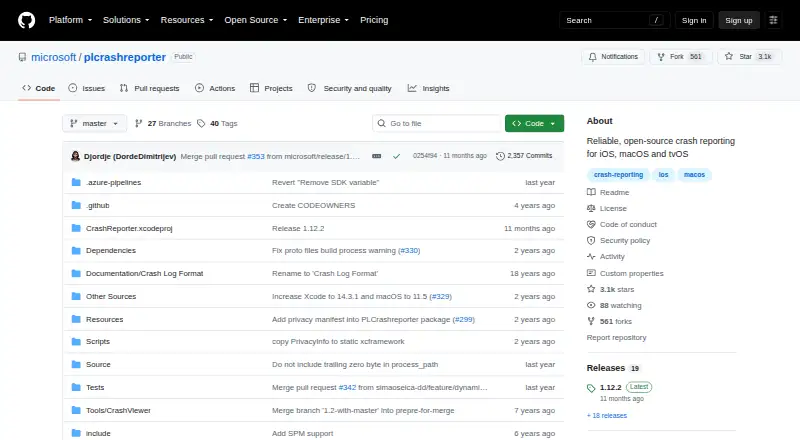
What PLCrashReporter is
PLCrashReporter is an open-source, in-process library for iOS and macOS apps that detects crashes and creates diagnostic reports. A report can include application, system, process, thread, and stack-trace information. It provides backtraces for active threads and the full register state of the thread that crashed. Its stack unwinding uses DWARF and Apple Compact Unwind frame data, and the project says it does not interfere with debugging in lldb or gdb.
Reports are encoded as Protocol Buffers and can be decoded with the CrashReporter library or a Google Protocol Buffers decoder. Developers can add PLCrashReporter through CocoaPods, Carthage, Swift Package Manager, or manually by adding binaries; the README points to App Center as the easiest way to use it. The listed prerequisites include Xcode 11 or above, with minimum versions of iOS 12, macOS 11.5, tvOS 12, and Mac Catalyst 13.0. Release 1.12.0 made report size configurable, while release 1.11.2 increased the maximum size to 1MB and added a privacy manifest. The project dates to 2008. Its open-source plan costs nothing.
Who it suits
PLCrashReporter suits developers building apps for iOS or macOS who need in-process crash reports with thread backtraces and register state. It also fits teams that want to add a library through a familiar package manager or binary integration route.
What it does well
- Captures application, system, process, thread, and stack-trace details.
- Includes backtraces for active threads and crashed-thread register state.
- Uses DWARF and Apple Compact Unwind frame data.
- Can be added through CocoaPods, Carthage, or Swift Package Manager.
- Open-source plan costs nothing.
What to know first
- Requires Xcode 11 or above.
- Minimum supported versions include iOS 12 and macOS 11.5.
- Reports require a Protocol Buffers decoder to inspect.
Plans
| Plan | Billed and limits | Price |
|---|---|---|
| Open source | iOS · macOS · tvOS · Mac Catalyst | Free |
As github.com lists them, read 4 Oct 2026. The maker's own page has the final word.
Getting started
- Open the project website at https://github.com/microsoft/plcrashreporter.
- Get the latest release from the GitHub releases page.
- Add the library with CocoaPods, Carthage, Swift Package Manager, or manually add its binaries.
- Use App Center as the README's suggested easiest route.
- Decode generated reports with the CrashReporter library or a Google Protocol Buffers decoder.
Verdict
Choose PLCrashReporter if you need an open-source library to detect crashes and create detailed reports for Apple-platform apps. Its report contents and integration options are useful for development workflows, while projects needing other platforms should look elsewhere.
Questions
How much does PLCrashReporter cost?
The open-source plan is free.
Which platforms does it support?
The listed platforms are iOS and macOS. The prerequisites also specify minimum versions for tvOS and Mac Catalyst.
How can developers add it to an app?
The README describes CocoaPods, Carthage, Swift Package Manager, or manually adding binaries. It also calls App Center the easiest way to use PLCrashReporter.
What information is in a crash report?
Reports can contain application, system, process, thread, and stack-trace information, including backtraces for active threads and full register state for the crashed thread.
How are crash reports decoded?
Reports use Protocol Buffers encoding and can be decoded with the CrashReporter library or a Google Protocol Buffers decoder.
What are the listed prerequisites?
The project lists Xcode 11 or above, with minimum supported platforms of iOS 12, macOS 11.5, tvOS 12, and Mac Catalyst 13.0.
Facts from PLCrashReporter's own pages
- App Center
- The README describes App Center as the easiest way to use PLCrashReporter. · github.com, 4 Oct 2026
- Debugging
- The project says PLCrashReporter does not interfere with debugging in lldb or gdb. · github.com, 4 Oct 2026
- Download
- The README directs users to the GitHub releases page to get the latest release. · github.com, 4 Oct 2026
- Founded
- 2008 · github.com, 4 Oct 2026
- Integrations
- The README describes adding PLCrashReporter through CocoaPods, Carthage, Swift Package Manager, or by manually adding binaries. · github.com, 4 Oct 2026
- Privacy manifest
- Release 1.11.2 says PLCrashReporter was updated to include a privacy manifest. · github.com, 4 Oct 2026
- Purpose
- PLCrashReporter is an in-process crash reporting library that detects crashes and generates reports with application, system, process, thread, and stack trace information. · github.com, 4 Oct 2026
- Report format
- Crash reports are protobuf-encoded and can be decoded with the CrashReporter library or a Google Protocol Buffers decoder. · github.com, 4 Oct 2026
- Report size
- Release 1.12.0 says crash report size was made configurable; release 1.11.2 says the maximum report size was increased to 1MB. · github.com, 4 Oct 2026
- Requirements
- The listed prerequisites are Xcode 11 or above, with minimum supported platforms of iOS 12, macOS 11.5, tvOS 12, and Mac Catalyst 13.0. · github.com, 4 Oct 2026
- Security reporting
- The security policy asks users not to report vulnerabilities in public GitHub issues and directs them to MSRC or [email protected]. · github.com, 4 Oct 2026
- Security response
- The security policy says reporters should receive a response within 24 hours. · github.com, 4 Oct 2026
- Stack traces
- It provides backtraces for all active threads and full register state for the crashed thread. · github.com, 4 Oct 2026
- Unwinding
- Its stack unwinding uses DWARF and Apple Compact Unwind frame data. · github.com, 4 Oct 2026
Where PLCrashReporter stands on Freedom251
- Game Crash Reporting Software#17 of 26