Freedom251 › 3D Landscape Design Software
Planting F/X
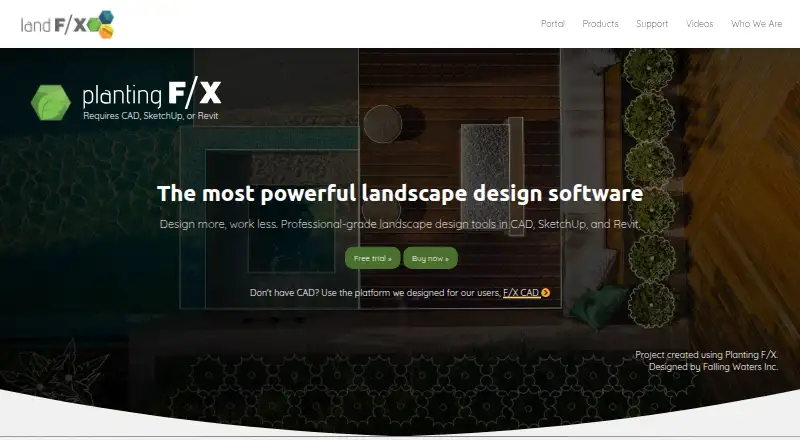
What Planting F/X is
Planting F/X is a landscape design plugin for landscape architects and other design professionals. It provides tools for creating planting plans and terrain modeling across CAD, Revit, SketchUp, and Rhino. Its plant database contains more than 55,000 entries, with photos, descriptions, and customizable tags. Placement tools calculate spacing according to the selected layout method, while the software automates plant labels, schedules, and error checking. A license includes access to plugins for CAD, Revit, SketchUp, and Rhino. The 3D Connection transfers designs between CAD and SketchUp, Rhino, or Revit; importing and exporting through that connection require Cloud Data. Cloud Data stores project data, templates, and preference sets, while digital design files stay in the storage location users choose. The annual Planting F/X plan costs $695 a year and includes all Design F/X tools, Detail F/X tools, and a floating license. A free 15-day trial is available. The subscription includes phone and email technical support, weekly updates, training resources, live webinars, short Power Tip videos, and getting-started guides. Planting F/X requires Windows versions of CAD, Revit, or Rhino; Mac users can use virtual Windows software such as Parallels. It is not compatible with AutoCAD LT or AutoCAD for Mac. Land F/X, founded in 2004 and headquartered in San Luis Obispo, California, says its software serves more than 2,000 firms worldwide.
Who it suits
Planting F/X suits landscape architects and other design professionals who create planting plans and use CAD, Revit, SketchUp, or Rhino. It is a fit for teams that want plant placement, labeling, schedules, and error checking in their design workflow, provided their software setup meets its Windows and CAD requirements.
What it does well
- Plant database includes more than 55,000 entries with photos and descriptions.
- Placement tools calculate spacing for the selected layout method.
- Automates plant labels, schedules, and error checking.
- License includes plugins for CAD, Revit, SketchUp, and Rhino.
- Subscription includes phone and email technical support.
- 15-day free trial is available.
What to know first
- Requires Windows versions of CAD, Revit, or Rhino.
- Not compatible with AutoCAD LT or AutoCAD for Mac.
- 3D Connection import and export require Cloud Data.
Limits
The free trial lasts 15 days. The 3D Connection requires Cloud Data for import and export; Planting F/X also requires Windows versions of CAD, Revit, or Rhino and does not support AutoCAD LT or AutoCAD for Mac.
Plans
| Plan | Billed and limits | Price |
|---|---|---|
| Planting F/X | Billed annually · Planting F/X for CAD, Revit, Rhino, and SketchUp · All Design F/X tools · Detail F/X tools · Floating license | $695 a year |
As landfx.com lists them, read 30 Sept 2026. The maker's own page has the final word.
Getting started
- Open the Planting F/X product website.
- Start the free 15-day trial or select the annual Planting F/X plan.
- Use a Windows version of CAD, Revit, or Rhino; Mac users can use virtual Windows software such as Parallels.
- Use the included plugins for CAD, Revit, SketchUp, and Rhino.
Verdict
Choose Planting F/X if your landscape design work needs a large plant database, calculated placement, and automated labels and schedules across supported design platforms. The annual plan includes a floating license and Design F/X and Detail F/X tools. Look elsewhere if your workflow depends on AutoCAD LT or AutoCAD for Mac, or if you cannot use Windows versions of the required software.
Questions
How much does Planting F/X cost?
The Planting F/X plan costs $695 a year, billed annually. It includes Planting F/X for CAD, Revit, Rhino, and SketchUp, all Design F/X tools, Detail F/X tools, and a floating license.
Is there a free plan or trial?
There is no free plan. Land F/X offers a free 15-day Planting F/X trial.
Which platforms does it support?
The license includes plugins for CAD, Revit, SketchUp, and Rhino. Planting F/X requires Windows versions of CAD, Revit, or Rhino; Mac users can use virtual Windows software such as Parallels. It is not compatible with AutoCAD LT or AutoCAD for Mac.
What does the 3D Connection do?
It transfers designs between CAD and SketchUp, Rhino, or Revit. Importing and exporting through the connection require Cloud Data.
What support and training are included?
The subscription includes technical support by phone and email, weekly updates, training resources, live webinars, short Power Tip videos, and getting-started guides.
Who makes Planting F/X?
Land F/X was founded in 2004 and is headquartered in San Luis Obispo, California, United States.
Facts from Planting F/X's own pages
- 3D connection
- The 3D Connection transfers designs between CAD and SketchUp, Rhino, or Revit; import and export require Cloud Data. · landfx.com, 30 Sept 2026
- 3D platforms
- A Planting F/X license includes access to plugins for CAD, Revit, SketchUp, and Rhino. · landfx.com, 30 Sept 2026
- Audience and scale
- Land F/X describes its software as serving landscape architects and other design professionals and says it is used by more than 2,000 firms worldwide. · landfx.com, 30 Sept 2026
- CAD compatibility
- Land F/X requires a supported AutoCAD-based platform and is not compatible with AutoCAD LT or AutoCAD for Mac. · landfx.com, 30 Sept 2026
- Cloud data
- Cloud Data stores Land F/X project data, templates, and preference sets; users’ digital design files remain in their chosen storage location. · landfx.com, 30 Sept 2026
- Cloud security
- Land F/X says Cloud Data traffic uses SSL and that it does not receive users’ DWG files or visual representations. · landfx.com, 30 Sept 2026
- Founded
- 2004 · landfx.com, 28 Sept 2026
- Headquarters
- San Luis Obispo, California, United States · landfx.com, 28 Sept 2026
- Local data limit
- Land F/X deprecated multi-user Local Data (MySQL) installations as of May 2026. · landfx.com, 30 Sept 2026
- Operating system
- Planting F/X requires Windows versions of CAD, Revit, or Rhino; Mac users can use virtual Windows software such as Parallels. · landfx.com, 30 Sept 2026
- Plant library
- The product page says users can choose from a database of more than 55,000 plants, with photos, descriptions, and customizable tags. · landfx.com, 30 Sept 2026
- Plant placement
- Its placement tools calculate spacing based on the selected layout method. · landfx.com, 30 Sept 2026
- Purpose
- Planting F/X is a landscape design plugin for landscape architects that provides tools for CAD, SketchUp, and Revit. · landfx.com, 30 Sept 2026
- Schedules and checking
- The product automates plant labeling, schedules, and error checking. · landfx.com, 30 Sept 2026
- Support
- The subscription includes technical support by phone and email, with phone hours listed as 8 a.m. to 5 p.m. Pacific. · landfx.com, 30 Sept 2026
- Trial
- Land F/X offers a free 15-day Planting F/X trial. · landfx.com, 30 Sept 2026
- Updates and training
- The subscription includes weekly updates, training resources, live webinars, short Power Tip videos, and getting-started guides. · landfx.com, 30 Sept 2026
Where Planting F/X stands on Freedom251
- 3D Landscape Design Software#18 of 30