Freedom251 › 3D Landscape Design Software
GardenBox 3D
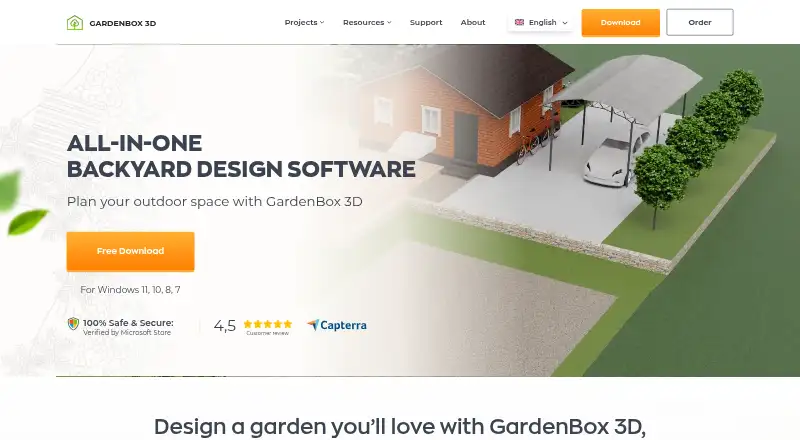
What GardenBox 3D is
GardenBox 3D is Windows software for planning gardens, patios, backyards, and other outdoor spaces. It works offline and supports 2D and 3D plans, terrain slopes and elevations, and distance measurements with a digital ruler. A catalog of outdoor models is included, and users can import their own 3D models. Lighting can be adjusted for different times of day, and a compass helps visualize sunlight and shadows. Plans can be saved as images or PDFs for sharing. The software can load models and edit projects made with another landscape design program, though no specific integration is named. GardenBox 3D is developed for Windows 7, 8, 10, and 11; the maker says it might work on a Mac with a Windows emulator. A free trial is available, but there is no free plan. Starter costs $19.99/mo, billed $59.88 yearly; Premium is $29.99/mo, billed $83.88 yearly; GOLD costs $89.97 once. One license permits use on one computer at a time.
Who it suits
GardenBox 3D may suit homeowners planning outdoor spaces, landscape designers preparing client plans, and educators. Its offline operation may also suit users working in places with limited connectivity.
What it does well
- Works offline
- Supports 2D and 3D planning
- Models terrain slopes and elevations
- Imports user-supplied 3D models
- Exports plans as images or PDFs
What to know first
- No free plan, though a free trial is available
- Developed for Windows; Mac may require an emulator
- One license covers one computer at a time
- Updates are free for one year
Limits
There is no free plan. A license covers one computer at a time; regular use on additional computers requires another license. The purchase includes free updates for one year, after which updates can be purchased at a 50% discount while the old version remains usable.
Plans
| Plan | Billed and limits | Price |
|---|---|---|
| Starter | $59.88 billed yearly · Plants, pathways, fences, furniture, lighting · customizable house models · object colors and textures · fountains, ponds, pools · 3D preview | $19.99 a month |
| Premium | $83.88 billed yearly · Starter features · curved paths, lawns, flowerbeds · 3D preview and virtual tour | $29.99 a month |
| GOLD | Premium features · terrain relief and retaining walls · 200+ flowers, shrubs, and trees · drainage layouts · electrical wiring · gas lines · water supply and irrigation layouts | $89.97, paid once |
As gardenbox3d.com lists them, read 7 Oct 2026. The maker's own page has the final word.
Getting started
- Visit the GardenBox 3D website.
- Choose a Starter, Premium, or GOLD plan.
- Use the free trial if you want to try the software before purchasing.
- Install and use the desktop software on a supported Windows version.
Verdict
GardenBox 3D combines offline planning, terrain tools, and outdoor model catalogs in a Windows desktop package. Check the plan terms and single-computer license limit before choosing it.
Questions
How much does GardenBox 3D cost?
Starter is $19.99 a month, billed $59.88 yearly. Premium is $29.99 a month, billed $83.88 yearly; GOLD is 89.97 USD once.
Is there a free plan or trial?
There is no free plan, but a free trial is available.
Which platforms does it support?
It is developed for Windows 7, 8, 10, and 11. The maker says it might work on Mac with a Windows emulator.
Can I use GardenBox 3D offline?
Yes. The desktop software works offline.
Can I share designs with clients?
Plans can be saved as image or PDF files for sharing.
How many computers can one license cover?
A license permits use on one computer at a time. Regular use on additional computers requires another license.
Facts from GardenBox 3D's own pages
- Exports
- Plans can be saved as images or PDF files for sharing with clients. · gardenbox3d.com, 7 Oct 2026
- Integrations
- The maker says users can load models and edit projects created with another landscape design program; it does not name a specific integration. · gardenbox3d.com, 7 Oct 2026
- Intended users
- The maker describes homeowners, landscape designers, and educators as potential users. · gardenbox3d.com, 7 Oct 2026
- License limit
- A license permits use on one computer at a time, and regular use on additional computers requires another license. · gardenbox3d.com, 7 Oct 2026
- Models
- The software includes a catalog of outdoor models and lets users import their own 3D models. · gardenbox3d.com, 7 Oct 2026
- Offline use
- The desktop software works offline, including in remote rural places. · gardenbox3d.com, 7 Oct 2026
- Planning tools
- Users can draw plans in 2D and 3D, recreate terrain slopes and elevations, and measure distances with a digital ruler. · gardenbox3d.com, 7 Oct 2026
- Platform limit
- GardenBox 3D is developed for Windows 11, 10, 8, and 7; the maker says it might work on Mac with a Windows emulator. · gardenbox3d.com, 7 Oct 2026
- Privacy and security
- The privacy policy says the maker uses administrative and technical safeguards and collects personal data for product delivery, support, analytics, and related purposes. · gardenbox3d.com, 7 Oct 2026
- Product
- GardenBox 3D is landscape design software for planning gardens, patios, backyards, and other outdoor spaces. · gardenbox3d.com, 7 Oct 2026
- Support
- The support team says it will reply to installation or usage questions within one working day. · gardenbox3d.com, 7 Oct 2026
- Updates
- The purchase includes free updates for one year, after which updates can be purchased at a 50% discount while the old version remains usable. · gardenbox3d.com, 7 Oct 2026
- Visualization
- Users can adjust lighting by time of day and rotate a compass to visualize sunlight and shadows. · gardenbox3d.com, 7 Oct 2026
Where GardenBox 3D stands on Freedom251
- 3D Landscape Design Software#14 of 30