Planify
What Planify is
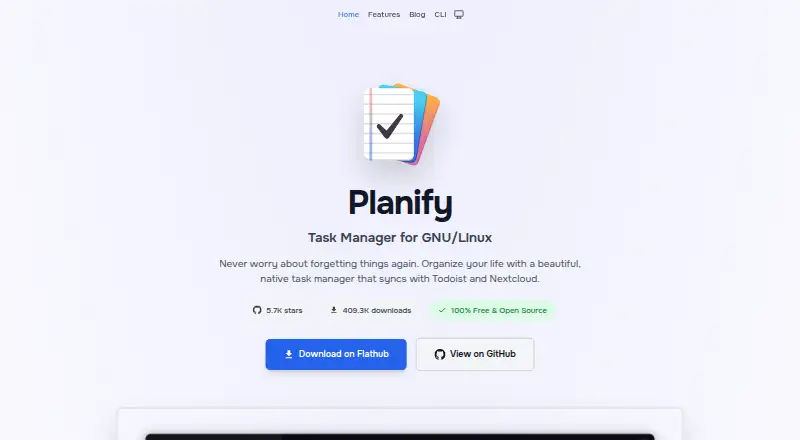
Planify is a free, GPL-3.0 open-source task manager for GNU/Linux desktops. It organizes work with sections, labels, priorities, custom filters, board and calendar views, project progress tracking, and search. Tasks support Markdown titles and descriptions, multiple reminders, recurring schedules, attachments, links, notes, priorities, and deadlines. A global keyboard shortcut and natural-language date parsing in English and Spanish speed entry. Planify syncs with Todoist and Nextcloud or CalDAV servers such as Radicale and Baïkal, and changes made offline sync when connectivity returns. Data normally stays locally in SQLite; optional connections are encrypted and enabled only by the user. The application uses GTK4 and libadwaita, supports dark mode, and includes a command-line interface with JSON output and backup export. It has no backend servers, ads, analytics, tracking, crash reports, or advertising identifiers.
Who it suits
Planify suits GNU/Linux users who want detailed task organization, offline work, and optional Todoist or Nextcloud synchronization. It also fits command-line automation workflows.
What it does well
- Free GPL-3.0 open-source plan
- Works offline and syncs later
- Todoist and Nextcloud/CalDAV synchronization
- Markdown, reminders, recurring tasks, and attachments
- CLI supports JSON output and backups
What to know first
- Desktop-only GNU/Linux application
- No mobile app
- No free trial listed
- Optional sync requires external services
Plans
| Plan | Billed and limits | Price |
|---|---|---|
| Planify | Completely free · GPL-3.0 open source · No subscriptions, hidden costs, or ads | Free |
As useplanify.com lists them, read 11 Oct 2026. The maker's own page has the final word.
Verdict
Planify combines extensive task details with offline storage and optional encrypted synchronization. Its GNU/Linux-only desktop focus makes platform support the main consideration.
Facts from Planify's own pages
- Calendar sync
- Yes · useplanify.com, 22 Sept 2026
- CLI
- Planify includes a command-line interface for task management, scripting, and automation, with JSON output and backup export. · useplanify.com, 11 Oct 2026
- Data storage
- By default, tasks, projects, and settings are stored locally using SQLite; optional sync stores data with Todoist or on the user's Nextcloud/CalDAV server. · useplanify.com, 11 Oct 2026
- Encrypted connections
- The privacy policy says optional Todoist and Nextcloud/CalDAV connections are encrypted and occur only when enabled by the user. · useplanify.com, 11 Oct 2026
- Free plan
- Yes · useplanify.com, 22 Sept 2026
- Import
- The product page says users can sync an existing Todoist account or import tasks, projects, and labels from Planner. · useplanify.com, 11 Oct 2026
- Integrations
- Planify syncs with Todoist and Nextcloud/CalDAV servers, including Radicale and Baïkal. · useplanify.com, 11 Oct 2026
- Interface
- It uses GTK4 and libadwaita and supports dark mode. · useplanify.com, 11 Oct 2026
- Offline access
- none · useplanify.com, 22 Sept 2026
- Offline use
- It works offline and syncs changes when a connection returns. · useplanify.com, 11 Oct 2026
- Organization
- It supports sections, labels, priorities, custom filters, board view, calendar integration, project progress tracking, and search. · useplanify.com, 11 Oct 2026
- Platform limit
- Planify is desktop-only and runs on GNU/Linux distributions that support Flatpak; the maker says there is no mobile app. · useplanify.com, 11 Oct 2026
- Privacy
- The privacy policy says Planify has no backend servers and collects no personal information, analytics, tracking, crash reports, or advertising identifiers. · useplanify.com, 11 Oct 2026
- Product
- Planify is a native GNU/Linux task manager that syncs with Todoist and Nextcloud. · useplanify.com, 11 Oct 2026
- Quick entry
- A global keyboard shortcut and natural-language date parsing in English and Spanish support rapid task entry. · useplanify.com, 11 Oct 2026
- Recurring tasks
- Yes · useplanify.com, 22 Sept 2026
- Subtasks
- Yes · useplanify.com, 22 Sept 2026
- Support
- The privacy page lists email and GitHub Discussions for questions and says replies typically arrive within 24 hours. · useplanify.com, 11 Oct 2026
- Supported platforms
- linux · useplanify.com, 22 Sept 2026
- Task details
- Tasks can include Markdown titles and descriptions, multiple reminders, recurring schedules, attachments, links, notes, priorities, and deadlines. · useplanify.com, 11 Oct 2026
- Task reminders
- Yes · useplanify.com, 22 Sept 2026
Where Planify stands on Freedom251
- To-do list apps#81 of 150