Freedom251 › Pixel Art Software
Pixsama
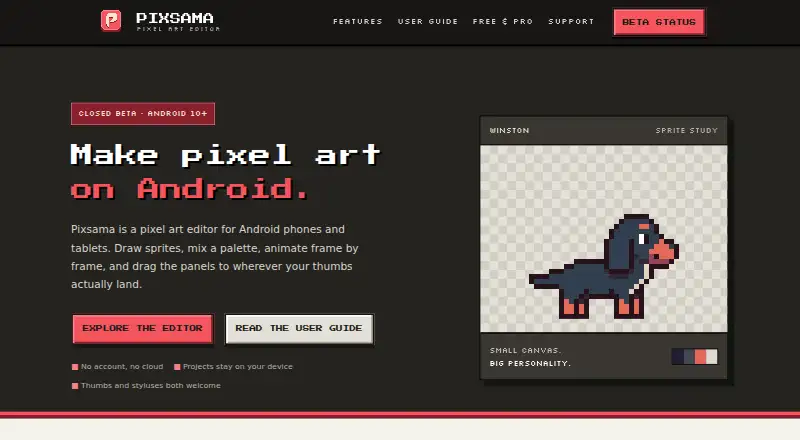
What Pixsama is
Pixsama is a pixel-art editor for Android phones and tablets. It supports sprites, small illustrations, and frame-by-frame animation, with offline work and exports available without an account. Drawing tools include pencil, eraser, line, curve, shape, selection, fill, eyedropper, gradients, and Pixel Perfect drawing. The timeline provides frames, playback, and onion skinning; Pro adds frame tags, linked cels, and per-frame duration editing. Projects can use RGBA or indexed colour, including palette-based recolouring. Panels for palettes, timelines, previews, and reference images can be rearranged, resized, docked, or minimised. Free exports PNG and native archives. Pro adds GIF, WebP, sprite sheets, PNG sequences, and editable Aseprite files. Projects remain local, with no account or cloud storage. Android 10 or newer is required. Free projects are limited to 128 × 128 pixels, three layers, and six frames.
Who it suits
It suits Android users creating pixel sprites, illustrations, or animations, especially those needing offline work. The free plan fits smaller projects, while Pro supports larger canvases and additional exports.
What it does well
- Works offline without an account
- Timeline includes onion skinning
- Indexed-colour palette recolouring
- Free PNG and project exports
- Editable Aseprite import and export in Pro
What to know first
- Android only
- Free projects limited to 128 × 128 pixels
- Free plan allows three layers and six frames
- Pro costs 11.99 GBP once
Plans
| Plan | Billed and limits | Price |
|---|---|---|
| Free | Canvas up to 128 × 128 · 3 layers · 6 frames · 1 palette of up to 16 colours · PNG and native project export | Free |
| Pro | One-time purchase; Google Play shows the final local price · Unlimited canvas, layers, frames and palettes · GIF, WebP, sprite sheet and PNG sequence export · editable .ase/.aseprite import and export · tiled mode, symmetry and dithering | £11.99, paid once |
As pixsama.com lists them, read 11 Oct 2026. The maker's own page has the final word.
Verdict
Pixsama combines pixel drawing, animation, indexed colour, and local project storage in an Android app. Its free tier covers small projects, while the one-time Pro plan expands limits, formats, and editing options.
Facts from Pixsama's own pages
- Animation
- The timeline supports frames, playback and onion skinning, while Pro adds frame tags, linked cels and per-frame duration editing. · pixsama.com, 11 Oct 2026
- Aseprite compatibility
- Pro imports and exports editable .ase and .aseprite projects, preserving supported layers, frames, timing and palettes. · pixsama.com, 11 Oct 2026
- Colour
- Projects can use RGBA or indexed colour, where changing a palette swatch recolours pixels that use it. · pixsama.com, 11 Oct 2026
- Data storage
- Projects are stored locally in the app, with no account or cloud; uninstalling the app or clearing its data removes local projects and recovery data. · pixsama.com, 11 Oct 2026
- Drawing tools
- Tools include pencil, eraser, line, curve, shape, selection, fill, eyedropper, gradients and Pixel Perfect drawing. · pixsama.com, 11 Oct 2026
- Exports
- Free exports PNG and native project archives; Pro adds animated GIF and WebP, sprite sheets, PNG sequences and Aseprite files. · pixsama.com, 11 Oct 2026
- Offline use
- The app supports offline work and exporting artwork without creating an account. · pixsama.com, 11 Oct 2026
- Project limits
- Free supports canvases up to 128 × 128 pixels, 3 layers and 6 frames per project. · pixsama.com, 11 Oct 2026
- Purpose
- Pixsama is a pixel-art editor for drawing sprites, small illustrations and frame-by-frame animations on Android phones and tablets. · pixsama.com, 11 Oct 2026
- Security contact
- The support page lists [email protected] for reporting security or privacy concerns. · pixsama.com, 11 Oct 2026
- Support
- Users can contact [email protected] for app or project help and [email protected] to report bugs. · pixsama.com, 11 Oct 2026
- System requirement
- Pixsama supports Android 10 and newer. · pixsama.com, 11 Oct 2026
- Workspace
- Palette, timeline, preview and reference-image panels can be moved, resized, docked or minimised. · pixsama.com, 11 Oct 2026
Where Pixsama stands on Freedom251
- Pixel Art Software#47 of 70