Freedom251 › Pixel Art Software
PixelPad Pro
What PixelPad Pro is
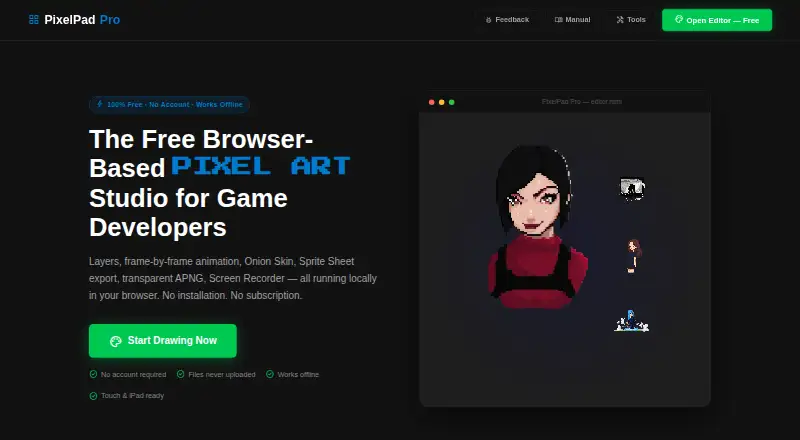
PixelPad Pro is a free, browser-based pixel art studio for game developers. It combines drawing and animation tools, including layers, a frame-by-frame timeline, Onion Skin, symmetry controls, and more than 15 brushes. Custom canvases can measure up to 1000×1000 pixels. Artwork can be exported as PNG, sprite sheets, transparent APNG, GIF, WebM video, or .pxl files, and sprite sheets can be imported into Unity, Godot, or GameMaker. Images can be pasted from the clipboard or imported; imported images are centered and scaled down when necessary. Drawing and exporting run in the browser, while project files stay off the server. After the page loads, the editor works offline. Sessions are saved to browser local storage every 30 seconds, with restoration offered after reopening. Tablets and iPads support touch drawing and pinch-to-zoom, but not pressure sensitivity. The free plan includes all features, with layers and frames limited by browser memory.
Who it suits
PixelPad Pro suits game developers creating pixel art and animations in a web browser. It also fits users who need offline work, sprite-sheet exports, or tablet touch drawing.
What it does well
- Free plan includes all features
- Animation timeline with Onion Skin
- Exports sprite sheets and multiple formats
- Works offline after page loads
- Projects are not uploaded to a server
What to know first
- Canvas limited to 1000×1000 pixels
- Layers and frames depend on browser memory
- No pressure sensitivity for stylus input
Plans
| Plan | Billed and limits | Price |
|---|---|---|
| Free | All features; no limits; canvas up to 1000×1000 pixels; layers and frames limited by browser memory | Free |
As pixelartapp.com lists them, read 11 Oct 2026. The maker's own page has the final word.
Verdict
PixelPad Pro brings drawing, animation, offline use, and game-engine exports into a free web editor. Its canvas cap and browser-memory limits are the main constraints.
Facts from PixelPad Pro's own pages
- Auto-save
- The editor saves a session to browser local storage every 30 seconds and can offer to restore it after reopening. · pixelartapp.com, 11 Oct 2026
- Canvas size
- The editor supports custom canvas sizes up to 1000×1000 pixels. · pixelartapp.com, 11 Oct 2026
- Commercial rights
- The site says users own the copyright to art they create and may use it commercially without royalties or attribution. · pixelartapp.com, 11 Oct 2026
- Drawing and animation
- It provides layers, a frame-by-frame timeline, Onion Skin, symmetry tools, and more than 15 brushes. · pixelartapp.com, 11 Oct 2026
- Exports
- It exports PNG images, sprite sheets, transparent APNG, GIF, and WebM video. · pixelartapp.com, 11 Oct 2026
- Game engine workflows
- The site says exported sprite sheets can be imported into Unity, Godot, or GameMaker. · pixelartapp.com, 11 Oct 2026
- Import
- Users can paste images from the clipboard or import images, which are centered on the canvas and scaled down to fit if needed. · pixelartapp.com, 11 Oct 2026
- Local processing
- The site says drawing and exports run in the browser and project files are not uploaded to a server. · pixelartapp.com, 11 Oct 2026
- Offline use
- After the page loads, drawing and exporting work without an internet connection. · pixelartapp.com, 11 Oct 2026
- Privacy and cookies
- The tools page says the site uses cookies to analyze traffic, personalize content, and serve targeted ads via Google AdSense. · pixelartapp.com, 11 Oct 2026
- Purpose
- PixelPad Pro is a free browser-based pixel art studio for game developers. · pixelartapp.com, 11 Oct 2026
- Support
- The site describes PixelPad Pro as built and maintained by one person and links to Ko-fi for support. · pixelartapp.com, 11 Oct 2026
- Touch and stylus
- The editor supports touch drawing and pinch-to-zoom on tablets and iPads; pressure sensitivity is not supported. · pixelartapp.com, 11 Oct 2026
Where PixelPad Pro stands on Freedom251
- Pixel Art Software#43 of 70