Freedom251 › Pixel Art Software
SPEdit
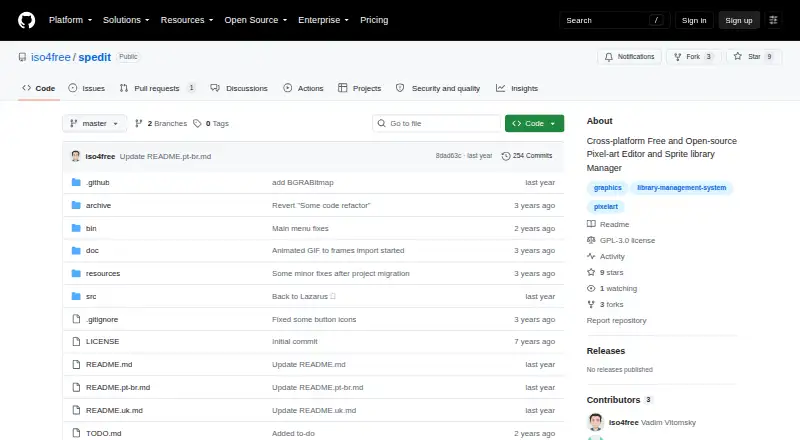
What SPEdit is
SPEdit is free, open-source software for pixel art editing and sprite library management in pixel-art 2D games. Its drawing tools include pencil, line, rectangle, filled rectangle, circle, flood fill, eraser, pipette, and rectangular selection. Multiple layers and frame creation are supported, while animation composition is still planned. Palettes can come from HEX files or images and are limited to 256 indexed colors. Mouse and drawing-tablet input are supported. Images export as PNG; export to SPEdit’s own JSON format is future work. The interface can use PO translation files, with localization changes taking effect without a restart. The maker describes SPEdit 4.0 as still in development. GitHub Releases is the route for precompiled binaries when ready, while source compilation requires CodeTyphon Studio with Free Pascal Compiler. Community discussion is available through Discord and Telegram, with issues and contributions handled on GitHub.
Who it suits
It suits pixel-art creators and 2D-game developers who need indexed palettes, layers, frames, and PNG export. It runs on Linux, macOS, and Windows.
What it does well
- Free and open source
- Broad core pixel-drawing toolset
- Multiple layers and frame creation
- HEX or image palette importing
- Mouse and drawing-tablet support
What to know first
- Version 4.0 remains in development
- Palettes are limited to 256 indexed colors
- Animation composition is future work
- JSON export is not yet available
Limits
Palettes currently support up to 256 indexed colors. Animation composition and SPEdit JSON export are listed as future work, and the maker describes version 4.0 as still in development.
Plans
| Plan | Billed and limits | Price |
|---|---|---|
| SPEdit | Free and open source · development software | Free |
As github.com lists them, read 11 Oct 2026. The maker's own page has the final word.
Getting started
- Open the SPEdit project website on GitHub
- Choose Windows, Linux, or macOS as your platform
- Download a precompiled binary from GitHub Releases when available
- Compile from source with CodeTyphon Studio and Free Pascal Compiler if needed
- Import a palette from a HEX file or image
- Create artwork and export it as PNG
Verdict
SPEdit covers essential pixel-art drawing and sprite organization without a license cost. Its unfinished animation and JSON features mean users should plan around the currently available PNG workflow.
Questions
Is SPEdit free?
Yes. The listed SPEdit plan costs nothing, and the project is free and open source.
Which platforms does SPEdit support?
SPEdit supports Windows, Linux, and macOS.
Can SPEdit export images?
It can export images as PNG files. Export to SPEdit’s own JSON format is planned.
Does SPEdit support animation?
It supports frame creation, but animation composition is listed as future work and no animation timeline is provided.
What palette formats can SPEdit import?
Palettes can be imported from HEX files or images and are limited to 256 indexed colors.
How can users get help or contribute?
The maker points users to Discord and Telegram for discussion, with issue reports and contributions handled through GitHub.
Facts from SPEdit's own pages
- Color palettes
- Users can import palettes from HEX files or images, and palettes are currently limited to 256 indexed colors. · github.com, 11 Oct 2026
- Development status
- The maker describes SPEdit 4.0 as still in development. · github.com, 11 Oct 2026
- Download and build
- The README directs users to GitHub Releases for precompiled binaries when ready and says compiling from source requires CodeTyphon Studio with Free Pascal Compiler. · github.com, 11 Oct 2026
- Drawing tools
- Available drawing tools include pencil, line, rectangle, filled rectangle, circle, flood fill, eraser, pipette, and rectangular selection. · github.com, 11 Oct 2026
- Export
- The README says an image can be exported as a PNG file; export to SPEdit's own JSON format is listed as future work. · github.com, 11 Oct 2026
- Input devices
- The maker says SPEdit supports drawing tablets as well as mouse input. · github.com, 11 Oct 2026
- Integrations and formats
- The maker mentions HEX palette files, image files, PNG export, and a planned import path for formats such as ASE and Piskel. · github.com, 11 Oct 2026
- Layers and frames
- The editor supports multiple layers and includes frame creation, while animation composition is listed as future work. · github.com, 11 Oct 2026
- Localization
- The interface supports localization using PO translation files, which can be activated without restarting the program. · github.com, 11 Oct 2026
- Platforms
- The maker identifies Windows and Linux as supported and says macOS may work but has not been tested by the maker. · github.com, 11 Oct 2026
- Purpose
- SPEdit is a pixel art editor and sprite library manager for pixel art based 2D games. · github.com, 11 Oct 2026
- Security and privacy
- The project page and README opened for this research do not state security certifications, privacy practices, or compliance claims. · github.com, 11 Oct 2026
- Support and community
- The maker points users to the SPEdit Discord server and Telegram for community discussion and accepts issue reports and contributions through GitHub. · github.com, 11 Oct 2026
Where SPEdit stands on Freedom251
- Pixel Art Software#39 of 70