Freedom251 › Photo Management Software
Pixiple
What Pixiple is
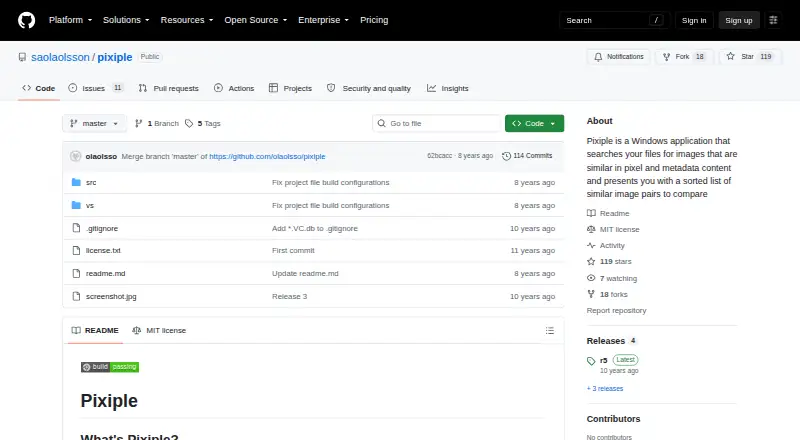
Pixiple is a free Windows app for finding related images and comparing them in pairs. It searches pixel content and metadata such as date, location, and camera, then sorts matches for review. Filename, size, date, and format do not affect similarity detection, and image paths are ignored by default. Synchronized zooming and panning keep paired views aligned, while a swap control helps compare image quality. Processing is multithreaded. Pixiple supports formats handled by Windows Imaging Component, including PNG, JPEG, GIF, TIFF, and BMP. It comes as a single portable file, requires no installation, and saves no settings. Users can drag files or folders into the app to start a scan; the r5 release added a basic command-line interface. Pixiple is open source under the MIT license. It requires Windows 7 or later and does not run on Windows XP. It is less effective when images have substantial pixel changes, such as cropping or adjustments to brightness, contrast, or saturation. It also does not cache prior results, so each new scan processes all images again.
Who it suits
Pixiple suits Windows users who want to find and compare potentially similar image files without installing an app. It is less suited to matching images that have been heavily altered.
What it does well
- Free and open source under the MIT license.
- Compares pixel content and selected image metadata.
- Synchronized zooming and panning aid pair comparison.
- Portable single-file app needs no installation.
- Supports PNG, JPEG, GIF, TIFF, and BMP.
What to know first
- Does not work on Windows XP.
- Substantial pixel changes can reduce matching effectiveness.
- Each scan processes all images again.
- No RAW support, face recognition, or cloud sync.
Limits
Pixiple does not cache scan results, so each new scan examines all images again. Matching is less effective after substantial pixel changes such as cropping or adjustments to brightness, contrast, or saturation.
Plans
| Plan | Billed and limits | Price |
|---|---|---|
| Pixiple | Free, open source, no restrictions | Free |
As github.com lists them, read 8 Oct 2026. The maker's own page has the final word.
Getting started
- Download the single Pixiple file from its GitHub repository
- Run it on Windows 7 or later
- Drag files or folders into the app to begin a scan
- Review the sorted image pairs
- Use synchronized zooming, panning, or the swap button
- Optionally use the basic command-line interface
Verdict
Pixiple offers a focused way to find and compare similar images on Windows, with a portable format and no charge. Expect weaker matches after substantial pixel edits and a full reprocessing on every scan.
Questions
How much does Pixiple cost?
Pixiple is free, with a listed price of $0 and no restrictions.
Which operating systems are supported?
Pixiple requires Windows 7 or later and does not work on Windows XP.
Does Pixiple require installation?
No. It is distributed as a single portable file and saves no settings.
What image formats can it read?
It supports formats handled by Windows Imaging Component, including PNG, JPEG, GIF, TIFF, and BMP.
Is Pixiple open source?
Yes. The repository includes an MIT license.
What does Pixiple use to find similar images?
It compares pixel content and metadata such as dates, location, and camera information. Filenames, size, date, and format are ignored for similarity detection, and paths are ignored by default.
Facts from Pixiple's own pages
- Command line
- The r5 release added a rudimentary command line interface. · github.com, 8 Oct 2026
- Comparison tools
- The app supports synchronized zooming and panning and a button to swap images when comparing quality differences. · github.com, 8 Oct 2026
- File handling
- The r3 release added drag and drop of files and folders to initiate a scan. · github.com, 8 Oct 2026
- License
- The repository includes an MIT license. · github.com, 8 Oct 2026
- Maker
- The GitHub profile identifies the maker as Ola Olsson and lists Malmö, Sweden. · github.com, 8 Oct 2026
- Metadata handling
- Filename, size, date, and format are ignored when detecting similarity, and image paths are ignored by default. · github.com, 8 Oct 2026
- Portable app
- It is distributed as a single file, requires no installation, and saves no settings. · github.com, 8 Oct 2026
- Processing
- Pixiple uses fast, multithreaded processing. · github.com, 8 Oct 2026
- Purpose
- Pixiple searches files for images similar in pixel and metadata content and presents sorted pairs for comparison. · github.com, 8 Oct 2026
- Scan behavior
- Pixiple does not cache previous results, so every new scan processes all images again. · github.com, 8 Oct 2026
- Similarity limits
- It is less effective when images have substantial pixel changes such as cropping or changes to brightness, contrast, or saturation. · github.com, 8 Oct 2026
- Similarity signals
- It uses pixel content and metadata such as dates, location, and camera to find related images. · github.com, 8 Oct 2026
- Supported formats
- It supports formats handled by Windows Imaging Component, including PNG, JPEG, GIF, TIFF, and BMP. · github.com, 8 Oct 2026
- System requirements
- Pixiple requires Windows 7 or later and does not work on Windows XP. · github.com, 8 Oct 2026
Where Pixiple stands on Freedom251
- Photo Management Software#25 of 37