
Pixie
What Pixie is
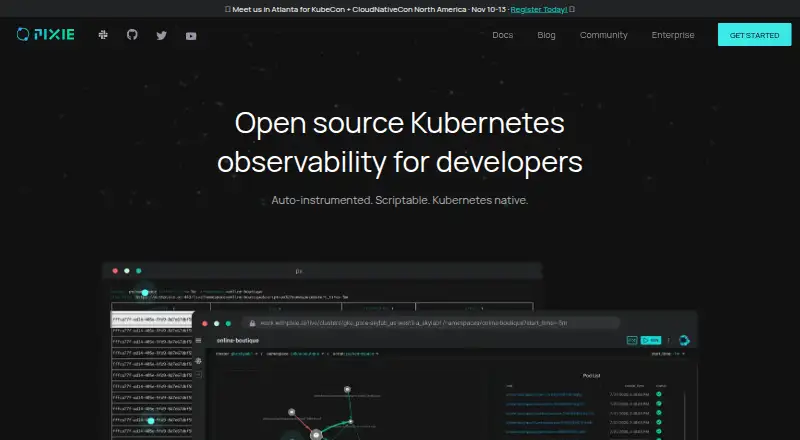
Pixie is open-source observability and debugging software for developers working with Kubernetes. It collects metrics, events, traces and logs without code changes, using dynamic eBPF probes and ingestors. Developers can run community, team or custom scripts to debug as code and share sessions. Its CLI provides health checks and charts, with a browser interface available when needed. Pixie supports hosted and self-hosted deployments, and its Vizier collection component runs in the Kubernetes cluster. It requires Kubernetes v1.21 or later and Linux nodes; pods that install BPF programs need privileged access to the Linux kernel. The project lists Cosmic Cloud and New Relic Cloud as free hosted versions. Pixie says telemetry traffic is encrypted in transit. Its requirements page says telemetry passes through Pixie Cloud without persistence, while its install guide says hosted-backend telemetry data is stored exclusively on the Kubernetes cluster, not in Pixie Cloud. Listed unsupported environments include EKS Fargate, GKE Autopilot, Docker Desktop, k3d, kind and Windows. Support options include Community Slack, a troubleshooting guide and GitHub issues.
Who it suits
Pixie suits developers debugging or monitoring workloads on supported Kubernetes environments with Linux nodes. Teams must be able to grant privileged kernel access to the pods that install BPF programs.
What it does well
- Collects metrics, events, traces and logs without code changes.
- Supports custom debugging scripts and shared sessions.
- Offers hosted and self-hosted deployments.
- Free hosted versions are listed.
What to know first
- Requires Kubernetes v1.21 or later and Linux nodes.
- BPF-installing pods need privileged kernel access.
- EKS Fargate, GKE Autopilot, Docker Desktop, k3d, kind and Windows are unsupported.
Limits
The free hosted options are listed as free. Pixie requires Kubernetes v1.21 or later and Linux nodes, and does not support EKS Fargate, GKE Autopilot, Docker Desktop, k3d, kind, or Windows.
Plans
| Plan | Billed and limits | Price |
|---|---|---|
| Cosmic Cloud hosted Pixie | 100% free hosted version of the open source project · community offering by Pixie maintainers | Free |
| New Relic Cloud | Free hosted version of the open source project | Free |
As px.dev lists them, read 4 Oct 2026. The maker's own page has the final word.
Getting started
- Choose the hosted Cosmic Cloud or New Relic Cloud option, or a self-hosted deployment.
- Use a Kubernetes environment such as Minikube, EKS, GKE, AKS, or self-managed Kubernetes.
- Confirm the cluster runs Kubernetes v1.21 or later on Linux nodes.
- Install Pixie so its Vizier component can collect data in the cluster.
- Use the CLI for health checks and charts, or open the browser interface.
- Run community, team, or custom scripts to debug and share sessions.
Verdict
Pixie provides Kubernetes telemetry collection and script-based debugging, with both hosted and self-hosted deployment options. Check its Kubernetes and Linux requirements, unsupported environments and privileged-access requirement before choosing it.
Questions
Is Pixie free?
Yes. Pixie is open source, and both Cosmic Cloud hosted Pixie and New Relic Cloud are listed as free.
Which Kubernetes environments does it list?
Pixie lists Minikube, EKS, GKE, AKS, and self-managed Kubernetes environments. It requires Kubernetes v1.21 or later and Linux nodes.
Can Pixie be self-hosted?
Yes. Pixie supports hosted and self-hosted deployments, with its Vizier data collection component running in the Kubernetes cluster.
Where is telemetry stored with a hosted backend?
The install guide says telemetry data used with a hosted backend is stored exclusively on the Kubernetes cluster, not in Pixie Cloud. The requirements page says telemetry passes through Pixie Cloud without persistence.
What access does Pixie need?
Pods that install BPF programs require privileged access to the Linux kernel.
Where can users get support?
The project directs users to its Community Slack, troubleshooting guide, and GitHub issue tracker.
Facts from Pixie's own pages
- Cloud options
- The maker lists Cosmic Cloud and New Relic Cloud as free hosted versions of the open-source project. · px.dev, 4 Oct 2026
- Data collection
- Pixie accesses metrics, events, traces, and logs without code changes using dynamic eBPF probes and ingestors. · px.dev, 4 Oct 2026
- Debugging
- Users can run community, team, or custom scripts to debug as code and share sessions. · px.dev, 4 Oct 2026
- Deployment
- Pixie supports hosted and self-hosted deployments, and its Vizier data collection component runs in the Kubernetes cluster. · docs.px.dev, 4 Oct 2026
- Founded
- 2018 · px.dev, 28 Sept 2026
- Integrations
- The homepage lists Minikube, EKS, GKE, AKS, and self-managed Kubernetes environments. · px.dev, 4 Oct 2026
- Interface
- Pixie provides a CLI for health checks and charts, with a browser interface available when needed. · px.dev, 4 Oct 2026
- Permissions
- Pixie pods that install BPF programs require privileged access to the Linux kernel. · docs.px.dev, 4 Oct 2026
- Purpose
- Pixie is open-source Kubernetes observability and debugging software for developers. · px.dev, 4 Oct 2026
- Requirements
- Pixie requires Kubernetes v1.21 or later and runs on Linux nodes. · docs.px.dev, 4 Oct 2026
- Security
- Pixie telemetry traffic is encrypted in transit, and the requirements page says telemetry passes through Pixie Cloud without persistence. · docs.px.dev, 4 Oct 2026
- Storage
- The install guide says telemetry data used with a hosted backend is stored exclusively on the Kubernetes cluster, not in Pixie Cloud. · docs.px.dev, 4 Oct 2026
- Support
- The project directs users to its Community Slack, troubleshooting guide, and GitHub issue tracker for help. · docs.px.dev, 4 Oct 2026
- Unsupported environments
- The requirements page lists EKS Fargate, GKE Autopilot, Docker Desktop, k3d, kind, and Windows as unsupported. · docs.px.dev, 4 Oct 2026
Where Pixie stands on Freedom251
- Cloud Monitoring#11 of 31
- Continuous Profiling Tools#11 of 30
- Kubernetes Monitoring#21 of 54
- Distributed Tracing Tools#17 of 32
- Container Monitoring#28 of 49
- eBPF Observability Tools#17 of 29