Freedom251 › Video Upscaling Software
Pixbim Video Upscale AI
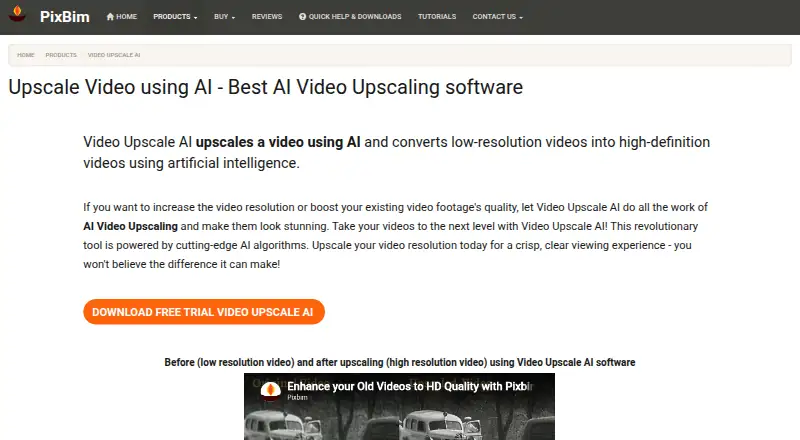
What Pixbim Video Upscale AI is
Pixbim Video Upscale AI is Windows desktop software that uses AI to enlarge low-resolution videos and enhance their resolution. It can scale video up to four times its original size, with output up to 4K. The product page describes a one-click output option, and supported imports include MP4, MOV, WMV, and other video formats. Pixbim says processing happens on the user's computer and video data is not stored on its servers. The download page offers Windows CPU and Nvidia GPU versions: Pixbim says the CPU version is slow, and the GPU version requires an Nvidia GPU. A seven-day trial is available, but saved trial results carry Pixbim watermarks. The listed plan costs $79, paid once, with lifetime validity, free upgrades, and no duration limit on videos; the pricing note says From $89. The product page also offers a 30-day refund guarantee. Pixbim describes the software as suitable for professionals and hobbyists and says it runs on desktop and laptop systems. A macOS version is yet to be released.
Who it suits
Pixbim Video Upscale AI suits Windows users who want to enlarge video and enhance resolution on a desktop or laptop. It is described as suitable for both professionals and hobbyists.
What it does well
- Upscales video by up to four times its size.
- Maximum output resolution is 4K.
- Imports MP4, MOV, WMV, and other formats.
- Processing takes place on the user's computer.
- One-time purchase includes lifetime validity and free upgrades.
What to know first
- Available for Windows; macOS version is not released.
- Trial is seven days and saved results are watermarked.
- CPU version is described as slow.
- GPU version requires an Nvidia GPU.
Plans
| Plan | Billed and limits | Price |
|---|---|---|
| Pixbim Video Upscale AI | One-time purchase; lifetime validity · Free upgrades · Any number of videos, no duration limit | $79, paid once |
As pixbim.com lists them, read 8 Oct 2026. The maker's own page has the final word.
Verdict
Pixbim Video Upscale AI offers local Windows processing, up to 4K output, and a one-time purchase option. Consider the trial watermark and the different CPU and Nvidia GPU requirements before choosing a version.
Facts from Pixbim Video Upscale AI's own pages
- Audience
- Pixbim describes the software as suitable for professionals and hobbyists and says it runs on desktop and laptop systems. · pixbim.com, 8 Oct 2026
- Company description
- Pixbim says its team includes software developers, imaging scientists with PhDs, tech support, marketing, and web developers. · pixbim.com, 8 Oct 2026
- Formats
- The software can import MP4, MOV, WMV, and other video formats. · pixbim.com, 8 Oct 2026
- Headquarters
- 1465 Courtyard 65th St, Emeryville, CA 94608, United States · pixbim.com, 28 Sept 2026
- macOS availability
- The FAQ says a macOS version is yet to be released. · pixbim.com, 8 Oct 2026
- One-click feature
- The product page describes a “One Click Output Video” feature for upscaling videos with one click. · pixbim.com, 8 Oct 2026
- Privacy
- Pixbim says video processing takes place on the user’s computer and video data is not stored on its servers. · pixbim.com, 8 Oct 2026
- Purpose
- Uses AI to upscale low-resolution videos and enhance video resolution. · pixbim.com, 8 Oct 2026
- Refund
- The product page offers a 30-day refund guarantee and says customers can contact Pixbim for a no-questions-asked refund. · pixbim.com, 8 Oct 2026
- Scaling
- The software can upscale videos up to four times their original size. · pixbim.com, 8 Oct 2026
- Support
- The maker lists [email protected] and [email protected] for help. · pixbim.com, 8 Oct 2026
- Trial limitation
- The 7-day trial adds Pixbim watermarks to saved results. · pixbim.com, 8 Oct 2026
- Windows versions
- The download page lists Windows CPU and Nvidia GPU versions; it says the CPU version is slow and the GPU version requires an Nvidia GPU. · pixbim.com, 8 Oct 2026
Where Pixbim Video Upscale AI stands on Freedom251
- Video Upscaling Software#33 of 40