Freedom251 › Image Upscaling Software
Waifu2x-Extension-GUI
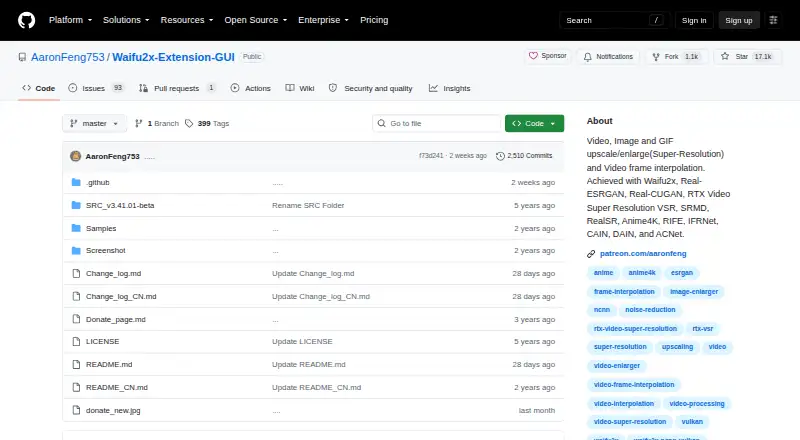
What Waifu2x-Extension-GUI is
Waifu2x-Extension-GUI is a portable Windows desktop application for enlarging images, animated media, and videos with super-resolution. It can also create interpolated video frames. Its built-in super-resolution algorithms include Waifu2x, SRMD, RealSR, Real-ESRGAN, Real-CUGAN, Anime4K, ACNet, and RTX Super Resolution; video interpolation options include RIFE, CAIN, DAIN, and IFRNet. It handles images, video, GIF, APNG, and WebP, supports batch processing, and has a maximum scale of 4x.
The Windows x64 package is started by unzipping it, and settings presets provide one-click adjustments. Multithread options and customizable settings can be used to automate workflows. The project says the software supports AMD, Nvidia, and Intel GPUs, with multi-GPU processing for all built-in engines. It also says it does not upload or collect user data and has no server, though it connects to the internet to check for updates and refresh the donation QR code. Aaron Feng is identified as the creator of this independently developed project. Personal use is free; commercial use requires the Patreon Premium version, starting at $4.99 a month.
Who it suits
This app suits Windows users who want to upscale images, animated media, or video, or interpolate video frames in batches. It is also a fit for users seeking built-in algorithm choices and GPU support across AMD, Nvidia, and Intel hardware.
What it does well
- Processes images, GIF, APNG, WebP, and video.
- Supports batch processing and upscaling up to 4x.
- Includes multiple built-in super-resolution and frame interpolation algorithms.
- Supports AMD, Nvidia, Intel, and multi-GPU processing.
- Portable package starts after unzipping.
What to know first
- The listed stable package is for Windows x64 PCs.
- Free use is limited to personal use; commercial use requires Premium.
- The app connects to the internet for update checks and donation QR updates.
Limits
The Personal use plan is free for personal use only. Commercial use requires the Patreon Premium version, starting at $4.99 a month.
Plans
| Plan | Billed and limits | Price |
|---|---|---|
| Personal use | Free for personal use only | Free |
| Premium version | Starting at $4.99/month on Patreon · Commercial use; Patreon membership options | $4.99 a month |
As github.com lists them, read 9 Oct 2026. The maker's own page has the final word.
Getting started
- Open https://github.com/AaronFeng753/Waifu2x-Extension-GUI.
- Download the portable Windows x64 package.
- Unzip the package and start the app.
- Choose a settings preset or customize settings for your workflow.
Verdict
Choose Waifu2x-Extension-GUI if you want a portable Windows app for batch upscaling and video frame interpolation, with several built-in algorithms and broad GPU support. Personal use is free; commercial users need the Patreon Premium version, starting at $4.99 a month.
Questions
Is Waifu2x-Extension-GUI free?
Personal use is free. Commercial use requires the Patreon Premium version, starting at $4.99 a month.
Which platforms does it support?
The latest stable build is a portable package for Windows x64 PCs.
What media can it process?
It supports images, animated GIF, APNG, WebP, and video. Batch processing is supported, with upscaling up to 4x.
Does it support video frame interpolation?
Yes. Built-in interpolation algorithms include RIFE, CAIN, DAIN, and IFRNet.
Who created it?
The project identifies Aaron Feng as its creator and describes it as independently developed.
Does the software collect user data?
The project says it does not upload or collect user data and has no server. It connects to the internet to check for updates and update the donation QR code.
Facts from Waifu2x-Extension-GUI's own pages
- Algorithms
- Built-in super-resolution algorithms include Waifu2x, SRMD, RealSR, Real-ESRGAN, Real-CUGAN, Anime4K, ACNet, and RTX Super Resolution. · github.com, 9 Oct 2026
- Batch processing
- Yes · github.com, 20 Sept 2026
- Commercial use
- The license says the software is free for personal use only and directs commercial users to purchase the Patreon Premium version. · github.com, 9 Oct 2026
- Customization
- The software offers flexible multithread settings and customizable settings for automating workflows. · github.com, 9 Oct 2026
- Desktop app
- Yes · github.com, 20 Sept 2026
- Download platform
- The latest stable build is described as a portable package for Windows x64 PCs with Intel, AMD, or Nvidia GPUs. · github.com, 9 Oct 2026
- Frame interpolation
- Built-in video frame interpolation algorithms include RIFE, CAIN, DAIN, and IFRNet. · github.com, 9 Oct 2026
- Free plan
- Yes · github.com, 20 Sept 2026
- GPU support
- The README says the software supports AMD, Nvidia, and Intel GPUs and multi-GPU processing for all built-in engines. · github.com, 9 Oct 2026
- Input formats
- GIF, APNG, WebP · github.com, 20 Sept 2026
- Languages
- The listed supported languages are English, Simplified Chinese, Traditional Chinese, Japanese, and Spanish. · github.com, 9 Oct 2026
- Latest release
- The opened latest release is v3.142.01, released October 2, 2026. · github.com, 9 Oct 2026
- Maker
- The project identifies Aaron Feng as its creator and says it is an independently developed project. · github.com, 9 Oct 2026
- Maximum scale
- 4x · github.com, 20 Sept 2026
- Media formats
- The software supports processing images, animated GIF, APNG, WebP, and video. · github.com, 9 Oct 2026
- Privacy
- The project says the software does not upload data or collect user data and has no server; it connects to the internet to check for updates and update the donation QR code. · github.com, 9 Oct 2026
- Purpose
- The software enlarges images, GIFs, and videos using super-resolution and can interpolate video frames. · github.com, 9 Oct 2026
- Release security details
- The latest release page provides SHA256 checksums and links to security scan results. · github.com, 9 Oct 2026
- Upscaling method
- ai · github.com, 20 Sept 2026
- Workflow
- The README describes it as portable: unzip the package and start, with settings presets available to adjust settings in one click. · github.com, 9 Oct 2026
Where Waifu2x-Extension-GUI stands on Freedom251
- Image Upscaling Software#39 of 99
- Video Upscaling Software#29 of 40
- AI Image Upscalers#21 of 28
- AI Video Upscalers#25 of 32