Freedom251 › Image Upscaling Software
Image Super Resolution Tool
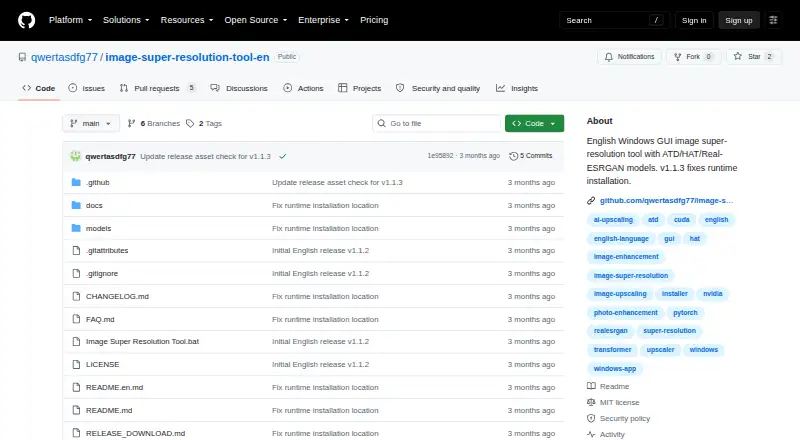
What Image Super Resolution Tool is
Image Super Resolution Tool is a free Windows desktop app for enlarging still images and folders with AI upscaling. It accepts JPG, JPEG, PNG, WEBP, BMP, TIF and TIFF files, and can scale images up to 4x. The installer includes ATD, HAT, Real-ESRGAN General Photo, and Real-ESRGAN Anime and Illustration models. The maker describes HAT as sharper but slower and more demanding on VRAM, General Photo as a balance of speed and quality, and Anime and Illustration as suited to artwork. The app detects an NVIDIA GPU model, its VRAM capacity and available VRAM, then selects suitable processing usage. It also automatically adjusts sharpening and denoising. During processing, a percentage bar, elapsed time and estimated remaining time show progress. The tool is intended for regular users and does not require coding. At first use, it downloads a local Python runtime, CUDA PyTorch and other dependencies to the current user's local app data folder. The maker recommends Windows 10 or Windows 11 and an NVIDIA RTX 4060 with 8GB or more. Initial setup needs a stable network connection and sufficient disk space. The software is provided under the MIT License.
Who it suits
It suits Windows users who want to enlarge individual images or image folders without writing code. Its included model choices cover general photographs and artwork, while GPU detection helps select processing usage on NVIDIA systems.
What it does well
- Free plan includes a single-file Windows installer.
- Upscales still images by up to 4x.
- Processes image folders in batches.
- Includes four image-processing models.
- Shows elapsed and estimated remaining processing time.
- MIT-licensed software.
What to know first
- Windows platform only.
- Initial runtime setup needs a stable network and enough disk space.
- No before-and-after preview panels.
- Does not retain the prior input or output folder paths.
Limits
The free plan is listed as free and provides a single-file Windows installer with four included models. Processing is for still images and image folders, with a maximum scale of 4x; the tool is not native NVIDIA DLSS.
Plans
| Plan | Billed and limits | Price |
|---|---|---|
| Free | No price stated; single-file Windows installer; four included models | Free |
As github.com lists them, read 11 Oct 2026. The maker's own page has the final word.
Getting started
- Open the project website at https://github.com/qwertasdfg77/image-super-resolution-tool-en.
- Download the installer from the project release page or another trusted author source.
- Install and run the Windows desktop app.
- On first use, allow it to download the local runtime and dependencies; keep a stable network connection and enough disk space available.
- Choose an included model and process an image or folder.
Verdict
Choose Image Super Resolution Tool if you need free, Windows-based AI enlargement for still images or folders, with several included models and batch processing. Look elsewhere if you need before-and-after preview panels, or if your work is not focused on still images.
Questions
How much does Image Super Resolution Tool cost?
The Free plan is listed as free.
Which platforms does it support?
It is a Windows desktop app. The maker recommends Windows 10 or Windows 11.
What image formats can it open?
Supported formats are JPG, JPEG, PNG, WEBP, BMP, TIF and TIFF.
Does it have a free plan or trial?
It has a free plan. A free trial is not offered.
Is the software open source?
The repository provides the software under the MIT License.
Does it use NVIDIA DLSS?
No. The maker says it is not native NVIDIA DLSS; it processes still images or image folders.
Facts from Image Super Resolution Tool's own pages
- Batch processing
- The tool supports single-image and folder batch processing. · github.com, 11 Oct 2026
- Desktop app
- Yes · github.com, 22 Sept 2026
- DLSS scope
- The maker says the tool is not native NVIDIA DLSS and processes still images or image folders. · github.com, 11 Oct 2026
- Free plan
- Yes · github.com, 22 Sept 2026
- GPU detection
- The app automatically detects the NVIDIA GPU model, VRAM capacity, and free VRAM, then selects suitable processing usage. · github.com, 11 Oct 2026
- Hardware
- The maker recommends Windows 10 or Windows 11 and an NVIDIA RTX 4060 with 8GB or higher; first runtime installation requires a stable network and enough disk space. · github.com, 11 Oct 2026
- Image adjustment
- The app automatically adjusts sharpening and denoising. · github.com, 11 Oct 2026
- Image adjustments
- The app automatically adjusts sharpening and denoising. · github.com, 11 Oct 2026
- Input formats
- JPG, JPEG, PNG, WEBP, BMP, TIF/TIFF · github.com, 22 Sept 2026
- Installation requirement
- First runtime installation requires a stable network connection and enough disk space. · github.com, 11 Oct 2026
- Intended users
- The tool is designed for regular users and does not require writing code. · github.com, 11 Oct 2026
- Interface limitation
- The app does not show before-and-after preview panels. · github.com, 11 Oct 2026
- License
- The repository provides the software under the MIT License. · github.com, 11 Oct 2026
- Local data
- The app does not save the previous input image path or output folder path. · github.com, 11 Oct 2026
- Maximum scale
- 4x · github.com, 22 Sept 2026
- Model guidance
- The maker describes HAT as sharper but slower and more VRAM-intensive, Real-ESRGAN General Photo as balanced for speed and quality, and Real-ESRGAN Anime and Illustration as suitable for artwork. · github.com, 11 Oct 2026
- Models
- The installer includes ATD, HAT, Real-ESRGAN General Photo, and Real-ESRGAN Anime and Illustration models. · github.com, 11 Oct 2026
- Preview limitation
- The app does not show before-and-after preview panels. · github.com, 11 Oct 2026
- Privacy-related behavior
- The app does not save the previous input image path or output folder path. · github.com, 11 Oct 2026
- Progress display
- The app shows a percentage progress bar, elapsed time, and estimated remaining time. · github.com, 11 Oct 2026
- Purpose
- Image Super Resolution Tool is a Windows GUI tool for upscaling still images and image folders. · github.com, 11 Oct 2026
- Runtime setup
- On first use, the app downloads a local Python runtime, CUDA PyTorch, and other dependencies into the current user's local app data folder. · github.com, 11 Oct 2026
- Security guidance
- The maker advises downloading the installer only from the project release page or another trusted author source and avoiding repackaged installers from unknown sources. · github.com, 11 Oct 2026
- Security support
- The security page lists v1.1.3 as supported and asks users to report issues privately rather than posting exploitable details in a public issue. · github.com, 11 Oct 2026
Where Image Super Resolution Tool stands on Freedom251
- Image Upscaling Software#40 of 99