Freedom251 › Image Compression Software
PicsFit
What PicsFit is
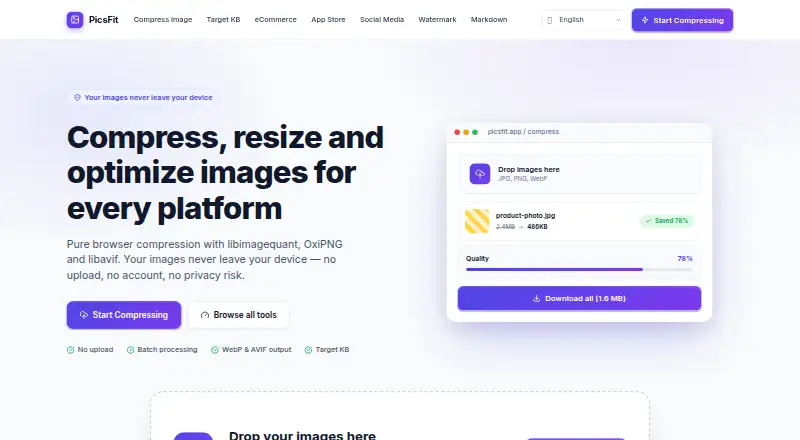
PicsFit is a browser-based image tool for compressing, resizing, and optimizing files locally. Processing uses JavaScript and WebAssembly in the browser, so images are not uploaded to a server. It handles JPG, PNG, WebP, and AVIF files, supports batch work, and includes crop and resize controls. Compression modes include Best Quality, Balanced, Small File, and Custom. A target-size tool accepts custom KB or MB values, with presets ranging from 100KB to 2MB. Users can remove EXIF details such as camera, GPS, and timestamp data. Presets are available for e-commerce, App Store submissions, and social media. The free plan costs nothing, requires no account or payment, and includes local image compression. Each image can be up to 20MB, with as many as 20 files per batch. Format availability depends on browser support, and very large images may exceed browser memory. PicsFit also offers a local Markdown viewer and editor with HTML export and browser-based PDF printing.
Who it suits
PicsFit suits people who need local browser-based compression, resizing, format conversion, batching, or metadata removal. It can also help users preparing images for e-commerce, App Store submissions, or social media.
What it does well
- Processes images locally in the browser
- Supports JPG, PNG, WebP, and AVIF
- Batch processing supports up to 20 files
- Removes camera, GPS, and timestamp metadata
- Offers target-size presets from 100KB to 2MB
What to know first
- Images are limited to 20MB each
- Very large images may exceed browser memory
- Format availability depends on browser support
- Anonymous feature-use analytics may be collected
Plans
| Plan | Billed and limits | Price |
|---|---|---|
| Free | No sign-up · No usage limits · No watermarks | Free |
As picsfit.com lists them, read 11 Oct 2026. The maker's own page has the final word.
Verdict
PicsFit combines local browser processing with compression, resizing, cropping, batch handling, and EXIF controls. Its free, no-account setup is useful for image workflows, subject to file, browser, and memory limits.
Facts from PicsFit's own pages
- Additional tool
- PicsFit also offers a local Markdown viewer and editor with HTML export and browser-based PDF printing. · picsfit.com, 11 Oct 2026
- Batch processing
- Users can process batches or folders and download results as a ZIP with folder structure preserved. · picsfit.com, 11 Oct 2026
- Browser and device constraints
- Format availability depends on browser support, and very large images may exceed browser memory limits. · picsfit.com, 11 Oct 2026
- Compression controls
- The compressor offers Best Quality, Balanced, Small File, and Custom modes, plus resizing and crop options. · picsfit.com, 11 Oct 2026
- Compression modes
- both · picsfit.com, 24 Sept 2026
- Cookies and offline use
- PicsFit says it does not set tracking cookies and uses a service worker to support offline use by caching app files. · picsfit.com, 11 Oct 2026
- Free plan
- Yes · picsfit.com, 24 Sept 2026
- Limits
- The compressor page states a limit of 20MB per image and up to 20 files. · picsfit.com, 11 Oct 2026
- Local processing
- Image processing runs locally in the browser using JavaScript and WebAssembly, and images are not uploaded to a server. · picsfit.com, 11 Oct 2026
- Metadata
- Users can strip EXIF metadata, including camera, GPS, and timestamp data. · picsfit.com, 11 Oct 2026
- Metadata controls
- Yes · picsfit.com, 24 Sept 2026
- Presets
- The site provides image presets for e-commerce, App Store submissions, and social media. · picsfit.com, 11 Oct 2026
- Privacy and analytics
- The privacy policy says PicsFit may collect anonymous feature-use analytics, but analytics events do not include image content, filenames, or EXIF data. · picsfit.com, 11 Oct 2026
- Purpose
- PicsFit compresses, resizes, and optimizes images in the browser. · picsfit.com, 11 Oct 2026
- Image resizing
- Yes · picsfit.com, 24 Sept 2026
- Support
- PicsFit is maintained by a single developer, who says they usually reply to email within 1–3 days. · picsfit.com, 11 Oct 2026
- Supported formats
- The compressor supports JPG, PNG, WebP, and AVIF when available in the browser. · picsfit.com, 11 Oct 2026
- Target size
- The target-size tool accepts custom KB or MB targets and includes presets from 100KB to 2MB. · picsfit.com, 11 Oct 2026
Where PicsFit stands on Freedom251
- Image Compression Software#57 of 85