Freedom251 › Image Compression Software
ImageCompress.net
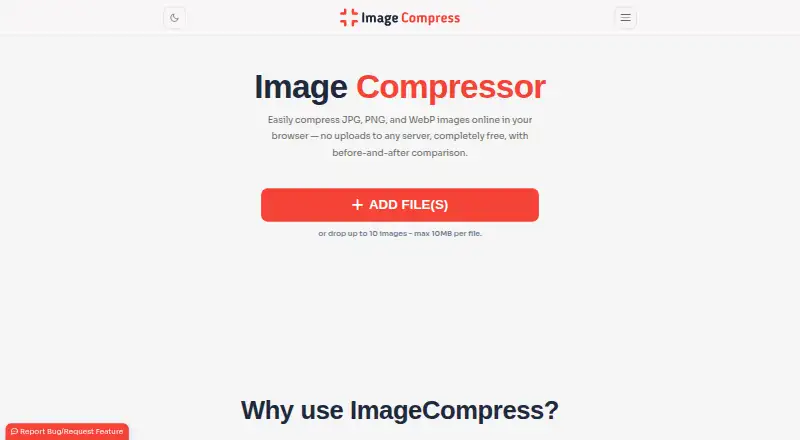
What ImageCompress.net is
ImageCompress.net is a free browser tool for compressing JPG, PNG, and WebP images. Processing runs on the user’s device, and the maker says images are never sent to its servers. It works on Windows, Linux, Mac, Android, iOS, and other devices with a browser, without registration or watermarks. Presets include Original, Storage Saver, and Advance; Original is described as compressing without losing quality. Controls cover compression level, maximum dimensions and file size, output format, filename suffix, resolution locking, and EXIF preservation. Users can enable hidden-metadata removal for additional compression. By default, batches contain up to 10 images, each up to 10 MB, while Advanced settings offer a remove-limits option. Results can be downloaded individually or together in a ZIP file. The tool is presented for website, blog, product-page, and social-media images.
Who it suits
ImageCompress.net suits people who need local, browser-based image compression across desktop and mobile devices. It is useful for preparing images for websites, blogs, product pages, and social media.
What it does well
- Free with no registration
- Images process locally on the device
- Supports JPG, PNG, and WebP
- Works across desktop and mobile platforms
- Downloads individual files or ZIP archives
What to know first
- Batches default to 10 images
- Each image defaults to a 10 MB limit
- Advanced settings are needed to remove limits
Plans
| Plan | Billed and limits | Price |
|---|---|---|
| Free | Completely free; no registration or watermarks; up to 10 images at once, 10 MB each by default; settings offer a remove-limits option | Free |
As imagecompress.net lists them, read 5 Oct 2026. The maker's own page has the final word.
Verdict
ImageCompress.net provides device-side compression with detailed output and metadata controls. Its free, no-watermark workflow is straightforward, though default batch and file limits apply until Advanced settings are changed.
Facts from ImageCompress.net's own pages
- Batch processing
- Users can select up to 10 images at a time by default, with an option in Advanced settings to remove that restriction. · imagecompress.net, 5 Oct 2026
- Compression presets
- The settings offer Original, Storage Saver, and Advance options. · imagecompress.net, 5 Oct 2026
- File size limit
- The page says each selected image can be up to 10 MB by default. · imagecompress.net, 5 Oct 2026
- Free plan
- Yes · imagecompress.net, 24 Sept 2026
- Image controls
- Settings include compression level, maximum dimension, maximum file size, output format, filename suffix, resolution locking, and EXIF preservation. · imagecompress.net, 5 Oct 2026
- Intended uses
- The site describes image compression as useful for websites, blogs, product pages, and social media. · imagecompress.net, 5 Oct 2026
- Local processing
- Image compression runs on the user's device without sending images to a server. · imagecompress.net, 5 Oct 2026
- Metadata
- The site says hidden metadata can be removed for more compression if enabled. · imagecompress.net, 5 Oct 2026
- Output
- Users can download compressed images individually or together in a ZIP file. · imagecompress.net, 5 Oct 2026
- Privacy
- The maker says images are processed locally and are never sent to its servers. · imagecompress.net, 5 Oct 2026
- Purpose
- ImageCompress.net compresses JPG, PNG, and WebP images in a browser. · imagecompress.net, 5 Oct 2026
- Quality setting
- The site says the Original setting is tailored to compress images without losing quality. · imagecompress.net, 5 Oct 2026
- Support
- The site invites users to contact it with questions or suggestions and links to a bug report and feature request page. · imagecompress.net, 5 Oct 2026
- Supported devices
- The site says it works on Windows, Linux, Mac, Android, iOS, and any device with a browser. · imagecompress.net, 5 Oct 2026
Where ImageCompress.net stands on Freedom251
- Image Compression Software#54 of 85