
Photomath
What Photomath is
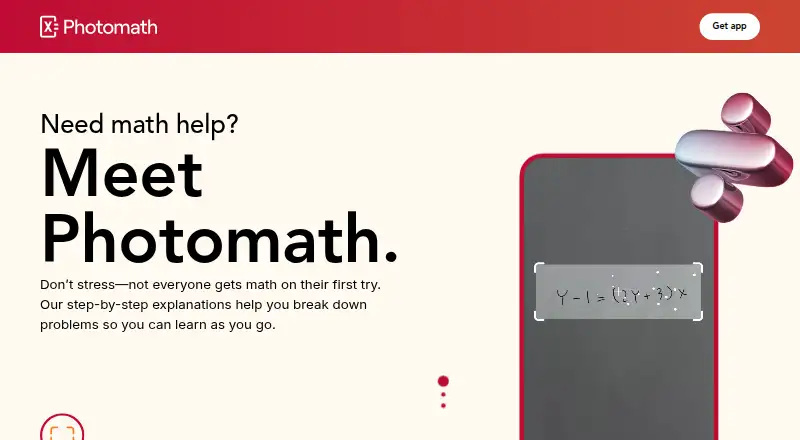
Photomath is a mobile app that helps learners work through math problems. Users can scan a problem with a device camera or enter it through the smart calculator, then view a step-by-step solution. The app can scan word problems, and a scanned question may return multiple methods. Its stated subject range runs from elementary through college math, including algebra, geometry, trigonometry, statistics, and calculus. Interactive graphs can be zoomed and tapped for information, with definitions available in context. The free Basic plan includes step-by-step explanations. Photomath Plus adds custom visual aids and extra “how” and “why” tips; other listed Plus features include Animated Tutorials and teacher-approved definitions. Basic is free, while Plus is listed at $9.99 a month or $69.99 a year. No-cost trials may be offered, but a trial subscription converts to paid billing unless canceled before it ends. Paid services are billed through Google Play or the iOS App Store, and the terms limit use to personal, non-commercial purposes.
Who it suits
Photomath is suited to learners who want step-by-step help across a broad range of math topics, as well as parents and teachers supporting students. The app is designed with students and parents in mind.
What it does well
- Scans problems or accepts smart calculator input.
- Covers elementary through college math.
- Scanned problems may offer multiple solution methods.
- Free Basic plan includes step-by-step explanations.
What to know first
- Plus costs $9.99 a month or $69.99 a year.
- Paid services are billed through mobile app stores.
- Use is limited to personal, non-commercial purposes.
Limits
The free Basic plan does not include custom visual aids or extra “how” and “why” tips. The Monthly plan costs $9.99 a month; the Annual plan costs $69.99 a year. A subscription trial converts to paid billing unless canceled before it ends.
Plans
| Plan | Billed and limits | Price |
|---|---|---|
| Basic | Step-by-step explanations · Custom visual aids excluded · Extra “how” and “why” tips excluded | Free |
| Photomath Plus — Annual | billed annually · Step-by-step explanations · Custom visual aids · Extra how and why tips | $69.99 a year |
| Photomath Plus — Monthly | billed monthly · Step-by-step explanations · Custom visual aids · Extra how and why tips | $9.99 a month |
| Annual | Annually · Step-by-step explanations · Custom visual aids · Extra “how” and “why” tips | $69.99 a year |
| Monthly | Monthly · Step-by-step explanations · Custom visual aids · Extra “how” and “why” tips | $9.99 a month |
As photomath.com lists them, read 29 Sept 2026. The maker's own page has the final word.
Getting started
- Visit https://photomath.com/.
- Get the app for Android or iOS.
- Scan a problem with the camera or enter it through the smart calculator.
- Use the Basic plan for step-by-step explanations, or choose a Plus plan for visual aids and extra tips.
- If offered a subscription trial, cancel before it ends to avoid paid billing.
Photomath is a mobile math solver for students, parents, and teachers who need worked explanations rather than answers alone. Its camera and calculator inputs cover a wide range of school and college mathematics. The free tier is useful for core learning, while Plus is aimed at users who want richer visual and conceptual support.
Overview
Photomath scans printed or handwritten questions with a phone camera, or accepts typed input through a smart calculator. It also handles word problems, so it is not limited to equations and symbols. For some scanned questions, the app presents multiple solution methods, which is valuable when a learner needs to compare approaches or understand why an answer can be reached in different ways.
The stated curriculum spans elementary through college math, including algebra, geometry, trigonometry, statistics, and calculus. Interactive graphs can be zoomed, tapped for information, and explored with definitions in context. That breadth makes it a practical companion across several years of study, although its Android and iOS focus is a drawback for anyone who expects a web or desktop workspace.
Key features
- Camera, handwriting, and calculator input: Photo and handwriting support let users work from a worksheet, while the smart calculator provides a typing-based fallback when a camera capture is inconvenient.
- Step-by-step solutions: Explanations are included in the free Basic plan, making Photomath more useful for learning or checking reasoning than an answer-only calculator.
- Multiple methods: Where offered, alternative methods help learners compare procedures instead of treating one route as the only correct one.
- Broad subject coverage: Elementary, algebra, geometry, trigonometry, statistics, and calculus support gives the app relevance from early schooling through college-level work.
- Graphs and definitions: Interactive graphs provide a way to inspect a result visually and look up concepts in context, which can clarify relationships that a line-by-line calculation does not show.
- Plus guidance: Paid access adds custom visual aids, extra “how” and “why” tips, Animated Tutorials, and teacher-approved definitions. These additions are most useful to learners who need conceptual reinforcement, not merely a solved line of work.
Pricing
Photomath uses a freemium model. Basic costs nothing and includes step-by-step explanations, but excludes custom visual aids and extra “how” and “why” tips. It is the sensible starting point for answer checking and guided practice.
Photomath Plus — Monthly costs $9.99 a month, billed monthly. Photomath Plus — Annual costs $69.99 a year, billed annually. Both add custom visual aids and extra how-and-why guidance to the step-by-step explanations. The same prices and inclusions are presented under the shorter Monthly and Annual plan names. Monthly suits someone who needs Plus briefly; annual suits regular users, provided they are comfortable committing to yearly billing.
A no-cost trial may be offered, and a subscription trial converts to paid billing unless canceled before it ends. Paid services are billed through the Google Play Store or iOS App Store. Use is limited to personal, non-commercial purposes, so it is not a fit for commercial tutoring deployment. The service may collect usage, device, and location data, along with camera images or videos used to recognize problems. Its privacy policy describes pseudonymization, data minimization, and encryption principles; user-taken images are not shared with listed third parties except for the stated micro-tutoring feature exception.
Platforms
Photomath is available on Android and iOS. Its mobile-only positioning works well for studying from a phone or tablet, but leaves out web and desktop platforms.
Who it's for
Students get broad coverage, camera input, and explanations without paying for the core solving workflow. Parents can use it to support homework across different grade levels, while teachers may find multiple methods and visual explanations useful when helping learners. Users who mainly need premium visuals, tutorials, or deeper conceptual prompts are the strongest candidates for Plus. People wanting a general study suite, collaborative classroom tooling, or non-mobile access should look elsewhere.
Pros and cons
Pros
- Free worked explanations: Basic includes step-by-step reasoning, so core instructional help does not require a subscription.
- Wide math range: Coverage from elementary math through calculus supports changing needs over time.
- Flexible problem capture: Camera, handwriting, and smart-calculator input accommodate different types of homework.
- More than one route: Multiple methods on some scans can expose learners to alternative procedures.
- Contextual visual tools: Plus graphs, visual aids, tutorials, and definitions can make abstract ideas easier to inspect.
Cons
- Mobile limitation: Android and iOS are the only stated platforms, excluding desktop and browser workflows.
- Premium teaching aids: Custom visuals and extra how-and-why guidance are withheld from the free plan.
- Trial renewal risk: A trial becomes paid unless canceled before it ends, so users must track the deadline.
- Personal-use restriction: The terms do not permit commercial use, limiting suitability for paid tutoring operations.
- Data collection: Camera media and device, usage, and location data may be collected, which privacy-sensitive users should weigh.
Alternatives
Math Solver Apps is the natural comparison for readers choosing among dedicated mobile math-solving tools. For broader study workflows, browse AI Study Tools or AI Homework Helpers.
Choose Gemini Notebook instead when you want Android, iOS, and web access plus notebook-based source and chat limits. Duolingo is a better fit for language learning across mobile, macOS, and web. Pick Busuu for a language-learning service with free and premium tiers, or RemNote for note-taking, annotated PDFs, handwritten documents, and AI credits. Brainscape suits flashcard study, while Talkpal focuses on AI language practice. Quizgecko is for generating quizzes, flashcards, and podcasts, and StudyPDF is for study sets built from uploaded documents.
Verdict
Choose Photomath if you want a mobile-first math solver that explains work across elementary through college topics and accepts both camera and calculator input. Basic is enough for guided solving; Plus earns its price for learners who will use visual aids, tutorials, and extra conceptual prompts regularly. Look elsewhere if you need a web or desktop product, commercial use, or a broader study platform rather than focused math help.
Verdict
Photomath offers camera-based problem solving alongside a broad math curriculum and step-by-step explanations. The free plan covers explanations, while Plus adds visual aids and extra guidance; users should review the trial and personal-use terms.
Questions
Is Photomath free?
Yes. The Basic plan is free and includes step-by-step explanations.
How much does Photomath Plus cost?
The Monthly plan is $9.99 a month, and the Annual plan is $69.99 a year.
Which devices can run Photomath?
Photomath is available on Android and iOS.
Can Photomath solve word problems?
Yes. It can scan word problems as well as other math problems.
What does Plus add?
Plus includes custom visual aids and extra “how” and “why” tips. Listed Plus features also include Animated Tutorials and teacher-approved definitions.
What happens when a subscription trial ends?
A subscription trial converts to paid billing unless canceled before the trial ends.
Facts from Photomath's own pages
- Free plan
- Yes · photomath.com, 19 Sept 2026
- Graphs
- Photomath articles describe interactive graphs that users can zoom, tap for information, and explore with definitions in context. · photomath.com, 29 Sept 2026
- Image sharing
- The privacy policy says user-taken images are not shared with service providers, advertising agencies, business partners, or other third parties, subject to its stated added-feature exception for micro-tutoring. · photomath.com, 29 Sept 2026
- Math coverage
- The site lists elementary math, algebra, geometry, trigonometry, statistics, and calculus, and describes Photomath as covering elementary through college math. · photomath.com, 29 Sept 2026
- Platforms
- Photomath is available as a smartphone and tablet app only. · photomath.com, 29 Sept 2026
- Premium features
- Photomath Plus includes custom visual aids and extra “how” and “why” tips; its article also describes Animated Tutorials and teacher-approved definitions as Plus features. · photomath.com, 29 Sept 2026
- Privacy and security
- The privacy policy says it uses privacy-by-design principles including pseudonymization and data minimization, and describes encryption as a privacy principle. · photomath.com, 29 Sept 2026
- Privacy data
- The privacy policy says the service may collect usage, device, and location data, plus images or videos captured by the camera to recognize and solve problems. · photomath.com, 29 Sept 2026
- Problem solving
- The app scans math problems with a mobile device camera or accepts input through a smart calculator, then provides step-by-step solutions. · photomath.com, 29 Sept 2026
- Problem types
- Photomath says it can scan word problems as well as math problems. · photomath.com, 29 Sept 2026
- Purchase channel
- The Terms state that Paid Services are billed through Google Play Store or iOS App Store. · photomath.com, 29 Sept 2026
- Solution methods
- A scanned problem may return multiple methods to choose from. · photomath.com, 29 Sept 2026
- Paid from
- 9.99 · photomath.com, 19 Sept 2026
- Support
- The Terms of Service direct users to [email protected] with questions about the terms or privacy policy. · photomath.com, 29 Sept 2026
- Target users
- Photomath says it supports learners, parents, and teachers, and describes the app as designed with students and parents in mind. · photomath.com, 29 Sept 2026
- Trial terms
- The Terms say no-cost trials may be offered from time to time, and a subscription trial converts to paid billing unless canceled before the trial ends. · photomath.com, 29 Sept 2026
- Use limitation
- The Terms grant use of the Services solely for personal, non-commercial use. · photomath.com, 29 Sept 2026
Where Photomath stands on Freedom251
- AI Study Tools#23 of 96
- AI Homework Helpers#17 of 30
- Math Solver Apps#54 of 68