
Gemini Notebook
What Gemini Notebook is
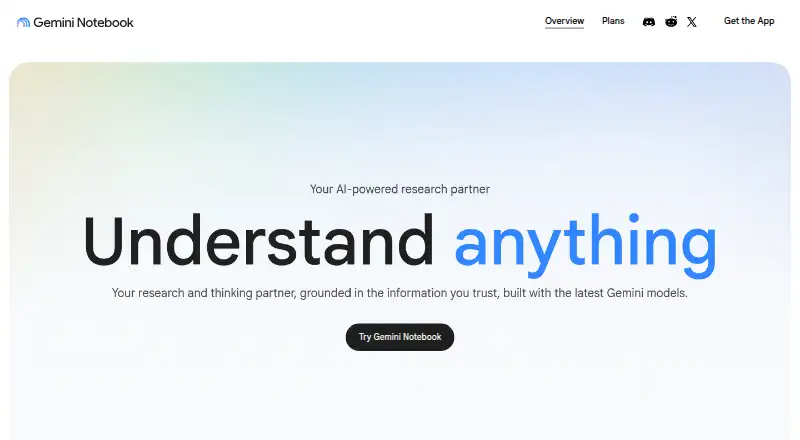
Gemini Notebook is a standalone research tool for organizing source material and answering questions based on it. It accepts PDFs, websites, YouTube videos, audio files, Google Docs, Google Slides, and other materials; responses cite exact quotes in those sources. Audio Overview can turn notebook sources into a podcast-style discussion. For study, notebooks can create diagnostic quizzes, interactive lessons, flashcards, and infographics from course materials. Notebooks can sync with Gemini Apps, where users can manage them and ask questions. A secure cloud computer can write and run code for source-based data analysis, with access rolling out by plan. The Free plan costs nothing and includes 50 sources per notebook, 100 notebooks, 50 chat queries per day, and 3 audio generations per day. The product is listed for web, Android, and iOS. Individual data is not used to train Gemini Notebook unless users provide feedback, which may allow review of the interaction context. Workspace and Enterprise data have separate stated protections.
Who it suits
It suits students and organizations that want to organize research or course materials and ask questions grounded in them. Its study tools and audio summaries may also suit people preparing learning or onboarding materials.
What it does well
- Citations point to exact quotes in supplied sources.
- Audio Overview turns sources into podcast-style discussions.
- Study notebooks create quizzes, lessons, flashcards, and infographics.
- Free plan includes 100 notebooks and 50 sources each.
- Available on web, Android, and iOS.
What to know first
- Free plan limits chat to 50 queries per day.
- Free plan allows 3 audio generations per day.
- Some features require Keep Activity to be turned on.
- Code analysis access is rolling out by plan.
Limits
The Free plan permits 50 sources per notebook, 100 notebooks, 50 chat queries per day, and three audio generations per day. Notebook memory, chat auto-saving, Drive sources, and study and business notebooks require Keep Activity to be on in Gemini Apps.
Plans
| Plan | Billed and limits | Price |
|---|---|---|
| Free | 50 sources per notebook · 100 notebooks · 50 chat queries per day · 3 audio generations per day | Free |
| Google AI Plus | 2 TB storage | On request |
| Google AI Pro | 5 TB storage | On request |
| Google AI Ultra | 20 TB storage | On request |
| Gemini Notebook Standard | 100 notebooks/user · 50 sources/notebook · 50 conversations/day · 3 audio overviews/day | Free |
As notebook.google lists them, read 20 Sept 2026. The maker's own page has the final word.
Getting started
- Visit the Gemini Notebook website or use the app on Android or iOS.
- Create a notebook and add source materials such as PDFs, websites, or Google Docs.
- Ask questions about the material and follow the citations to source quotes.
- Use Audio Overview or study tools to generate learning materials.
- Turn on Keep Activity in Gemini Apps for notebook memory, chat auto-saving, Drive sources, and study and business notebooks.
Gemini Notebook is a research and learning app built around material you collect in notebooks. It is best suited to students and other readers who want to question their own sources, with study and audio tools to help revisit them. Its source citations are a clear strength, while daily usage caps and feature requirements narrow the fit.
Overview
Now called Gemini Notebook, the product remains a standalone research tool. It organizes user-provided material and answers questions grounded in that collection, rather than treating each query as a general search. Responses cite exact quotes from supplied sources, making it easier to trace an answer back to its context.
Sources can include PDFs, websites, YouTube videos, audio files, Google Docs, Google Slides, and other materials. Notebooks can sync with Gemini Apps, where users can manage them and ask questions. That connection expands the ways to work with a notebook, though notebook availability in Gemini Apps is rolling out gradually.
Key features
Answers tied to sources
Exact-quote citations are useful when accuracy and verification matter, such as reviewing course material or organizing research. The broad source support accommodates mixed-format collections; the trade-off is that the tool’s answers are centered on material the user supplies.
Audio and study tools
Audio Overview turns notebook sources into a podcast-style discussion with one click, which offers a different way to revisit material. Study notebooks can generate diagnostic quizzes, personalized interactive lessons, flashcards, and infographics from course materials. These tools make the product more than a source search box, especially for students, but the free allowance of three audio generations per day can be restrictive for frequent use.
Analysis and activity settings
A secure cloud computer can write and execute code for data analysis grounded in notebook sources, with access rolling out by plan. Notebook memory, chat auto-saving, Drive sources, and study and business notebooks require Keep Activity to be enabled in Gemini Apps. That setting is an important condition for readers who want those features.
Pricing
The Free plan costs nothing and allows 50 sources per notebook, 100 notebooks, 50 chat queries per day, and three audio generations per day. It is a capable starting point for bounded study and research, but the daily query and audio limits may interrupt heavier workflows.
Gemini Notebook Standard also costs nothing, with 100 notebooks per user, 50 sources per notebook, 50 conversations per day, and three audio overviews per day. Its published caps are close to those of the Free plan, so readers should compare the stated allowances rather than assume a higher tier means higher quotas.
Google AI Plus has custom pricing and includes 2 TB of storage; Google AI Pro has custom pricing and includes 5 TB; Google AI Ultra has custom pricing and includes 20 TB. Those storage figures distinguish the plans, but the published terms do not give notebook quota changes or seat counts, so the storage alone does not establish which tier suits a particular research workload.
Platforms
Gemini Notebook supports web, iOS, and Android. Gemini Apps availability is on the Gemini web and mobile apps, with notebook access rolling out gradually.
Who it's for
Students can turn course materials into quizzes, lessons, flashcards, infographics, and audio summaries. Researchers and other readers who work across documents, websites, video, or audio benefit from answers that point back to exact passages. Organizations may also use it to create onboarding materials.
Privacy terms vary by account context. For individual users, data is not used to train Gemini Notebook unless they provide feedback; feedback may allow review of the full interaction context. Workspace and Workspace for Education uploads, queries, and model responses are not reviewed by human reviewers or used to train AI models. For Gemini Notebook for Enterprise, uploaded files remain within the customer’s Google Cloud project, data regionalization is honored, and files, chats, and outputs are not human-reviewed or used to improve generative AI models.
Pros and cons
- Pros: Exact-quote citations make answers easier to verify against source material.
- Pros: Support for documents, websites, video, and audio makes it practical for mixed-format research collections.
- Pros: Audio and study tools offer several ways to revisit course material without leaving the notebook workflow.
- Cons: The free plans cap chats at 50 per day and audio generation at three per day, which may constrain regular intensive use.
- Cons: Several notebook features require Keep Activity to be enabled in Gemini Apps.
- Cons: Notebook availability in Gemini Apps is still rolling out, so access may not be immediate for every user.
Alternatives
For dedicated study-tool options, browse AI Study Tools. Readers comparing apps for capturing and working with notes can browse AI Note-Taking Apps or Note-taking apps.
Duolingo is an alternative for language learning, with a free plan and a one-week free trial. Busuu is another freemium language-learning option, with free and paid plans.
RemNote may suit readers who want flashcards and annotated PDFs, though its free plan limits PDF annotations, files, and monthly AI credits. Brainscape offers a flashcard-focused alternative, with a Pro plan at $7.99 a year billed Year that includes unlimited AI flashcard creation.
Photomath is the more targeted choice for step-by-step math explanations; its free Basic plan excludes custom visual aids and extra “how” and “why” tips. Talkpal is a language-practice alternative whose free Basic Plan has a 10-minute daily limit.
Quizly offers quiz creation with unlimited PDF uploads on its free plan, while Quizbot has a free plan limited to 50 questions per month, one notebook, and up to two sources.
Verdict
Choose Gemini Notebook if your work starts with a collection of sources and you want cited answers plus practical ways to study or listen to that material. Its strongest case is the combination of source traceability and learning tools. Look elsewhere if you need higher published daily allowances, or if you do not want to enable Keep Activity for certain features.
Verdict
Gemini Notebook combines source-grounded answers with study and audio-generation tools. Check the Free plan’s daily limits and the Keep Activity requirement for certain features before choosing it.
Questions
Is Gemini Notebook free?
Yes. The Free plan costs nothing and includes 50 sources per notebook, 100 notebooks, 50 chat queries per day, and three audio generations per day.
Which platforms does it support?
Gemini Notebook is available on the web, iOS, and Android.
What kinds of sources can I add?
It accepts PDFs, websites, YouTube videos, audio files, Google Docs, Google Slides, and other materials.
Does it cite its answers?
Yes. Responses include citations that point to exact quotes in the supplied sources.
Does Gemini Notebook connect with Gemini Apps?
Notebooks can sync between Gemini Notebook and Gemini Apps. In Gemini Apps, users can manage notebooks and ask questions about them.
How does it handle individual user data?
Individual user data is not used to train Gemini Notebook unless the user provides feedback. Providing feedback may allow review of the full interaction context.
Facts from Gemini Notebook's own pages
- Audio
- Audio Overview turns notebook sources into a podcast-style discussion with one click. · notebook.google, 5 Oct 2026
- Availability limits
- Gemini Notebook in Gemini Apps is available on the Gemini web app and mobile app, and notebook availability is being rolled out gradually. · support.google.com, 5 Oct 2026
- Citations
- Responses include citations that point to exact quotes in the supplied sources. · notebook.google, 5 Oct 2026
- Code analysis
- A secure cloud computer lets notebooks write and execute code for data analysis grounded in their sources; access is rolling out by plan. · blog.google, 5 Oct 2026
- Enterprise protection
- For Gemini Notebook for Enterprise, uploaded files remain within the customer’s Google Cloud project, data regionalization is honored, and files, chats, and outputs are not human-reviewed or used to improve generative AI models. · support.google.com, 5 Oct 2026
- Feature limit
- Notebook memory, chat auto-saving, Drive sources, and study and business notebooks require Keep Activity to be turned on in Gemini Apps. · support.google.com, 5 Oct 2026
- Free plan
- Yes · notebooklm.google, 20 Sept 2026
- Integrations
- Notebooks can sync between Gemini Notebook and Gemini Apps, where users can manage notebooks and ask questions about them. · support.google.com, 5 Oct 2026
- Privacy
- For individual users, data is not used to train Gemini Notebook unless they provide feedback, which may allow review of the full interaction context. · support.google.com, 5 Oct 2026
- Product
- Gemini Notebook is the renamed NotebookLM and remains a standalone research tool. · blog.google, 5 Oct 2026
- Purpose
- It helps people research and learn by organizing their sources and answering questions grounded in that material. · notebook.google, 5 Oct 2026
- Source types
- It accepts PDFs, websites, YouTube videos, audio files, Google Docs, Google Slides, and other materials. · notebook.google, 5 Oct 2026
- Study tools
- Study notebooks can create diagnostic quizzes, personalized interactive lessons, flashcards, and infographics from course materials. · support.google.com, 5 Oct 2026
- Who it serves
- Google says the product is used by students and organizations, including for converting study notes into audio and video summaries and creating onboarding materials. · blog.google, 5 Oct 2026
- Workspace privacy
- Workspace and Workspace for Education uploads, queries, and model responses are not reviewed by human reviewers or used to train AI models. · support.google.com, 5 Oct 2026
Where Gemini Notebook stands on Freedom251
- AI Study Tools#2 of 96
- Ai Search Tools#2 of 21
- AI Note-Taking Apps#10 of 42
- Note-taking apps#54 of 216
- Ai Assistant#9 of 25