Freedom251 › Photo Culling Software
PhotoCuller
What PhotoCuller is
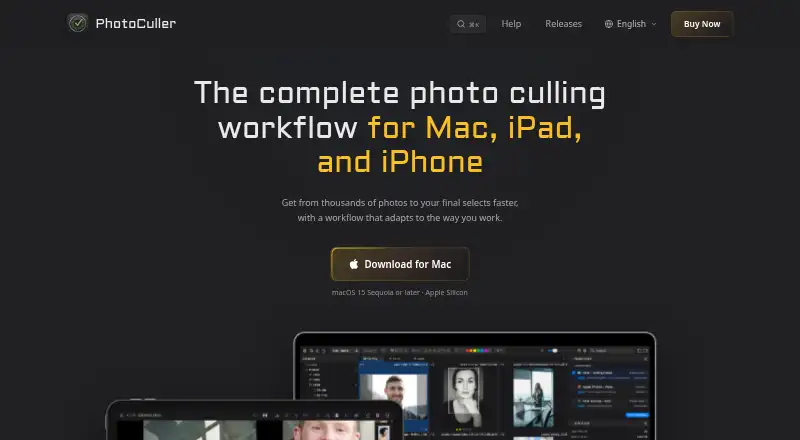
PhotoCuller helps photographers sort large shoots by reviewing, comparing, and marking images to keep. Its Mac app can recognize an inserted SD card and copy its files as they appear in the review grid. Images can be rated, flagged, favorited, rejected, color-labeled, and filtered; side-by-side comparison includes synchronized zoom. Face detection supports close-up review, while Full View offers focus-peaking and exposure warnings.
Reusable workflows can rename selected photos, send them to multiple destinations, and apply IPTC templates. PhotoCuller works with Apple Photos, mounted network locations and NAS, configured external editors, and XMP sidecars. Culling works offline on Mac, iPad, and iPhone. Photo processing stays on the device, and photos and previews are not uploaded to K-Squared Labs. App data is stored locally unless sync or export is enabled. On iOS, enabled iCloud Sync categories use a private Apple CloudKit database for selected app data and metadata, not photos or previews. The product is available for iOS and macOS. The Mac download requires macOS 15 Sequoia or later and Apple Silicon.
Who it suits
PhotoCuller suits photographers who need to review and select images from large shoots, including while working offline. Its workflows, metadata templates, and connections to Apple Photos, network locations, NAS, and external editors suit people who want to route selected photos into an existing workflow.
What it does well
- Compare photos side by side with synchronized zoom.
- Automatically detect SD cards and copy files on Mac.
- Use face detection, focus-peaking, and exposure-warning overlays.
- Apply reusable workflows and IPTC templates.
- Cull offline on Mac, iPad, and iPhone.
- Photo processing happens on-device; photos and previews are not uploaded.
What to know first
- No free plan; purchase starts at 59.00 USD one-time.
- Mac download requires macOS 15 Sequoia or later and Apple Silicon.
- Mobile access lasts only while the update period is active.
Limits
There is no free plan. Standard includes one year of updates and two devices; Plus includes two years of updates and four devices. Mobile access requires an active update period, and continued iPhone and iPad access requires another year.
Plans
| Plan | Billed and limits | Price |
|---|---|---|
| Standard | One-time purchase; 1 year of updates included · 2 devices across Mac, iPhone, and iPad · all features included · mobile access while update period is active · support included | $59, paid once |
| Plus | One-time purchase; 2 years of updates included · 4 devices across Mac, iPhone, and iPad · all features included · mobile access while update period is active · support included | $79, paid once |
As photoculler.com lists them, read 4 Oct 2026. The maker's own page has the final word.
Getting started
- Visit https://photoculler.com/.
- Choose Standard at 59.00 USD one-time or Plus at 79.00 USD one-time.
- Try the Mac app free for 30 days without a credit card.
- Download the Mac app on a Mac with macOS 15 Sequoia or later and Apple Silicon.
- Use the app on Mac, iPhone, or iPad within the selected plan's device limit.
Verdict
Choose PhotoCuller if you need offline culling, detailed comparison tools, and workflows for routing and labeling selected photos. Look elsewhere if your Mac does not meet its system requirements or you need mobile access beyond the included update period without another year.
Questions
How much does PhotoCuller cost?
Standard costs 59.00 USD as a one-time purchase, and Plus costs 79.00 USD as a one-time purchase.
Is there a free plan or trial?
There is no free plan. The Mac app has a 30-day free trial that does not require a credit card.
Which platforms does PhotoCuller support?
It is available for iOS and macOS. The Mac download requires macOS 15 Sequoia or later and Apple Silicon.
What is the difference between Standard and Plus?
Standard includes one year of updates and two devices across Mac, iPhone, and iPad. Plus includes two years of updates and four devices; both include all features and support.
Can I keep using the app after the update period?
You can keep using Mac versions released during the included update period. Continued iPhone and iPad access requires another year.
Does PhotoCuller upload photos?
Photo processing happens on the device, and photos and previews are not uploaded to K-Squared Labs. On iOS, enabled iCloud Sync categories can store selected app data and metadata in a private Apple CloudKit database, not photos or previews.
Facts from PhotoCuller's own pages
- App data
- Ratings, labels, flags, metadata, presets, preferences, bookmarks, and workflow information are stored locally unless a sync or export feature is enabled. · photoculler.com, 4 Oct 2026
- Culling tools
- Users can rate, flag, favorite, reject, color-label, filter, and compare photos, including side-by-side comparison with synchronized zoom. · photoculler.com, 4 Oct 2026
- Face and focus review
- The app detects faces for close-up review and provides focus-peaking and exposure-warning overlays in Full View. · photoculler.com, 4 Oct 2026
- iCloud sync
- On iOS, enabled iCloud Sync categories use the customer's private Apple CloudKit database for selected app data and metadata, not the underlying photos or previews. · photoculler.com, 4 Oct 2026
- Ingest
- The Mac app can automatically detect an inserted SD card and copy files while they appear in the review grid in real time. · photoculler.com, 4 Oct 2026
- Integrations
- The product works with Apple Photos, mounted network locations and NAS, configured external editors, and XMP sidecars. · photoculler.com, 4 Oct 2026
- License limit
- After the included update period ends, buyers can keep using Mac versions released during that period; continued iPhone and iPad access requires another year. · photoculler.com, 4 Oct 2026
- Offline use
- The maker says culling works offline on Mac, iPad, and iPhone. · photoculler.com, 4 Oct 2026
- Photo privacy
- Photo processing happens on the device, and the app does not upload photos or previews to K-Squared Labs. · photoculler.com, 4 Oct 2026
- Purpose
- PhotoCuller helps photographers review, compare, and select keepers from large photo shoots. · photoculler.com, 4 Oct 2026
- Support
- All purchase options include support, which customers can contact by email for questions, bug reports, or feature suggestions. · photoculler.com, 4 Oct 2026
- System requirement
- The Mac download requires macOS 15 Sequoia or later and Apple Silicon. · photoculler.com, 4 Oct 2026
- Trial and refund
- The Mac app can be tried free for 30 days without a credit card, and direct purchases include a 30-day money-back guarantee. · photoculler.com, 4 Oct 2026
- Workflow and metadata
- Reusable workflows can rename and route selected photos to multiple destinations, and apply IPTC templates. · photoculler.com, 4 Oct 2026
Where PhotoCuller stands on Freedom251
- Photo Culling Software#21 of 26