Freedom251 › Photography Software
FastRawViewer
What FastRawViewer is
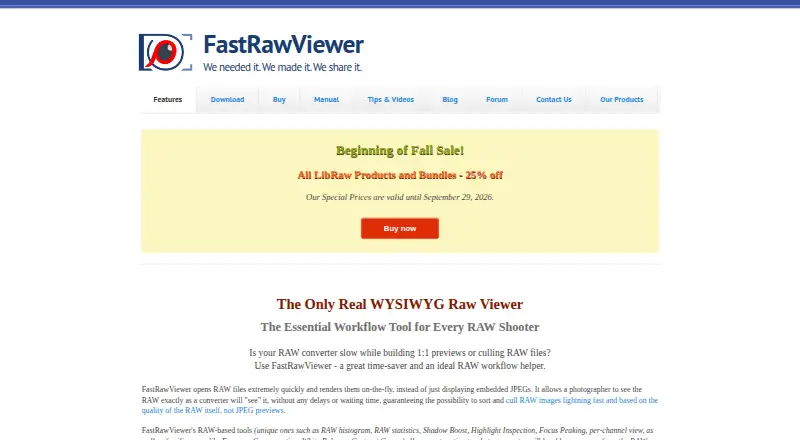
FastRawViewer is a desktop tool for viewing, evaluating, culling, and preprocessing RAW images on Windows and macOS. It renders RAW files directly rather than relying only on embedded JPEG previews. Evaluation tools include RAW histograms and statistics, clipped highlight and shadow indicators, focus peaking, shadow boost, highlight inspection, per-channel viewing, color management, metadata viewing, and side-by-side comparison. Supported formats include RAW, JPEG, TIFF, and PNG. Users can record exposure, white balance, and tone-curve adjustments in XMP files for Adobe Lightroom and Adobe Camera Raw. File-management tools cover rating, labeling, sorting, filtering, renaming, copying, moving, rotating, and opening selected files in an external program. The viewer works with files on storage ranging from flash cards to network servers without creating intermediate catalogues. LibRaw LLC, established in 2008, offers a fully functional 30-day trial. FastRawViewer 2.0 costs $23.99, paid once as a one-time license, activating on up to two computers owned and used by one person. Version 1.x is unsupported and will receive no new cameras or features.
Who it suits
FastRawViewer suits photographers who need direct RAW inspection, culling, comparison, metadata, and file organization on Windows or macOS. It also fits workflows using Lightroom or Adobe Camera Raw XMP files.
What it does well
- Renders RAW files directly
- Provides detailed histograms and clipping indicators
- Supports RAW, JPEG, TIFF, and PNG
- Records adjustments in Lightroom-compatible XMP files
- Works across local and network file systems
What to know first
- No free plan
- Limited to Windows and macOS
- Version 1.x is unsupported
- 30-day trial precedes paid use
Limits
There is no free plan. The trial runs for 30 days; the one-time license activates on up to two computers owned and used only by the buyer.
Plans
| Plan | Billed and limits | Price |
|---|---|---|
| FastRawViewer 2.0 | One-time license; the page displays $23.99. · Activates on up to two computers simultaneously, if owned by you and used only by you · OS-independent license · Minor releases free; major releases free for six months after purchase, then 40% off | $23.99, paid once |
As fastrawviewer.com lists them, read 8 Oct 2026. The maker's own page has the final word.
Getting started
- Open the FastRawViewer website
- Download the fully functional 30-day trial
- Install on Windows or macOS
- Open RAW, JPEG, TIFF, or PNG files from your file system
- Rate, sort, inspect, or adjust files and record settings in XMP
Verdict
FastRawViewer focuses on fast RAW assessment and file handling rather than broad editing. Its direct rendering, analysis tools, and XMP workflow are useful for image selection, while the paid license and version-support limit matter to buyers.
Questions
How much is FastRawViewer 2.0?
The listed plan costs 23.99 USD as a one-time license. It activates on up to two computers owned and used only by you.
Is a free trial available?
Yes. The maker offers a fully functional 30-day trial.
Which platforms are supported?
FastRawViewer supports Windows and macOS.
Which image formats can it open?
It supports RAW, JPEG, TIFF, and PNG files.
Does it work with Lightroom and Adobe Camera Raw?
Yes. Exposure, white-balance, and tone-curve adjustments can be recorded in XMP files for Adobe Lightroom and Adobe Camera Raw.
Who makes FastRawViewer?
LibRaw LLC makes it; the company says it was established in 2008 for digital photography and videography software.
Facts from FastRawViewer's own pages
- File formats
- The product supports RAW, JPEG, TIFF, and PNG formats. · fastrawviewer.com, 8 Oct 2026
- File management
- Users can rate, label, sort, filter, rename, copy, move, rotate, and run selected files in an external program. · fastrawviewer.com, 8 Oct 2026
- Founded
- 2008 · fastrawviewer.com, 28 Sept 2026
- Image analysis
- Features include RAW histograms and statistics, clipped highlight and shadow indicators, focus peaking, shadow boost, highlight inspection, and per-channel viewing. · fastrawviewer.com, 8 Oct 2026
- Maker
- LibRaw LLC says it was established in 2008 to provide software for digital photography and videography. · libraw.com, 8 Oct 2026
- Payment data
- The maker says billing is handled by a third-party e-commerce partner and that it does not receive customers’ credit card information. · fastrawviewer.com, 8 Oct 2026
- Platforms
- FastRawViewer 2.0 downloads are listed for 64-bit Windows 7–11 and macOS 10.13–26.x; the macOS build supports Intel and Apple Silicon. · fastrawviewer.com, 8 Oct 2026
- Privacy
- The privacy policy says downloads require no personal information and the site collects the download IP address for statistical evaluation. · fastrawviewer.com, 8 Oct 2026
- Purpose
- FastRawViewer is a desktop tool for quickly viewing, evaluating, culling, and preprocessing RAW images. · libraw.com, 8 Oct 2026
- RAW rendering
- It renders RAW files directly on the fly rather than displaying only embedded JPEG previews. · fastrawviewer.com, 8 Oct 2026
- Storage workflow
- The viewer works with files on any file system, including media from flash cards to network servers, without creating intermediate catalogues. · fastrawviewer.com, 8 Oct 2026
- Support
- The contact page provides license-key recovery and FAQs, and says the maker will answer forum questions without requiring registration. · fastrawviewer.com, 8 Oct 2026
- Support limitation
- The maker states that version 1.x is unsupported and will receive no new cameras or features, with bug fixes not guaranteed. · fastrawviewer.com, 8 Oct 2026
- Trial
- The maker offers a fully functional 30-day trial. · fastrawviewer.com, 8 Oct 2026
- Workflow integration
- Exposure, white balance, and tone curve adjustments can be recorded in XMP files for Adobe Lightroom and Adobe Camera Raw. · fastrawviewer.com, 8 Oct 2026
Where FastRawViewer stands on Freedom251
- Photography Software#17 of 28
- Photo Culling Software#18 of 26
- Photo Viewer Software#24 of 34