PersonalCleaner
What PersonalCleaner is
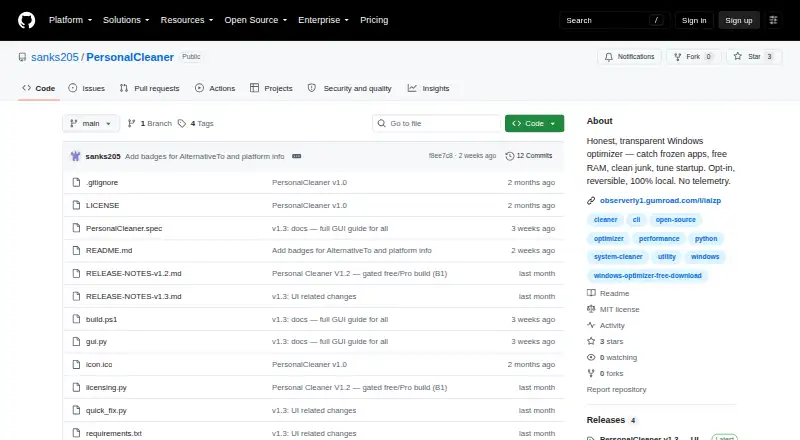
PersonalCleaner is a Windows optimizer for cleaning junk, reclaiming memory, handling frozen applications, and managing startup programs. It detects programs marked “Not Responding” and offers to close them, while its RAM tool purges the Windows standby list to reclaim cached memory. The startup manager shows programs by their real names and lets you enable or disable them. Scheduled maintenance is listed as a capability. The free plan includes junk cleanup, RAM cleanup, the startup manager, closing stuck apps, and restarting Explorer. Pro adds background automation, weekly idle restart, Defender exclusions, and Windows service tuning. Pro costs $15 a year, billed at $15/yr/PC, with one PC and no subscription auto-renew. The project says it has no telemetry, account, or network calls, and keeps user data on the PC. A ZIP release contains a portable executable without an installer. SmartScreen warns on first launch because the app is not code-signed.
Who it suits
It suits Windows users who want local cleanup, RAM, startup, and stuck-app controls. The one-PC Pro plan may fit individuals needing automated maintenance.
What it does well
- Free plan includes junk and RAM cleanup
- Manages startup programs by real names
- Offers scheduled maintenance capability
- No telemetry, accounts, or network calls
- Portable ZIP release needs no installer
What to know first
- Windows only
- Pro limited to one PC
- Pro costs $15 a year
- SmartScreen prompt appears on first launch
Plans
| Plan | Billed and limits | Price |
|---|---|---|
| Free | Free features include junk cleaning, RAM freeing, startup management, stuck app closing, and Explorer restart | Free |
| Pro | per year, per PC · Background automation · weekly idle restart · Defender exclusions · service tuning | $15 a year |
As github.com lists them, read 8 Oct 2026. The maker's own page has the final word.
Verdict
PersonalCleaner combines cleanup, memory recovery, startup controls, and frozen-app handling in a Windows utility. Its free tier covers core actions, while Pro adds automation and tuning for one PC.
Facts from PersonalCleaner's own pages
- Device limit
- 1 · github.com, 22 Sept 2026
- Disclaimer
- The project is provided as is without warranty and warns that closing apps or restarting can lose unsaved work. · github.com, 8 Oct 2026
- Download
- The project provides a ZIP release containing PersonalCleaner.exe and describes it as portable with no installer. · github.com, 8 Oct 2026
- Free plan
- Yes · github.com, 22 Sept 2026
- Frozen apps
- It detects programs marked Not Responding and offers to close them safely. · github.com, 8 Oct 2026
- Junk cleanup
- It cleans temporary and Windows Error Reporting files and the Recycle Bin, with a default minimum file age of 24 hours. · github.com, 8 Oct 2026
- License
- The current version is MIT licensed; the maker says future feature releases may use a different license. · github.com, 8 Oct 2026
- Local operation
- The maker says the app has no telemetry, account, or network calls, and that user data stays on the PC. · github.com, 8 Oct 2026
- Opt-in and reversible
- The README says a fresh install does nothing until the user chooses actions, and that changes are reversible or cancellable. · github.com, 8 Oct 2026
- Platform requirement
- The maker documents building from source with Python 3.11 or later on Windows. · github.com, 8 Oct 2026
- Pro features
- Pro adds background automation, weekly idle restart, Defender exclusions, and Windows service tuning. · github.com, 8 Oct 2026
- Purpose
- PersonalCleaner is a Windows optimizer for catching frozen apps, freeing RAM, cleaning junk, and managing startup programs. · github.com, 8 Oct 2026
- RAM
- It purges the Windows standby list to reclaim cached memory. · github.com, 8 Oct 2026
- Safety
- Critical Windows processes are blocklisted, and files in use are skipped during cleanup. · github.com, 8 Oct 2026
- Scheduled maintenance
- Yes · github.com, 22 Sept 2026
- SmartScreen
- The app is not code-signed yet, so Windows SmartScreen displays a prompt on first launch. · github.com, 8 Oct 2026
- Paid from
- 15 · github.com, 22 Sept 2026
- Startup
- The startup manager can enable or disable programs by their real names. · github.com, 8 Oct 2026
- Startup manager
- Yes · github.com, 22 Sept 2026
- Support
- The maker invites users to support development through Gumroad, where the product can be obtained free or paid what you want. · github.com, 8 Oct 2026
Where PersonalCleaner stands on Freedom251
- PC optimisers#54 of 104
- PC Optimization Software#54 of 97