Freedom251 › Task Automation Software
Perfect Automation
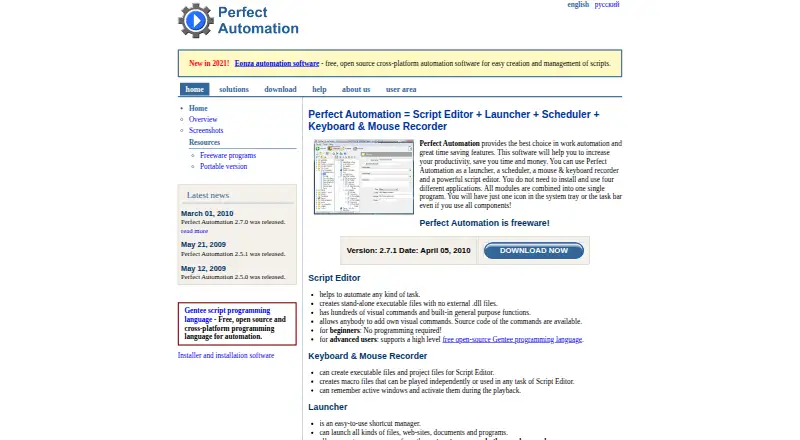
What Perfect Automation is
Perfect Automation is a Windows utility combining a script editor, launcher, scheduler, and keyboard-and-mouse recorder for automating computer tasks. People can build straightforward routines by selecting commands without programming, while the editor also supports the open-source Gentee language. Scripts can be packaged as standalone EXE files without extra modules, DLLs, or libraries. The recorder captures keystrokes and mouse clicks and saves them as macros, scripts, or executables. Its launcher opens files, websites, documents, and programs through menus, hotkeys, or keywords. The scheduler starts programs and tasks periodically, at specified times, or after triggers. Scripts can run from the command line, including console and batch files. The product has a free plan, while the pricing note lists paid access from $49 per user and a 30-day trial. Stated system requirements cover Windows 2000, XP, 2003, Vista, and Windows 7; version 2.7.1 is listed from September 24, 2011.
Who it suits
It suits Windows users who want visual task automation, recorded macros, scheduled launches, or script-based routines. The listed operating systems are older Windows releases, so compatibility should be checked.
What it does well
- Visual commands support no-code routine building
- Scripts can become standalone executable files
- Recorder captures keyboard and mouse actions
- Scheduler supports times, repetition, and triggers
- Freeware license allows distributing created programs
What to know first
- Listed systems stop at Windows 7
- Latest listed release dates to September 24, 2011
- License provides the software without warranty
- Documentation lists no third-party integrations
Limits
The freeware plan is listed as free for Windows 2000, XP, 2003, Vista, and Windows 7. Paid access is listed from $49/user, and the software is supplied without warranty.
Plans
| Plan | Billed and limits | Price |
|---|---|---|
| Freeware | Freeware; Windows 2000/XP/2003/Vista/7 | Free |
As perfectautomation.com lists them, read 8 Oct 2026. The maker's own page has the final word.
Getting started
- Open the Perfect Automation website
- Install it on a supported Windows system
- Create a routine with visual commands, Gentee scripts, or the recorder
- Save scripts as macros, scripts, or standalone EXE files
- Configure launcher hotkeys or scheduler times and triggers
- Run scripts from the application, console, or batch files
Verdict
Perfect Automation offers recording, scripting, launching, and scheduling in one Windows tool with a freeware plan. Its old listed release and operating-system requirements are important considerations for current computers.
Questions
What platforms does Perfect Automation support?
Its stated system requirements list Windows 2000, XP, 2003, Vista, and Windows 7.
Is there a free plan?
Yes. The Freeware plan is listed as free.
How much is paid access?
The pricing note lists paid access from $49/user.
Can it create executable files?
Yes. Scripts can be saved as standalone EXE files without additional modules, DLLs, or libraries.
Does it offer support?
Support is available through a ticket system and email.
Can scripts be launched outside the app?
Yes. Scripts can start from the command line, including the console or batch files.
Facts from Perfect Automation's own pages
- Command line
- Scripts can be started from the command line using the console or batch files. · perfectautomation.com, 8 Oct 2026
- Integrations
- The product documentation describes integration among its launcher, scheduler, recorder, and Gentee scripting support; it does not list third-party integrations on the pages reviewed. · perfectautomation.com, 8 Oct 2026
- Latest listed release
- The download page lists version 2.7.1, released September 24, 2011. · perfectautomation.com, 8 Oct 2026
- Launcher
- The launcher can start files, websites, documents, and programs using its menu, hotkeys, or keywords. · perfectautomation.com, 8 Oct 2026
- License and warranty
- The license calls the product freeware, permits distributing programs made with it without royalties or additional fees, and provides the software as-is without warranty. · perfectautomation.com, 8 Oct 2026
- No-code use
- Users can automate simple routines by specifying commands without programming skills. · perfectautomation.com, 8 Oct 2026
- Purpose
- Perfect Automation combines a script editor, launcher, scheduler, and keyboard and mouse recorder to automate computer tasks. · perfectautomation.com, 8 Oct 2026
- Recorder
- The recorder captures keystrokes and mouse clicks into macro, script, or executable files. · perfectautomation.com, 8 Oct 2026
- Scheduler
- The scheduler can start programs and tasks periodically, at predefined times, or from triggers. · perfectautomation.com, 8 Oct 2026
- Script editor
- The script editor includes visual commands and supports the open-source Gentee programming language. · perfectautomation.com, 8 Oct 2026
- Standalone executables
- Scripts can be created as standalone EXE files that require no additional modules, DLLs, or libraries. · perfectautomation.com, 8 Oct 2026
- Support
- The contact page offers a support ticket system and email support, and advises using the ticket system if there is no reply within a couple of business days. · perfectautomation.com, 8 Oct 2026
- Supported systems
- The stated system requirements list Windows 2000, XP, 2003, Vista, and Windows 7. · perfectautomation.com, 8 Oct 2026
Where Perfect Automation stands on Freedom251
- Task Automation Software#22 of 35