Freedom251 › Coding Learning Software
Pencil Code
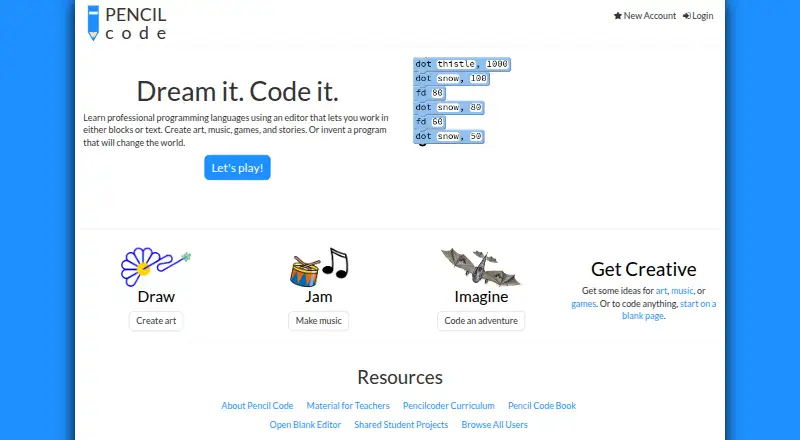
What Pencil Code is
Pencil Code is a free web-based programming site for creating projects such as art, music, games, stories, webpages, simulations, and algorithms. Its editor lets learners work with blocks or text and switch between the two. It supports CoffeeScript, JavaScript, CSS, and HTML, and its programming library includes turtle graphics functions. Projects are open for others to see and copy, so posted work is public. Users can create and run programs without registering, but need an account to save projects on the service. Pencil Code describes itself as open source and publishes its software license terms. For classroom use, its online guide points teachers to printable materials and a curriculum for middle- and high-school students. The service is intended for users of all ages, but its terms prohibit business use. The site warns that posted data is not secured from loss and says not to post private or personally identifying details. The plan is free to use at no cost.
Who it suits
Pencil Code suits learners and teachers exploring programming through creative projects, including middle- and high-school classroom work. It is not intended for business use, and saved projects are public.
What it does well
- Switch between block and text editing.
- Supports four listed programming languages.
- Includes turtle graphics functions.
- Run programs without registering.
- Offers printable classroom materials and a curriculum.
What to know first
- An account is required to save projects.
- Posted content is public.
- Posted data is not secured from loss.
- Business use is prohibited by the terms.
Limits
The free plan costs nothing. Saved content is public and the site says it is not secured from loss; saving projects also requires registration.
Plans
| Plan | Billed and limits | Price |
|---|---|---|
| Pencil Code | Free to use; the site says saved content is public and not secured from loss | Free |
As pencilcode.net lists them, read 11 Oct 2026. The maker's own page has the final word.
Getting started
- Open https://pencilcode.net/ in a web browser
- Create and run a program without registering
- Choose block-based or text-based editing
- Use CoffeeScript, JavaScript, CSS, or HTML
- Register when you want to save projects on the service
- Share projects knowing posted content is public
Verdict
Pencil Code combines creative project work with both block and text programming. Its public-content rules and business-use restriction are important to consider before saving or sharing work.
Questions
How much does Pencil Code cost?
Its Pencil Code plan is free to use at no cost.
Which platforms support Pencil Code?
Pencil Code is available on the web.
Do I need an account to use it?
You can create and run programs without registering. Registration is required to save projects on the service.
Which programming languages are supported?
The editor supports CoffeeScript, JavaScript, CSS, and HTML, with block and text editing that can be switched.
Are Pencil Code projects private?
Programs are open for others to see and copy, and posted content is public. The site warns that posted data is not secured from loss.
Facts from Pencil Code's own pages
- Audience
- The service is educational and its privacy policy says it is intended for users of all ages. · pencilcode.net, 11 Oct 2026
- Editor
- The editor lets learners work in blocks or text and switch between them. · pencilcode.net, 11 Oct 2026
- Headquarters
- Lincoln, Massachusetts, United States · pencilcode.net, 28 Sept 2026
- Integrations
- The online guide points teachers to printable classroom materials and a curriculum for middle- and high-school students. · guide.pencilcode.net, 11 Oct 2026
- Languages
- Pencil Code supports CoffeeScript, JavaScript, CSS, and HTML. · pencilcode.net, 11 Oct 2026
- Limit
- The terms describe Pencil Code as an educational service and prohibit using it on behalf of or as part of a business. · pencilcode.net, 11 Oct 2026
- Open source
- Pencil Code describes itself as open source and publishes its software license terms. · pencilcode.net, 11 Oct 2026
- Personal information
- The terms prohibit posting private or personally identifiable information, including full names and contact details. · pencilcode.net, 11 Oct 2026
- Privacy
- The privacy policy says users can create and run programs without registering, but must register to save projects on the service. · pencilcode.net, 11 Oct 2026
- Purpose
- Pencil Code is a collaborative programming site for creating art, music, games, stories, and projects involving math, webpages, simulations, and algorithms. · pencilcode.net, 11 Oct 2026
- Security and data
- The site warns that posted data is public, is not secured from loss, and should not be relied on for safekeeping. · pencilcode.net, 11 Oct 2026
- Sharing
- Programs are open for others to see and copy, and posted content is public. · pencilcode.net, 11 Oct 2026
- Support
- The team page invites classroom users and open-source contributors to join the discussion group and says Slack invitations are sent within about a day after submitting contact information. · pencilcode.net, 11 Oct 2026
- Turtle graphics
- Programs preload the Pencil Code library, which provides turtle graphics functions. · pencilcode.net, 11 Oct 2026
Where Pencil Code stands on Freedom251
- Coding Learning Software#30 of 42