Freedom251 › PDF Accessibility Software
PDFTagDog
What PDFTagDog is
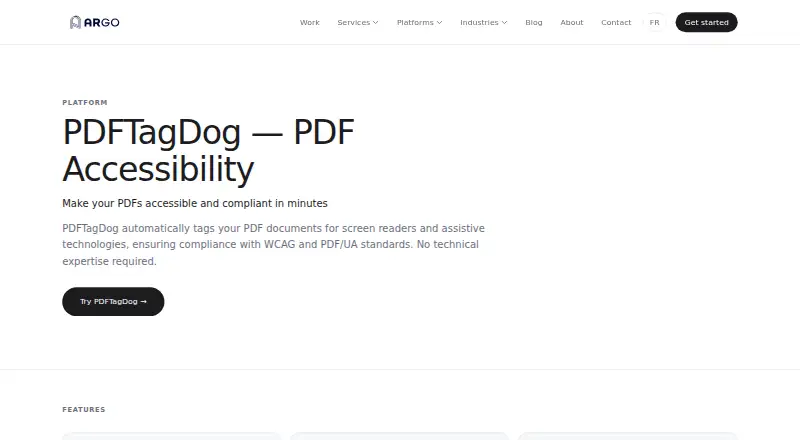
PDFTagDog is a PDF accessibility tool that adds structure to documents to support screen readers and other assistive technologies, with WCAG and PDF/UA compliance as its aims. It can tag headings, paragraphs, lists, tables, and images, and adjust reading order. Users can add or manage image alt text, while a built-in checker identifies outstanding accessibility issues and provides guidance. OCR extracts text from scanned PDFs before tagging, and multiple documents can be processed at once. The process preserves bookmarks, internal links, external URLs, and form fields. ARGO says the structural metadata is added behind visible content, leaving the document’s appearance unchanged for sighted readers; it also says documents are securely processed and not retained after tagging. PDFTagDog is available on the web or as self-hosted software, with on-premise deployment supported on enterprise plans. The paid Custom offer uses volume-based pricing, which is available on request, and includes priority support. ARGO, a WEMAP brand, is headquartered in Montpellier, France.
Who it suits
It suits document-heavy organisations that need to make PDFs more accessible, especially those processing scanned files or multiple documents. Enterprise teams handling sensitive documents may consider its on-premise deployment option.
What it does well
- Tags headings, paragraphs, lists, tables, and images.
- OCR handles scanned documents before tagging.
- Processes multiple PDFs simultaneously.
- Preserves bookmarks, links, URLs, and form fields.
- Documents are not retained after tagging, according to ARGO.
What to know first
- Paid product with pricing available on request.
- On-premise deployment is supported on enterprise plans.
- Custom pricing is based on volume.
Limits
The Custom offer uses volume-based pricing, and on-premise deployment is available on enterprise plans. The product has no free plan.
Plans
| Plan | Billed and limits | Price |
|---|---|---|
| Custom | Pricing based on volume · Automated PDF tagging · WCAG 2.1 AA compliance · Batch processing · Accessibility checker · Priority support | On request |
As ar-go.co lists them, read 4 Oct 2026. The maker's own page has the final word.
Getting started
- Open the PDFTagDog website
- Choose web or self-hosted deployment
- Contact ARGO for custom volume pricing
- Select the Custom offer
- Use enterprise on-premise deployment when required
- Submit PDFs for tagging and accessibility checking
Verdict
PDFTagDog focuses on PDF accessibility, combining automatic structure, reading-order tools, OCR, and a checker. Its self-hosted and enterprise deployment options may suit organisations with specific document-handling needs; pricing requires an inquiry.
Questions
What is PDFTagDog used for?
It automatically tags PDFs for screen readers and assistive technologies, supporting WCAG and PDF/UA compliance.
How can it be deployed?
PDFTagDog is available as a web service or self-hosted software. Enterprise plans support on-premise deployment.
Does it process scanned PDFs?
Yes. OCR extracts text from scanned documents before tagging.
What does the Custom offer include?
It includes automated PDF tagging, volume-based pricing, batch processing, an accessibility checker, WCAG 2.1 AA compliance, and priority support.
What happens to document appearance and content?
Structural metadata is added behind visible content, and the appearance remains the same to sighted readers. Bookmarks, internal links, external URLs, and form fields are preserved.
How quickly does the team respond?
The page says the team responds to inquiries within 24 hours.
Facts from PDFTagDog's own pages
- Alt text
- It lets users add, edit, and manage alt text for images. · ar-go.co, 4 Oct 2026
- Batch processing
- It can tag multiple PDFs simultaneously and is described as designed for document-heavy organisations. · ar-go.co, 4 Oct 2026
- Deployment
- Enterprise plans support on-premise deployment for sensitive documents. · ar-go.co, 4 Oct 2026
- Document appearance
- The maker says tagging adds structural metadata behind visible content, leaving the PDF looking the same to sighted readers. · ar-go.co, 4 Oct 2026
- Document handling
- The maker says documents are processed securely and not retained after tagging is complete. · ar-go.co, 4 Oct 2026
- Headquarters
- Montpellier, France · ar-go.co, 28 Sept 2026
- Maker
- ARGO is a brand of WEMAP, which the maker identifies as headquartered in Montpellier, France. · ar-go.co, 4 Oct 2026
- Preserved elements
- The tagging process preserves bookmarks, internal links, external URLs, and form fields. · ar-go.co, 4 Oct 2026
- Purpose
- PDFTagDog automatically tags PDFs for screen readers and assistive technologies to support WCAG and PDF/UA compliance. · ar-go.co, 4 Oct 2026
- Reading order
- It can correct logical reading order so assistive technologies navigate document content correctly. · ar-go.co, 4 Oct 2026
- Scanned PDFs
- PDFTagDog includes OCR to extract text from scanned documents before tagging. · ar-go.co, 4 Oct 2026
- Structural tagging
- It can automatically add tags for headings, paragraphs, lists, tables, and images. · ar-go.co, 4 Oct 2026
- Support
- The custom pricing offer includes priority support, and the page says the team will respond to inquiries within 24 hours. · ar-go.co, 4 Oct 2026
- Validation
- Its built-in accessibility checker highlights remaining issues and guides users toward compliance. · ar-go.co, 4 Oct 2026
Where PDFTagDog stands on Freedom251
- PDF Accessibility Software#22 of 26