Freedom251 › PDF Accessibility Software

Adobe Acrobat Pro
What Adobe Acrobat Pro is
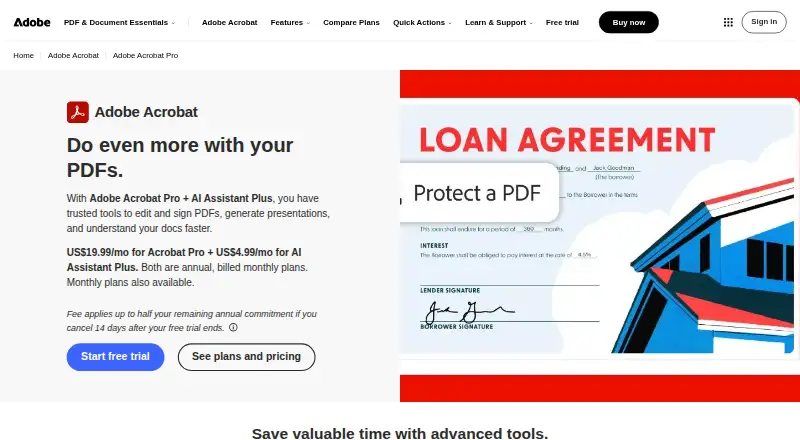
Adobe Acrobat Pro is paid PDF software for editing, converting, protecting, and signing documents. It runs on Android, iOS, macOS, the web, and Windows, so work can span mobile devices, computers, and a browser. Its advanced PDF and e-signature tools are offered through three listed billing arrangements: annual billing paid monthly, annual prepaid billing, or monthly billing. Acrobat Pro also includes tools for PDF accessibility work, including tagging, reading-order controls, alternative-text support, and PDF/UA support. OCR can recognize text in documents, while batch processing handles multiple files as part of a workflow. API access provides a way to connect the product with other systems. The product has no free plan. Adobe lists Acrobat Pro as a paid service, but the supplied plan descriptions do not include prices. The website presents the product and its capabilities for people who need document editing, conversion, protection, signatures, accessibility preparation, text recognition, batch handling, or API-connected PDF processes.
Who it suits
Acrobat Pro suits people managing PDF documents across Android, iOS, macOS, web, and Windows. It is also relevant to workflows needing e-signatures, accessibility tools, OCR, batch processing, or API access.
What it does well
- Works on Android, iOS, macOS, web, and Windows
- Edits, converts, protects, and signs PDFs
- Includes tagging, reading order, and alternative-text tools
- Supports PDF/UA and OCR
- Offers batch processing and API access
What to know first
- Paid product with no free plan
- Plan prices are not included
- Three plans differ by billing cadence rather than listed core tools
Limits
There is no free plan. The listed plans all describe editing, conversion, protection, signing, and advanced PDF and e-signature tools; no quotas or seat limits are provided.
Plans
| Plan | Billed and limits | Price |
|---|---|---|
| Acrobat Pro — annual, billed monthly | Annual, billed monthly · Edit, convert, protect, and sign PDFs · Advanced PDF and e-signature tools | On request |
| Acrobat Pro — annual, prepaid | Annual, prepaid · Edit, convert, protect, and sign PDFs · Advanced PDF and e-signature tools | On request |
| Acrobat Pro — monthly | Monthly · Edit, convert, protect, and sign PDFs · Advanced PDF and e-signature tools | On request |
As adobe.com lists them, read 20 Sept 2026. The maker's own page has the final word.
Getting started
- Open the Adobe Acrobat Pro website
- Choose annual billing paid monthly, annual prepaid billing, or monthly billing
- Use Acrobat Pro on Android, iOS, macOS, the web, or Windows
Verdict
Pick Adobe Acrobat Pro for cross-platform PDF editing and signing with accessibility, OCR, batch, and API capabilities. Look elsewhere if you need a free plan or require a stated price before choosing.
Questions
Is Adobe Acrobat Pro free?
No. It is a paid product and has no free plan.
Which platforms support Acrobat Pro?
It supports Android, iOS, macOS, web, and Windows.
What billing options are listed?
The options are annual billing paid monthly, annual prepaid billing, and monthly billing.
Does it support accessible PDFs?
Yes. It lists PDF tagging, reading-order, alternative-text tools, and PDF/UA support.
Does Acrobat Pro include OCR or API access?
Yes. OCR, batch processing, and API access are listed capabilities.
Facts from Adobe Acrobat Pro's own pages
- Founded
- 1982 · adobe.com, 23 Sept 2026
Where Adobe Acrobat Pro stands on Freedom251
- PDF Accessibility Software#20 of 26