Freedom251 › AI Quiz Generators
PDFNoob
What PDFNoob is
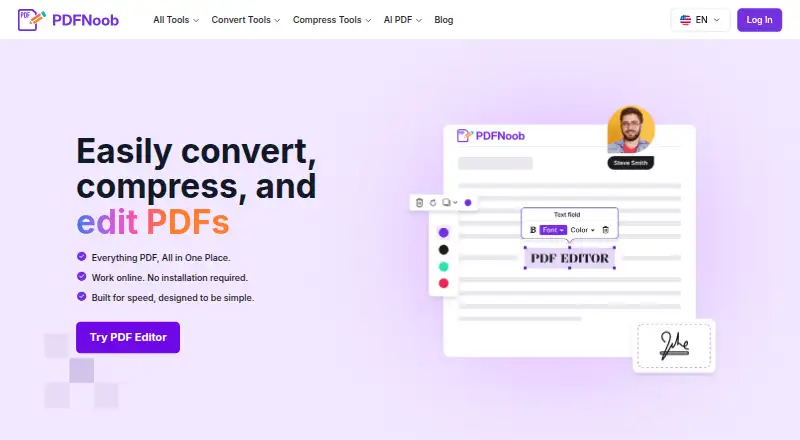
PDFNoob is a free browser-based suite for editing, compressing, converting, and managing PDF files. Its editor can add or change text, insert images and signatures, fill forms, and add, remove, or reorder pages. The site also lists tools for conversion, compression, OCR, summarization, question generation, signing, metadata editing, and page management. The editor requires no sign-up and adds no watermark, but limits uploads to 10 MB per file. The free merge tool accepts up to 20 files and 100 MB total. PDFNoob says files are deleted within one hour on the editor and merge pages, and that uploaded contents are not indexed or used to train AI. Many operations run locally in the browser; server-processed files are deleted after the requested operation is complete. On phones, users can select files from Photos, Files, iCloud, or Google Drive. The service is listed for Android, iOS, macOS, web, and Windows, and its free tier is described as covering most personal and small-business needs.
Who it suits
It suits people who need common PDF editing and file-management tools in a browser, including personal and small-business users. It may also suit phone users who want to select files from Photos, Files, iCloud, or Google Drive.
What it does well
- Editor works without sign-up or a watermark
- Includes OCR, conversion, compression, and page tools
- Many operations run locally in the browser
- Phone file selection includes Photos and iCloud
What to know first
- PDF Editor uploads are limited to 10 MB per file
- Free Merge PDF allows up to 20 files and 100 MB total
Limits
The free PDF Editor accepts files up to 10 MB each. The free Merge PDF tier accepts up to 20 files and 100 MB total.
Plans
| Plan | Billed and limits | Price |
|---|---|---|
| Free | Free · PDF Editor up to 10 MB per file · Merge up to 20 files and 100 MB total · no watermark · no sign-up | Free |
As pdfnoob.com lists them, read 15 Oct 2026. The maker's own page has the final word.
Getting started
- Open https://pdfnoob.com/.
- Choose the PDF tool you need, such as the editor or Merge PDF.
- Select a document from your device; on a phone, files can also be chosen from Photos, Files, iCloud, or Google Drive.
- Use the selected tool within its file limits.
- Download or otherwise use the completed PDF.
Overview
PDFNoob is a browser-based PDF toolkit for people who want to edit, convert, compress or manage documents without paying for basic use. It is most useful for occasional personal and small-business tasks, though its different tool limits make it less suited to large files or repeated, high-volume work.
Alongside document tools, PDFNoob offers a document-based quiz generator with mixed question types, answer explanations and PDF export. That makes it a broader utility than a conventional PDF editor, but the quiz format is fixed at 15 questions.
Key features
Editing and page tools
The editor can change text, add images and signatures, fill forms, and add, remove or reorder pages. That range covers common fixes and form work without requiring a separate app for each task. The 10 MB per-file cap is a meaningful constraint for image-heavy or lengthy PDFs.
Other tools cover conversion, compression, OCR, signing, metadata editing and page management. This breadth is useful when document chores vary, although the limits differ by tool rather than being governed by one suite-wide allowance.
Document quizzes
PDFNoob can generate mixed question types from a document, with 15 questions per quiz, answer explanations and PDF export. It is a fit for creating a compact review sheet from a PDF; readers who need a different quiz length or more output formats should compare quiz-focused options.
Privacy and file handling
The editor is free without sign-up and does not add a watermark. PDFNoob says it does not index uploaded contents or use them to train AI. Its privacy policy says many operations run locally in the browser; server-processed files are deleted after the requested operation, and the editor and merge pages say files are deleted within one hour. HTTPS protects files in transit, while the privacy policy also describes access controls and other reasonable security measures. These are useful safeguards, but they do not make the service the right choice for every sensitive document.
Phone file selection
For merging on a phone, users can select files from Photos, Files, iCloud or Google Drive. That makes picking documents from common phone locations more convenient, but it is not a separately described integration feature.
Pricing
Free: free. Basic use is described as free forever, with no free trial. The PDF Editor allows up to 10 MB per file; Merge PDF allows up to 20 files and 100 MB total. Those caps are practical for routine documents and small batches, but users with larger files or merge jobs must check the relevant tool before starting. There is no sign-up requirement for the editor and no watermark.
Support inquiries typically receive a response within 48 hours, a useful expectation for a free service when a tool issue interrupts a task.
Platforms
PDFNoob is listed for Android, iOS, macOS, web and Windows. Its product is browser-based, so the listed platform range is broad; the phone merge workflow also supports file selection from device storage and cloud locations.
Who it's for
PDFNoob suits people who need a free, no-account editor for ordinary PDF changes, or a small number of files merged without a watermark. It also fits users who want to turn document material into a short quiz with explanations. The published 10 MB editor limit and 100 MB merge total make it a weaker fit for large document workflows or frequent bulk processing.
Pros and cons
- Pros: Editing covers text, images, signatures, forms and page order, which handles more than simple annotation.
- Pros: The editor is free without sign-up or watermark, removing common barriers for one-off tasks.
- Pros: Browser-local processing for many operations, stated deletion practices and a no-AI-training position offer useful privacy assurances.
- Cons: The editor's 10 MB cap can rule out large PDFs even when the task itself is simple.
- Cons: Merge is capped at 20 files and 100 MB total, limiting large batches.
- Cons: Quiz creation is set to 15 questions per quiz and PDF export, which may not suit other assessment formats.
Alternatives
For a wider comparison of document-based quiz tools, browse AI Quiz Generators.
- Quizbot is worth considering when its 50-question monthly free allowance and 10-question batches suit a recurring quiz workflow; its free plan also caps users at one notebook and two sources.
- QuizFlight is a better direction for live sessions, with a free first session for up to 20 participants and later sessions capped at five.
- IntelliAssess is aimed at classroom use, with a free web plan for up to 25 students and provider-specific question allowances.
- PDFQuiz is a close document-quiz alternative if its free allowance of 10 questions without an account, or three 10-question quizzes with an account, is enough; it also accepts up to 20 document pages per quiz.
- QuizFlex AI is an option to consider for a quiz workflow beyond PDFNoob's fixed 15-question output.
- Dende is an alternative for web-based quiz generation from files.
- Revisely is an alternative for web-based study tools.
- SimpleQuizMaker is an alternative for quiz creation on web or iOS.
Verdict
Choose PDFNoob for free, no-sign-up PDF edits and small merges, especially when its document quiz generator is useful as a bonus. Its breadth and lack of watermark are compelling for everyday jobs; look elsewhere when file sizes, batch volume or quiz format exceed its stated limits.
Verdict
PDFNoob offers a wide set of PDF tools at no cost, with different limits for editing and merging. Check the relevant file-size or merge limit before using a tool.
Questions
Is PDFNoob free?
Yes. Basic use is described as free forever, and the PDF Editor is free without sign-up.
What does the PDF Editor do?
It can add or change text, insert images and signatures, fill forms, and add, remove, or reorder pages.
Which platforms are listed?
PDFNoob is listed for Android, iOS, macOS, web, and Windows.
How many files can I merge for free?
The Merge PDF page allows up to 20 files and 100 MB total on its free tier.
How does PDFNoob describe file privacy?
It says it does not index uploaded contents or use them to train AI. It also says many operations run locally in the browser and files handled by the editor and merge tool are deleted within one hour.
Can I use it without an account?
The PDF Editor page says it is free to use without sign-up and does not add a watermark.
Facts from PDFNoob's own pages
- About mission
- PDFNoob describes its mission as making PDF work fast, simple and accessible through browser-based tools. · pdfnoob.com, 15 Oct 2026
- Account and watermark
- The PDF Editor page says it is free to use without sign-up and does not add a watermark. · pdfnoob.com, 30 Sept 2026
- AI language support
- The generator says it can read documents and write questions in more than 30 languages. · pdfnoob.com, 15 Oct 2026
- AI offline limitation
- The AI generator requires an internet connection because it calls external AI providers. · pdfnoob.com, 15 Oct 2026
- AI provider
- The question generator says it routes requests between Anthropic Claude and a privacy-screened in-house model. · pdfnoob.com, 15 Oct 2026
- AI quiz exports
- Signed-in users can edit questions and download answer keys or blank worksheets as TXT, DOCX or PDF. · pdfnoob.com, 15 Oct 2026
- AI quiz generator
- The AI question tool creates multiple-choice, true/false, open-ended and flashcard activities from uploaded documents. · pdfnoob.com, 15 Oct 2026
- AI quiz limits
- Guests can upload PDFs up to 20 MB and 200 pages, while signed-in users get 30 MB and 500 pages; guests also have a 20,000-word limit. · pdfnoob.com, 15 Oct 2026
- Browser operation
- The service is designed to run in a web browser without installing software. · pdfnoob.com, 15 Oct 2026
- Compression
- The compressor offers Basic, Strong and Custom modes, including target sizes down to 20 KB. · pdfnoob.com, 15 Oct 2026
- Compression limit
- Compression accepts up to four files, each up to 100 MB. · pdfnoob.com, 15 Oct 2026
- Compression trade-off
- The site says Strong compression can soften photo-heavy pages because it downsamples images more aggressively. · pdfnoob.com, 15 Oct 2026
- Editing
- Its PDF editor can change text, add images and signatures, fill forms, and add, delete or reorder pages. · pdfnoob.com, 15 Oct 2026
- Editor formats
- The editor says it accepts standard PDF, PDF/A, PDF/UA and PDF/X files. · pdfnoob.com, 15 Oct 2026
- Editor limit
- The online editor accepts files up to 10 MB each. · pdfnoob.com, 15 Oct 2026
- File deletion
- Several tool pages state that uploaded files are deleted within one hour. · pdfnoob.com, 15 Oct 2026
- File retention
- The PDF Editor and Merge PDF pages say files are deleted within one hour. · pdfnoob.com, 30 Sept 2026
- Integrations
- On phones, the merge tool says files can be selected from Photos, Files, iCloud or Google Drive; no separate integration catalog is presented. · pdfnoob.com, 15 Oct 2026
- Intended users
- The About page describes PDFNoob as serving everyone, while its Merge PDF page says the free tier covers most personal and small-business needs. · pdfnoob.com, 30 Sept 2026
- Licence
- The terms give users a limited, revocable, non-transferable licence to access the service and state that PDFNoob owns or licenses its service intellectual property. · pdfnoob.com, 15 Oct 2026
- Merge feature
- Merge PDF combines files, allows page reordering and preserves fonts, images, form fields, bookmarks and links. · pdfnoob.com, 15 Oct 2026
- Merge limit
- The free merger accepts up to 20 PDFs with a combined 100 MB limit. · pdfnoob.com, 15 Oct 2026
- Merge restriction
- Password-protected PDFs cannot be merged directly; the password must be removed first. · pdfnoob.com, 15 Oct 2026
- Other tools
- The site lists tools for PDF conversion, compression, OCR, summarization, question generation, signing, metadata editing, and page management. · pdfnoob.com, 30 Sept 2026
Where PDFNoob stands on Freedom251
- AI Quiz Generators#1 of 29