Freedom251 › Nonprofit Payroll Software

PayFWDs
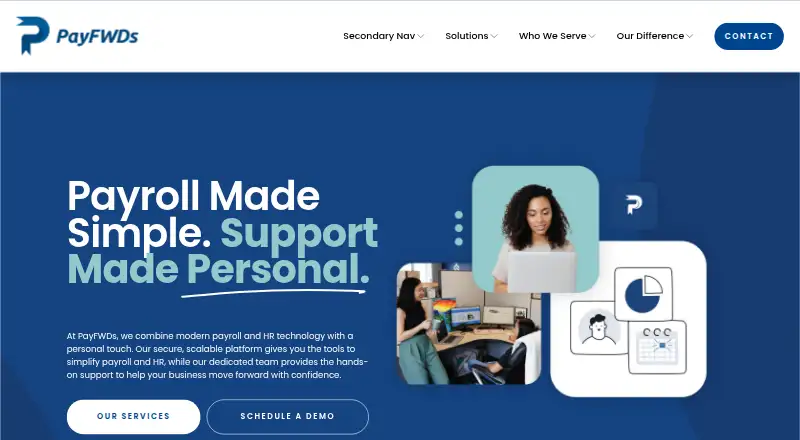
What PayFWDs is
PayFWDs brings payroll, HR, and timekeeping tools together for businesses, with a dedicated client contact backed by a support team and access to tax specialists. Payroll handles automated calculations, tax filings, direct deposit, and real-time gross-to-net calculations. HR tools cover onboarding, employee records, forms, approvals, and applicant tracking. Time and attendance features include schedules, overtime, time-off requests, accrual policies, and timesheets. Employees can record time using a mobile app, a browser clock, or physical clocks; mobile punches can include GPS verification and optional geofencing. Teams can create and download payroll, tax, and benefits reports filtered by date, department, or employee. The integrations page lists UKG Screen, UKG Wallet, Schoox, E-Verify, Employee Navigator, Sage Intacct, QuickBooks Online, Hireology, and Greenhouse. PayFWDs says it serves businesses across all 50 states, including small businesses, larger organizations, and multi-location teams. Pricing is custom and available on request; listed pricing factors include employee count, payroll frequency, states worked, and selected services.
Who it suits
PayFWDs suits businesses that need payroll, HR, and timekeeping in one service, including small businesses, larger organizations, and multi-location teams. Its dedicated contact and onboarding support may fit teams seeking guidance during a payroll and HR transition.
What it does well
- Payroll includes tax filings and direct deposit.
- Time tracking offers mobile, browser, and physical clocks.
- Reports can be filtered by date, department, or employee.
- Supports businesses in all 50 states.
What to know first
- Pricing is available only on request.
- Pricing varies with employee count and selected services.
Limits
Pricing is custom and depends on employee count, payroll frequency, states worked, and selected services. The company says it serves businesses in all 50 states.
Plans
| Plan | Billed and limits | Price |
|---|---|---|
| Custom pricing | Custom pricing tailored to your business; request a demo for pricing. · Pricing depends on employee count · payroll frequency · states worked · time and attendance · HR and benefits · integrations and reporting | On request |
As payfwds.com lists them, read 30 Sept 2026. The maker's own page has the final word.
Getting started
- Visit https://www.payfwds.com/.
- Request a demo to discuss pricing.
- Review the custom pricing factors, including employee count, payroll frequency, states worked, and selected services.
- Work with onboarding specialists to transition payroll and HR data.
- Choose Android, iOS, or web access for the available platform options.
PayFWDs brings payroll, HR administration, and timekeeping together for employers that want implementation guidance and ongoing support. It is best suited to organizations with varied payroll needs or teams across locations and states. The breadth is useful, but custom pricing makes it a weaker fit for buyers who need to compare costs before speaking with a provider.
Overview
The service covers recurring payroll and employee-management work, from tax filings and direct deposit to onboarding and attendance. Its combination of software, a dedicated client contact, and guided implementation favors employers looking for support through setup and ongoing operations rather than a self-serve product with a posted price.
Key features
Payroll and HR
Automated calculations, real-time gross-to-net figures, tax filings, and direct deposit address core payroll tasks. Multi-state payroll, contractor payments, and nonprofit tax support extend its fit to employers with different worker types or operations across state lines. HR tools cover onboarding, employee records, forms, approvals, and applicant tracking, which can consolidate routine administration; the right scope depends on the services selected for a custom package.
Timekeeping and reporting
Employees can record time through a mobile app, browser-based clock, or physical clock. Mobile punches support GPS verification, with geofencing as an option. Schedules, overtime, time-off requests, accrual policies, and timesheets give managers several ways to handle attendance workflows. Customizable, downloadable payroll, tax, and benefits reports can be filtered by date, department, or employee, a practical advantage for teams that need to review data across locations or workforce groups.
Support, implementation, and integrations
Each client receives a dedicated point of contact, backed by a support team and direct access to tax specialists. Onboarding specialists guide the transition and use audit checkpoints to review payroll and HR data before the first live pay date. That support is valuable when moving workforce records and payroll processes, though it does not remove the need to confirm which services are included in a quote.
Listed integrations include UKG Screen, UKG Wallet, Schoox, E-Verify, Employee Navigator, Sage Intacct, QuickBooks Online, Hireology, and Greenhouse. PayFWDs says it works with technology providers it describes as secure and monitors customer data around the clock.
Pricing
PayFWDs uses custom pricing tailored to the business, with a demo request required for a quote. Cost depends on employee count, payroll frequency, states worked, time and attendance, HR and benefits, and integrations and reporting. There are no separate lower-cost plans to weigh: buyers need to define their workforce and selected services to compare the proposed price against alternatives. Tax filing, nonprofit tax support, multi-state payroll, contractor payments, and time tracking are included capabilities.
Platforms
PayFWDs supports Android, iOS, and web access. Employees can use the mobile app, while timekeeping also offers a browser-based clock and physical clocks, giving teams a choice of punch method.
Who it's for
PayFWDs is aimed at small businesses, larger organizations, and multi-location teams across industries, and it says it serves businesses in all 50 states from its Louisville, Kentucky headquarters. Employers with multi-state payroll, varied worker types, or a need for implementation and continuing support are its strongest audience. Buyers seeking a clear published price or a simpler payroll setup may be better served by a different option.
Pros and cons
- Pros: Payroll, HR, and timekeeping sit together, with multi-state payroll, contractor payments, and nonprofit tax support for varied workforce needs.
- Pros: Multiple clocking methods, optional geofencing, and filtered reports support teams that need flexible attendance workflows and segmented payroll views.
- Pros: A dedicated contact, tax-specialist access, and pre-payroll audit checkpoints provide support during setup and ongoing operations.
- Cons: Custom pricing depends on several workforce and service variables, so buyers cannot compare a published plan price upfront.
- Cons: The breadth of payroll, HR, and attendance tools may be more than employers with straightforward needs require.
Alternatives
Payroll4Free is worth considering when a free payroll option for nine or fewer employees paid monthly is the priority; its basic service is advertising-supported. Wave suits buyers who want a free plan for estimates, invoices, bills, and bookkeeping records, with online card payments charged at 2.9% + $0.60 per transaction. Homebase offers a free plan and trial, with separate paid task and tip management add-ons for teams that need those functions.
Rippling is another paid payroll and HR option with custom plan pricing; RUN Powered by ADP offers payroll plans including tax filing and direct deposit, with pricing on request. CDM+, MIP Payroll, and Workday Benefits are also alternatives to compare.
For a focused shortlist, see Nonprofit Payroll Software.
Verdict
Choose PayFWDs if your organization needs payroll, HR, and attendance tools in one service and values guided implementation, tax-specialist access, and support across multiple states or locations. Look elsewhere if a posted price or a simpler, more easily compared plan is essential.
Verdict
PayFWDs combines payroll, HR, and timekeeping with reporting and implementation support. Businesses need to request pricing tailored to their workforce and selected services.
Questions
How much does PayFWDs cost?
Pricing is custom and available by request. The price depends on employee count, payroll frequency, states worked, time and attendance, HR and benefits, integrations, and reporting.
Which platforms can I use?
PayFWDs lists Android, iOS, and web platforms. Employees can use a mobile app, and timekeeping also has browser-based clock access.
Does PayFWDs include tax filing?
Yes. Tax filings are included among its payroll features.
Can PayFWDs handle payroll in multiple states?
Yes. Multi-state payroll is listed, and the company says it serves businesses in all 50 states.
Which integrations are listed?
The integrations page lists UKG Screen, UKG Wallet, Schoox, E-Verify, Employee Navigator, Sage Intacct, QuickBooks Online, Hireology, and Greenhouse.
What support is included during setup?
Onboarding specialists guide the transition and use audit checkpoints to review payroll and HR data before the first live pay date. Each client is paired with a dedicated contact, with support-team and tax-specialist access.
Facts from PayFWDs's own pages
- Clock options
- Employees can track time through a mobile app, a browser-based clock, or physical clocks; mobile punches support GPS verification and optional geofencing. · payfwds.com, 30 Sept 2026
- Coverage
- PayFWDs says it serves businesses in all 50 states from its Louisville, Kentucky headquarters. · payfwds.com, 30 Sept 2026
- Headquarters
- Louisville, Kentucky, United States · payfwds.com, 23 Sept 2026
- HR
- HR tools cover onboarding, employee records, forms, approvals, and applicant tracking. · payfwds.com, 30 Sept 2026
- Implementation
- Onboarding specialists guide the transition and use multiple audit checkpoints to check payroll and HR data before the first live pay date. · payfwds.com, 30 Sept 2026
- Integrations
- The integrations page lists UKG Screen, UKG Wallet, Schoox, E-Verify, Employee Navigator, Sage Intacct, QuickBooks Online, Hireology, and Greenhouse. · payfwds.com, 30 Sept 2026
- Payroll
- Payroll features include automated calculations, tax filings, direct deposit, and real-time gross-to-net calculations. · payfwds.com, 30 Sept 2026
- Platform access
- The payroll page says employees can use a mobile app, and the timekeeping page describes both mobile and browser-based clock access. · payfwds.com, 30 Sept 2026
- Product
- PayFWDs provides payroll and HR technology with hands-on support for businesses. · payfwds.com, 30 Sept 2026
- Reporting
- Users can create, customize, and download payroll, tax, and benefits reports filtered by date, department, or employee. · payfwds.com, 30 Sept 2026
- Security
- PayFWDs says it partners with technology providers it describes as secure and says customer data is monitored 24/7. · payfwds.com, 30 Sept 2026
- Support
- Each client is paired with a dedicated point of contact, backed by a support team and direct access to tax specialists. · payfwds.com, 30 Sept 2026
- Timekeeping
- Time and attendance tools support schedules, overtime, time-off requests, accrual policies, and timesheets. · payfwds.com, 30 Sept 2026
- Who it serves
- The company describes its solutions as serving small businesses, larger organizations, and multi-location teams across industries. · payfwds.com, 30 Sept 2026
Where PayFWDs stands on Freedom251
- Nonprofit Payroll Software#21 of 29